29
Using the internal sound generator
Editing the parameters
Parameters can be edited from the panel of the SD-90 only in
GM2 mode
and
Native mode
.
* It is not possible to preserve the edited state of the audio mixer in the SD-90’s internal memory. Your edits will be
lost when the power is turned off. If you want to preserve the edited state, you can either make a note of the settings,
or save them on an external MIDI device such as a MIDI sequencer (
"Writing/loading SD-90 settings"
(p. 93)).
■
Editing part parameters
You can change the way in which the sound selected for a part will be heard, to adjust the sound ideally
for your performance. Part parameters include parameters that adjust the
volume
,
tonal character
, and
pitch
.
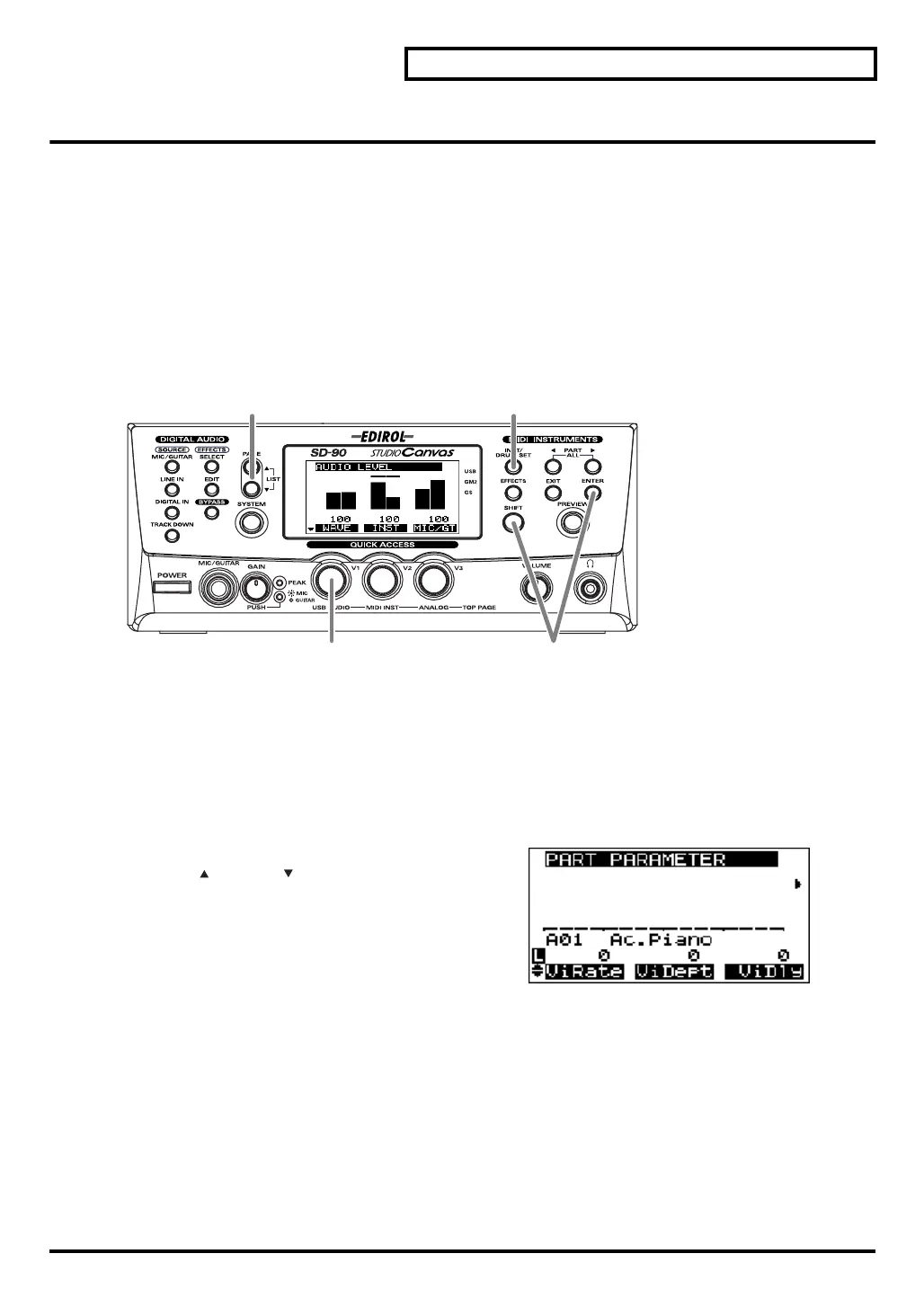
fig.5-10
1.
Make sure that the sound generator mode is set to either
GM2
or
Native
. If
GM2
or
Native
is not selected,
refer to
"Switching the sound generator mode"
(p. 20).
2.
Press
[INST/DRUM SET]
.
3.
Select the part and sound as described in the procedures for
"Selecting a part"
(p. 21) and
"Selecting a
sound"
(p. 24).
fig.5-10a_67.2
4.
After you have selected the part and sound, press
[PAGE ]
or
[PAGE ]
to access the parameter that you
want to edit.
5.
Turn the
[V1]
–
[V3]
knobs.
The value of the parameter you selected in
step 4
will
change.
6.
If you want to keep the results of your editing, hold down
[SHIFT]
and press
[ENTER]
after
step 5
. The
current setting will be transmitted from MIDI OUT.
* If you want to transmit the state of the sound generator to an external MIDI device all at once, use Bulk Dump. For
details on Bulk Dump, refer to
"Transmitting a bulk dump"
(p. 93).
5
4 2
6
sd90_manual_e.book 29 ページ 2004年10月4日 月曜日 午後3時28分


 To Next Page