24
Using the internal sound generator
Selecting a sound
If the part type is Inst, use the following procedure to select a sound. First make sure that the part type is
Inst. For details on how to set the part type to Inst, refer to
"Selecting the type of part (INST/DRUM)"
(p.
22).
On the SD-90, the sound of an Inst part is specified by two numbers: an
Instrument number
and a
Variation number. There are 128 sounds whose
variation number
is 000, and these make up the basic
sounds of the SD-90. These are referred to as “
capital sounds
.”
By changing the MIDI bank number of these sounds, you can select variations that have a different tonal
character. These are called “
variation sounds
.” For details on the various sounds that can be selected,
refer to
"Instrument list (GM2 / Native mode)"
(p. 129).
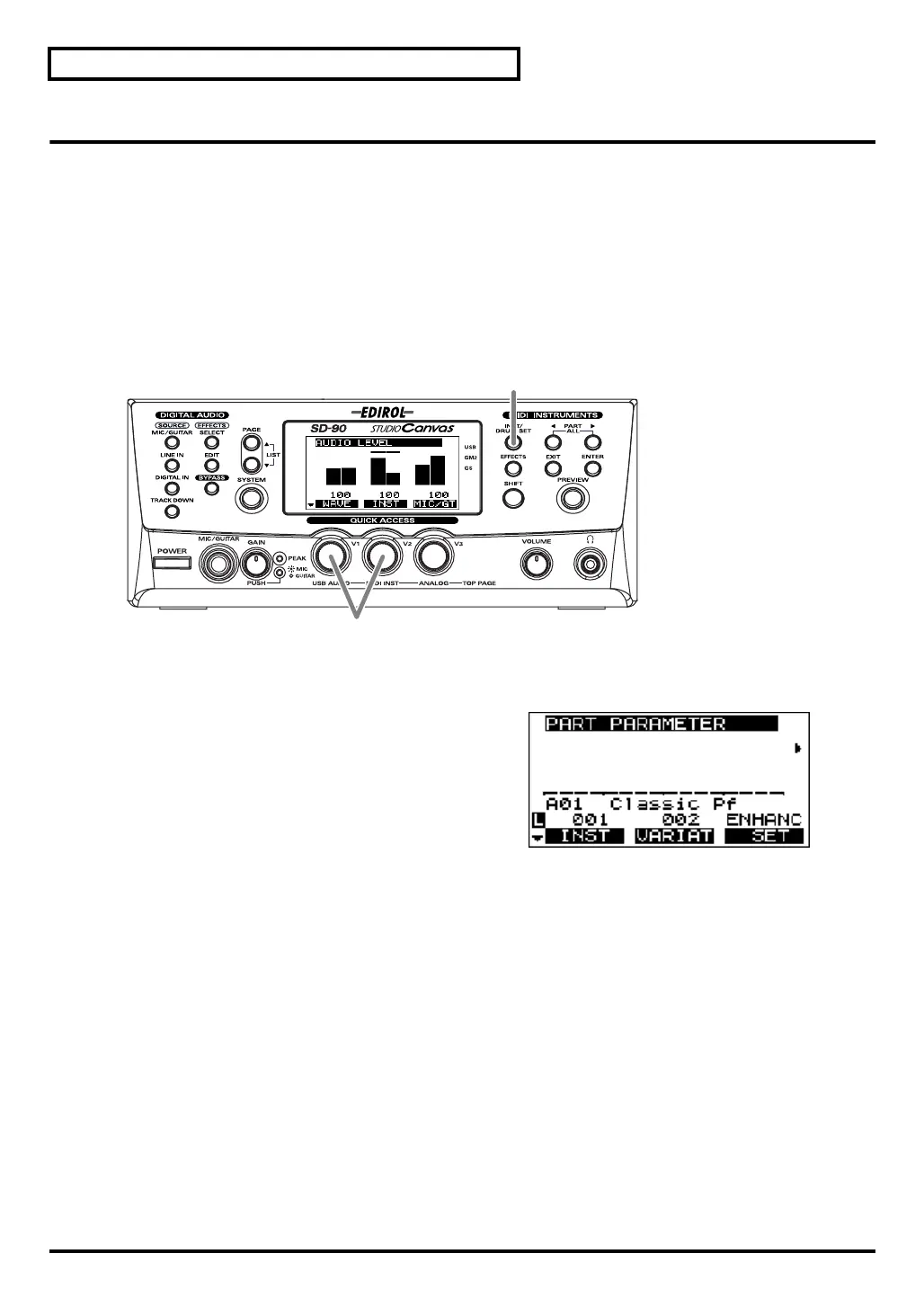
fig.5-06
1.
Press
[INST/DRUM SET]
.
fig.5-06a_67.2
2.
Turn the
[V1]
knob or
[V2]
knob to select the sound. The
sound name (instrument) shown in the center of the
display will change.
[V1]:
Selects the capital sound. The
INST
(number)
shown in the display will change
simultaneously.
[V2]:
Selects the variation sound. The
VAR
(number)
shown in the display will change
simultaneously.
3.
Press
[INST/DRUM SET]
once again to return to the main screen.
1, 3
2
sd90_manual_e.book 24 ページ 2004年10月4日 月曜日 午後3時28分



 To Next Page