64
Using the audio effects
■
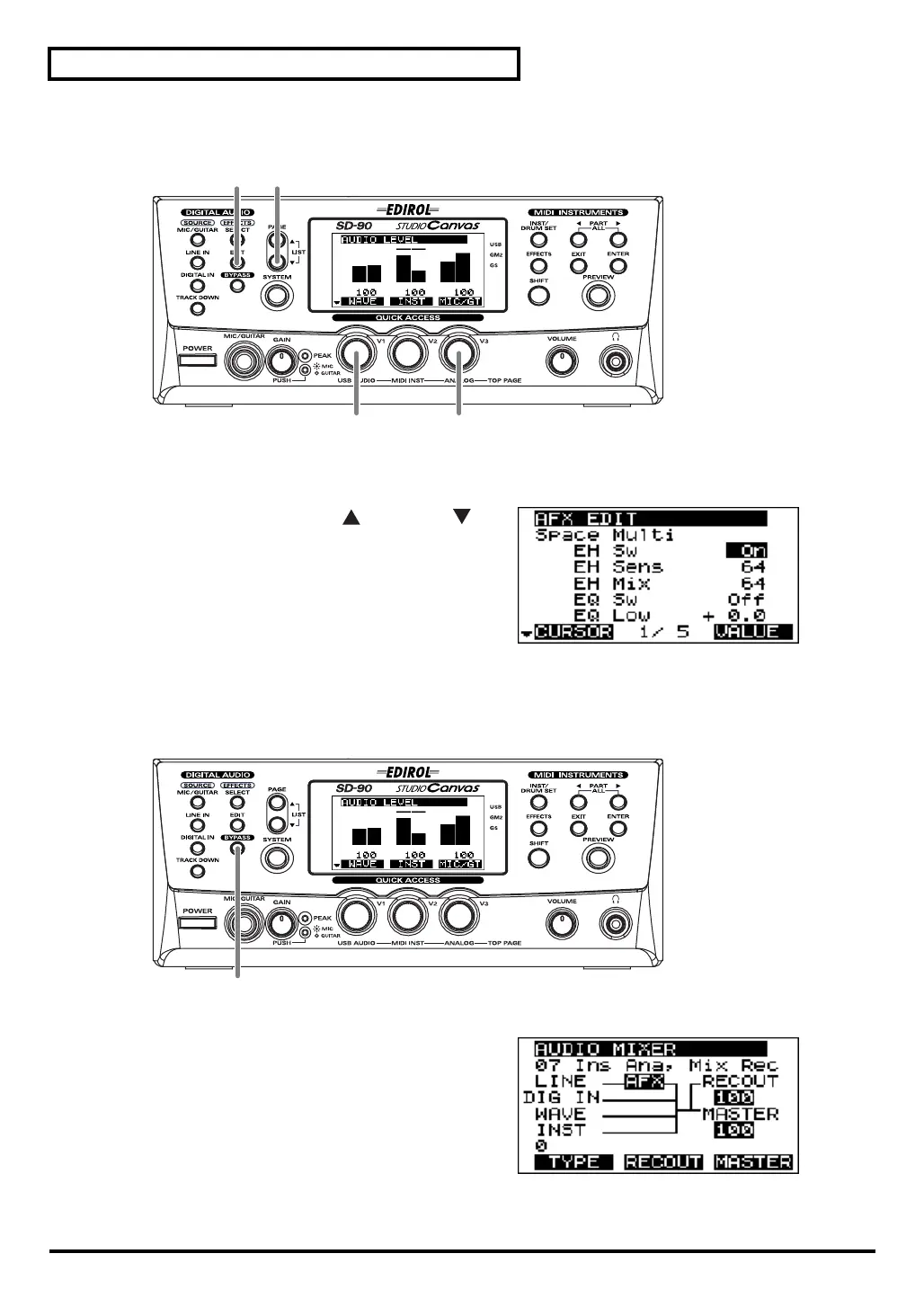
Editing in the list display
fig.4-05
1.
Press
[EDIT]
. The parameters of the currently selected algorithm will be displayed.
fig.4-06
2.
Simultaneously press
[PAGE ]
and
[PAGE ]
.
A list of parameters will appear in the display.
3.
Turn the
[V1]
knob to highlight the parameter that
you want to edit.
4.
Turn the
[V3]
knob (VALUE) to edit the setting.
5.
Press
[EDIT]
once again to return to the main screen.
■
Bypassing the effect
fig.4-07
fig.4-08
1.
If you want to compare the sound processed by the
effect with the unprocessed sound, press
[BYPASS]
.
The
[BYPASS]
button will light and the effect block
will be highlighted, indicating that the effect has been
bypassed.
2.
When you press
[BYPASS]
once again,
[BYPASS]
will go dark and you’ll be returned to the previous
state.
1, 5 2
4
3
1, 2
sd90_manual_e.book 64 ページ 2004年10月4日 月曜日 午後3時28分



 To Next Page