76
System-related settings
Adjusting the contrast of the display
Immediately after the power is turned on, or after the SD-90 has been used for an extended period, or
depending on the location, the characters and icons in the display screen may be difficult to read. If this
occurs, adjust the contrast of the display (
"Adjusting the brightness of the display (Contrast)"
(p. 16)).
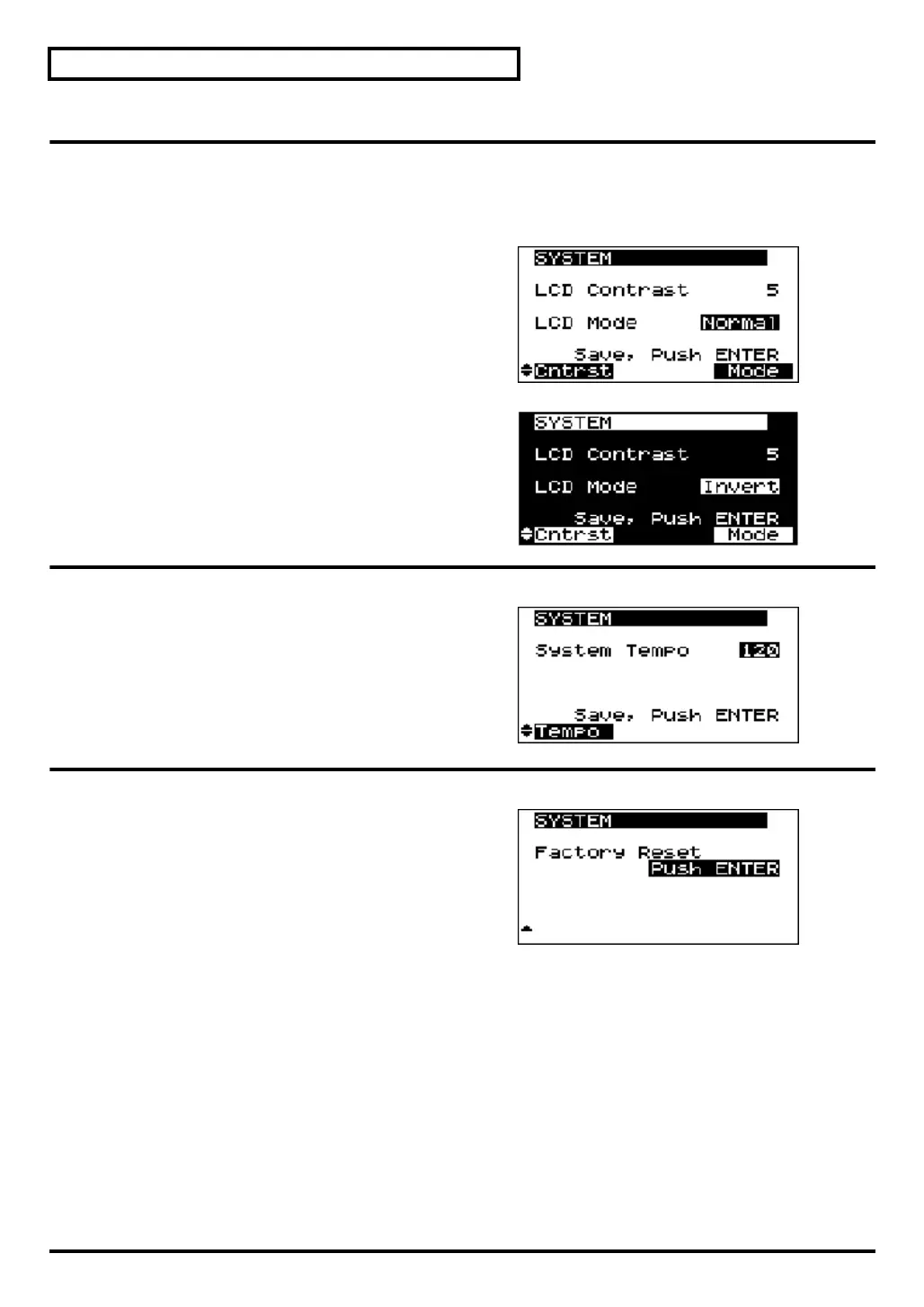
fig.7-1g
LCD contrast
1–
5
–8
This adjusts the contrast (darkness) of the SD-90’s
display. Increasing this value will darken the
characters in the display.
fig.7-1ga
LCD Mode Normal
, Invert
Allows you to chose the desired display mode for the
LCD.
Setting the system tempo
fig.7-1h
System Tempo
20--
120
--250
This sets the tempo of the entire SD-90 system. When
you set the Delay Time of an internal sound generator
effect (MFX) to Clock (Tempo), it will follow the
tempo you specify here.
Restoring the factory settings
fig.7-1i
Factory Reset
This resets all system parameters of the SD-90 to their
factory-set condition.
sd90_manual_e.book 76 ページ 2004年10月4日 月曜日 午後3時28分



 To Next Page