80
Controlling the SD-90 via MIDI
■
Switching the type of part
Switching the Part Mode in GM2 mode
In GM2, transmit a Bank Select message to switch the Part Mode.
MIDI bank number: CC#00(MSB) = **
**: The part mode will be switched according to the value that you insert here (decimal).
121(79H) = Inst part
120(78H) = Drum part
Switching the Part Mode in Native mode
In Native mode, transmit a Bank Select message to switch the Part mode.
MIDI bank number: CC#00(MSB) = **
**: The part mode will be switched according to the value that you insert here (decimal).
Inst part: 80(50H) = Special 1 set
81(51H) = Special 2 set
96(60H) = Classical set
97(61H) = Contemporary set
98(62H) = Solo set
99(63H) = Enhanced set
Drum part: 104(60H) = Classical set
105(61H) = Contemporary set
106(62H) = Solo set
107(63H) = Enhanced set
Switching the Part Mode in GS mode
In GS mode, the Inst mode and Drum Part are normally set as follows:
Inst part: Part 1–9, 11–16
Drum part: Part 10
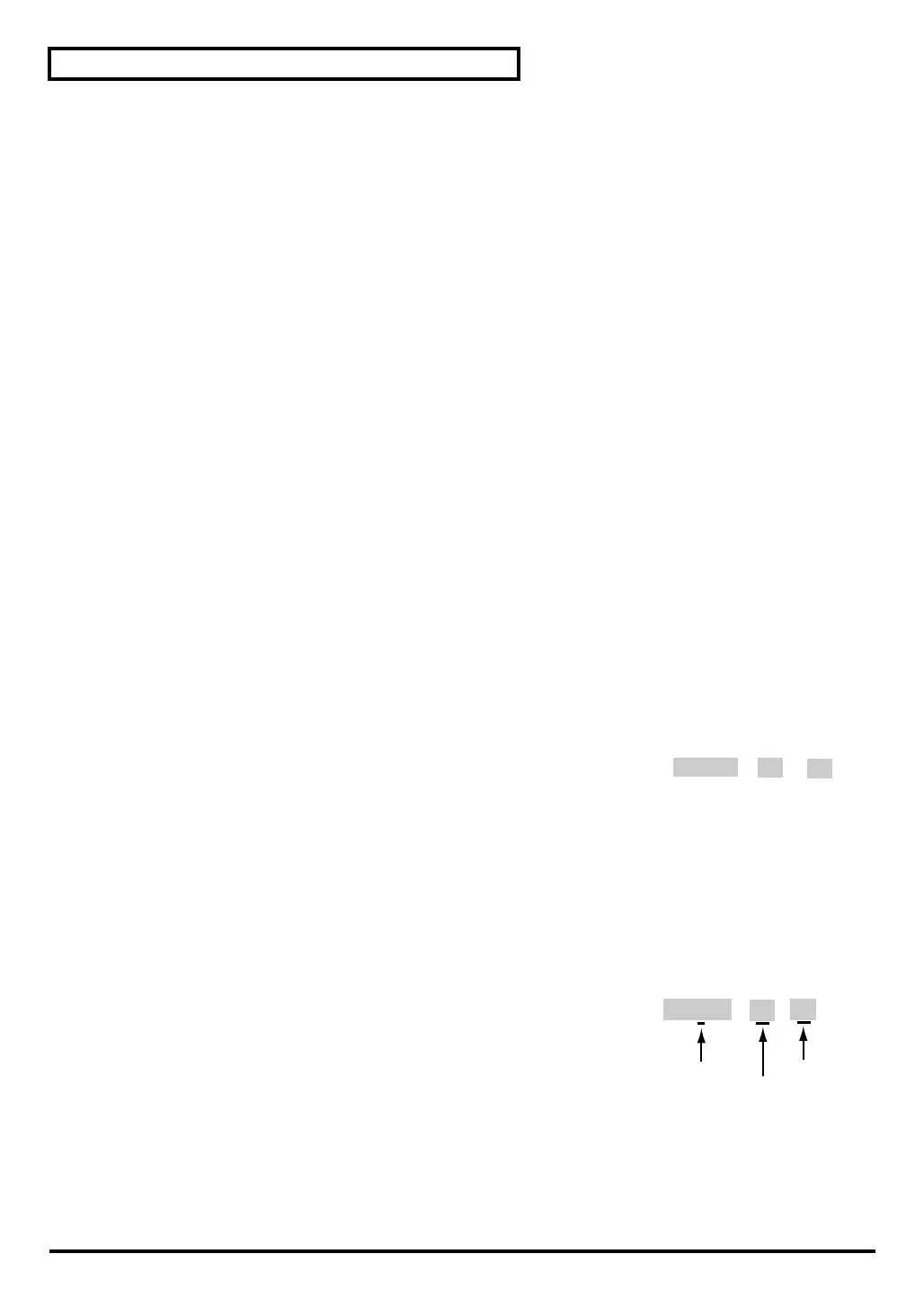
fig.5-2aj
Transmit system exclusive data to switch the Part Mode.
Address: 40 1* 15
*: Part number
Data: 00–02 (00 = Normal, 01 = Drum1, 02 = Drum2)
Checksum: For details on the calculation method, refer to “Calculating the
checksum” in “MIDI implementation” (MIDIImple_E.pdf) on the
included CD-ROM.
<Example> Switching part 11 to a Drum part
Transmit the following system exclusive data.
fig.5-2bj
After specifying the Part Mode, transmit a Program
Change to part 11 to select a drum set.
F0 41 10 00 48 12 [ 40 1x 15 ] [ ] [ ] F7
address
data
checksum
. .
. .
F0 41 10 00 48 12 [ 40 1A 15 ] [ 02 ] [ 0F ] F7
Part 11
Drum 2
address
data
checksum
checksum
sd90_manual_e.book 80 ページ 2004年10月4日 月曜日 午後3時28分



 To Next Page