27
Using the internal sound generator
■
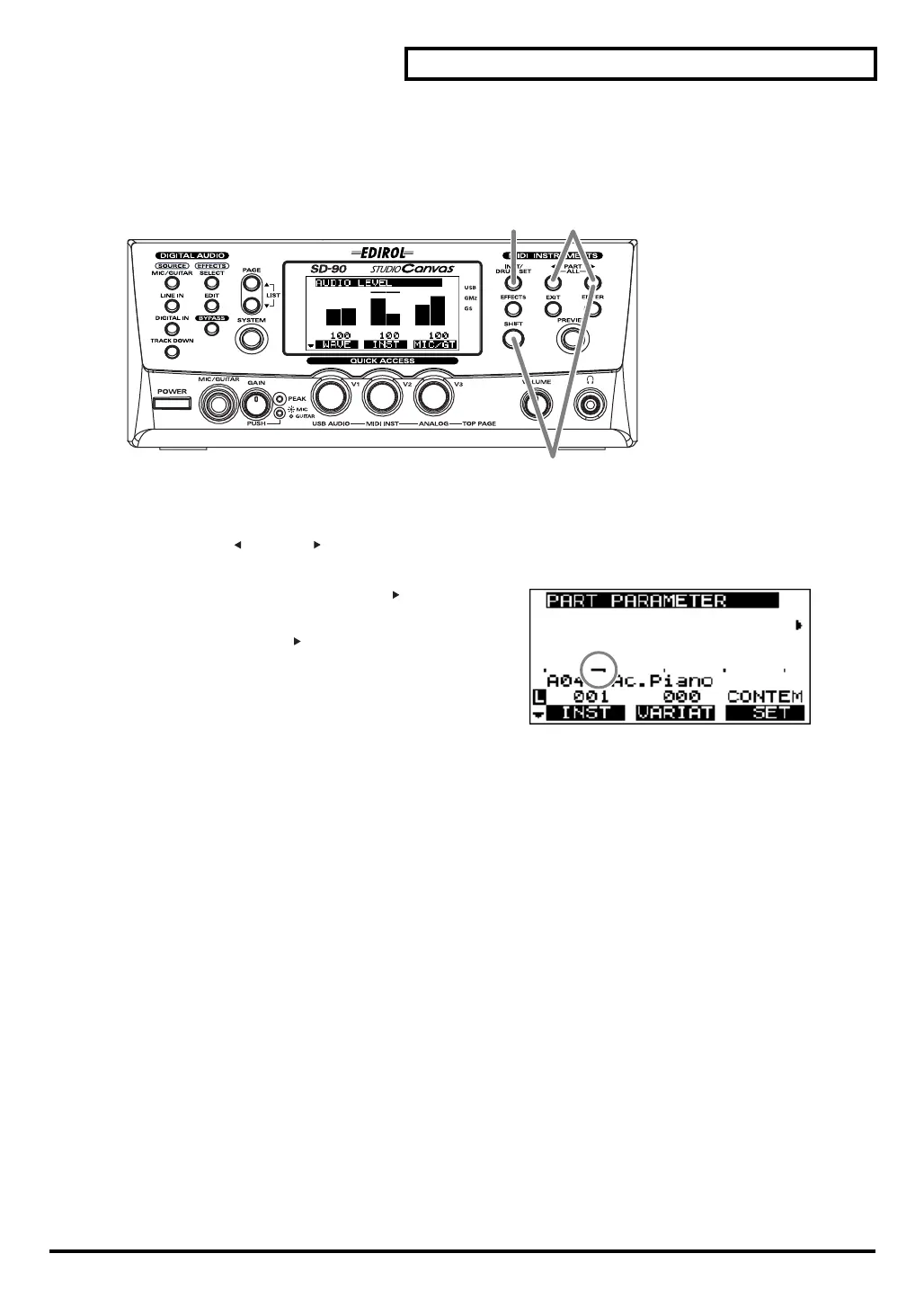
Soloing a part
When multiple parts are sounding, you can cause only the currently selected part to sound, allowing you
to check the performance of that part. This is referred to as “
soloing
” the part.
fig.5-09
1.
Press
[INST/DRUM SET]
.
2.
Press
[PART ]
or
[PART ]
to select the part that you want to solo.
fig.5-09a
3.
Hold down
[SHIFT]
and press
[PART ]
to solo the part
you selected in
step 2
. Solo will be defeated when you
press
[SHIFT]
+
[PART ]
once again.
Parts other than the soloed part will not sound, nor will
the bar graph be displayed.
4.
Press
[INST/DRUM SET]
once again to return to the main screen.
1, 4 2
3
sd90_manual_e.book 27 ページ 2004年10月4日 月曜日 午後3時28分



 To Next Page