AutoCal V3 User Guide
support@efilive.com - 9 - www.efilive.com
AutoCal V3
1. Connect AutoCal V3 to power.
2. Accept the EULA.
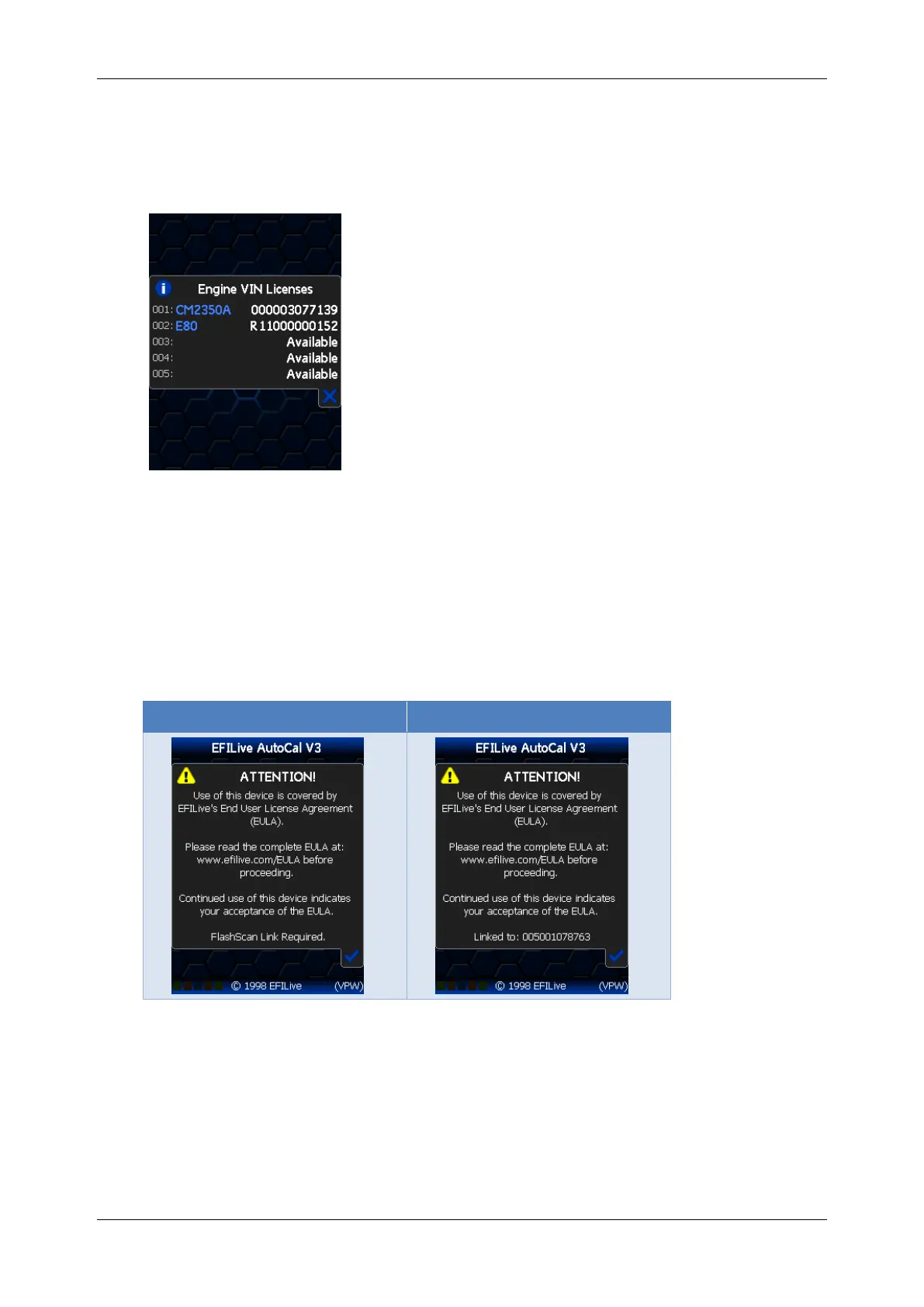
3. Navigate to [F4: Options] -> [F3: About] -> [F2: VIN Licenses].
4. Licensed controllers and available licenses are displayed.
Linking/Unlinking FlashScan to AutoCal
Linking AutoCal
For an AutoCal V3 device to be functional, your tuner must link the AutoCal to their
FlashScan device.
The linking status of an AutoCal is displayed on the AutoCal EULA screen when
the AutoCal is first powered. Where the AutoCal is linked, the 12 digit number is
the license number of the FlashScan that provided the link.
There are two ways to link an AutoCal device to FlashScan.
1. Physically Link AutoCal – where the tuner links the device prior to shipping.
2. Remotely Link AutoCal – where the tuner will send you an activation code
and instructions on how to link your AutoCal to the tuner’s FlashScan.
Your tuner will select the most convenient for their business model.
There are two methods to identify the FlashScan device which provided the link;



 To Next Page