Technical Manual V6.00 26 01.05.2017
5.3.3. Upload the icons
To upload the icons, it is necessary to store them in the root of a USB drive (do not store the icons in a folder). Insert the
USB drive in the USB-port of the machine.
Type in the manager or technical password to enter in the Load&Show menu and follow these instructions:
- Select “Upload/Download pictures/icons”
- Select “Upload/Delete icons”
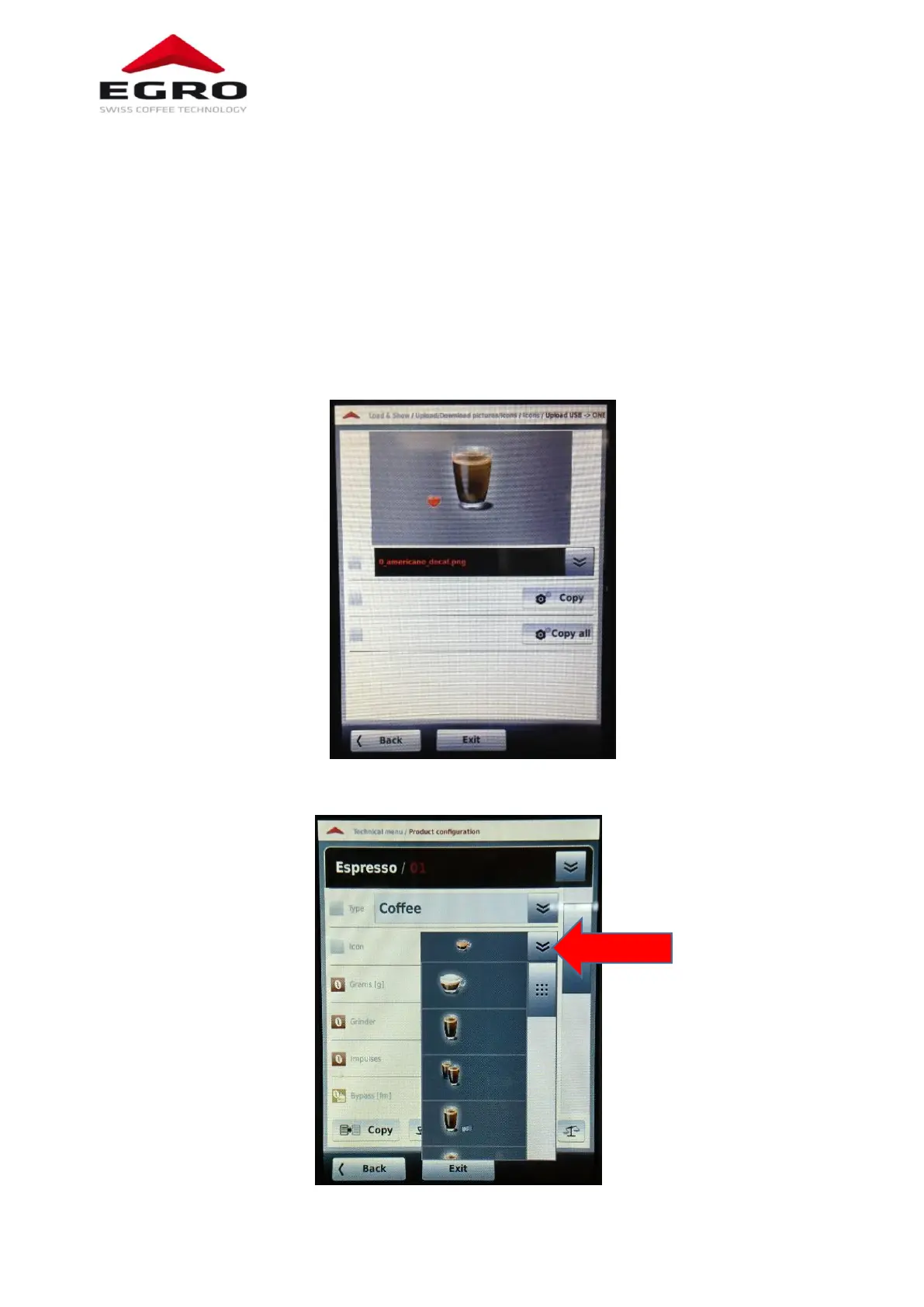
- Select “Upload USB -> ONE”
- Select the icon and press “Copy” to upload the single icon or select “copy all” to upload all icons stored in root of the
USB stick.
- At the end of the upload, select “Exit”.
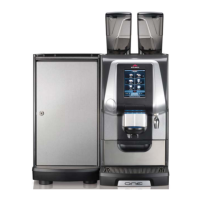
- Select the product icon in “product configuration”.


 To Next Page