Technical Manual V6.00 30 01.05.2017
5.4. Touchpad
5.4.1. Clean the touchpad
The manufacturer recommends:
“Lightly wipe to clean the dirty surface with absorbent cotton or other soft material like chamois, soaked in the
recommended chemicals without scrubbing it hardly. Always wipe the surface horizontally or vertically. Never give a wipe
in a circle. To prevent the display surface from damage and keep the appearance in good state, it is sufficient, in general,
to wipe it with absorbent cotton.”
5.4.2. Lifetime
The touchpad has a lifetime with finger knocking over 1 million times as confirmed by the manufacturer. The use of a pen
or any other sharp item reduce lifetime.
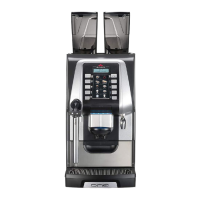
5.5. Egro ONE Keypad
5.5.1. Change Language
If an Egro ONE Keypad is in a language you cannot read, here is the way to select another language.
Stop – 5 sec
5
5
1 – Password, if requested
5
5
1
5
1
1
+ or - to change language
5.6. Backup
Attention!
These parameters are stored in the backup-file of the Egro ONE but they will not be overwritten when loading a backup to
another machine:


 To Next Page