11
Cable Connections
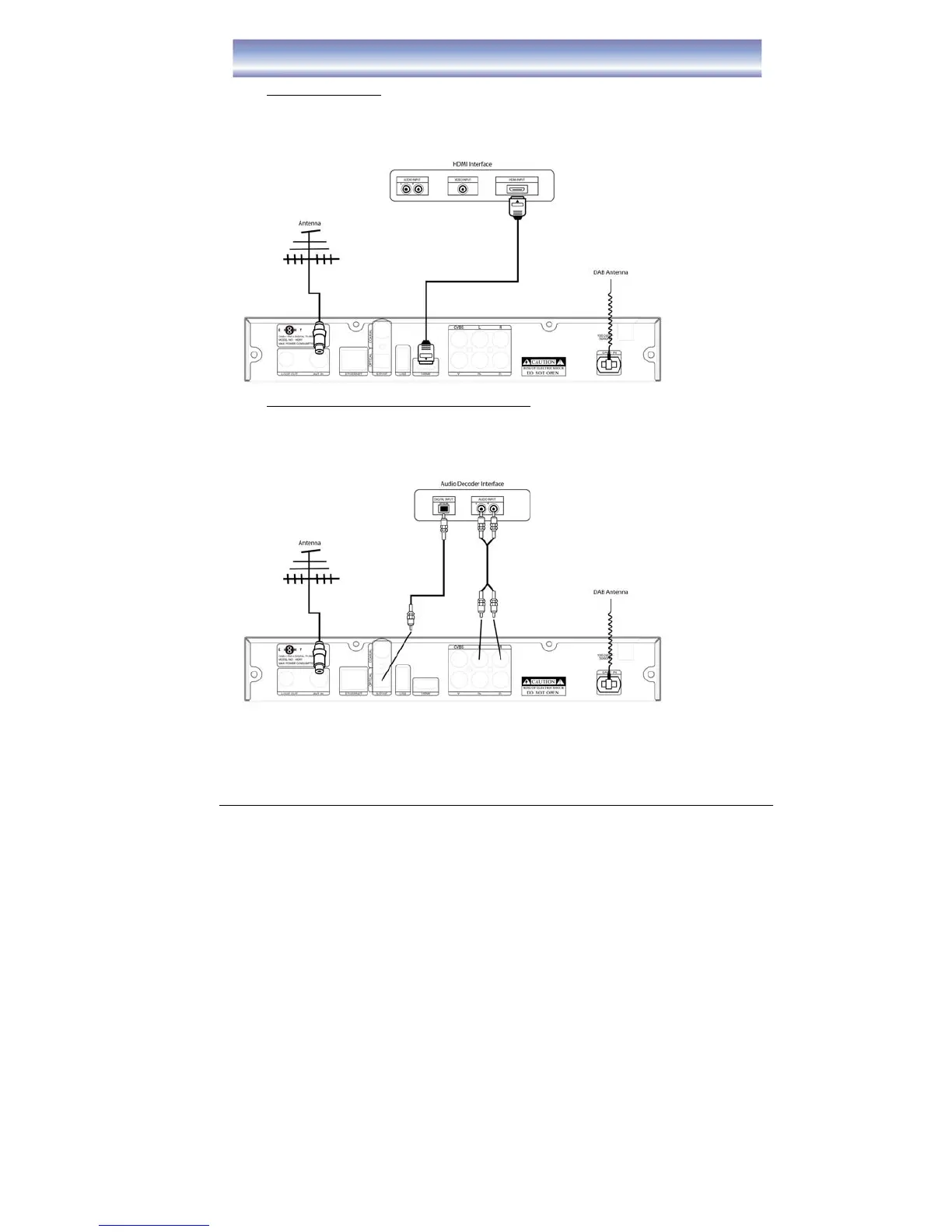
C) Connect HDMI Port
1. Connect the antenna with ANT IN on the unit.
2. Connect the DAB antenna with DAB+ IN on the unit.
3. Connect the unit to TV via HDMI cable as the following figure.
D) Audio connection via SPDIF/ Audio L/R Ports
1. Connect the antenna with ANT IN on the unit.
2. Connect the DAB antenna with DAB+ IN on the unit.
3. Connect the unit to TV/ home theater via AV cable as the following figure.
Note: If the reception of the DAB signal is not good, please change to use RF Cable
instead of DAB Antenna. Please connect the RF Cable in LOOP OUT and DAB+ IN.



 To Next Page