21
Recording Function
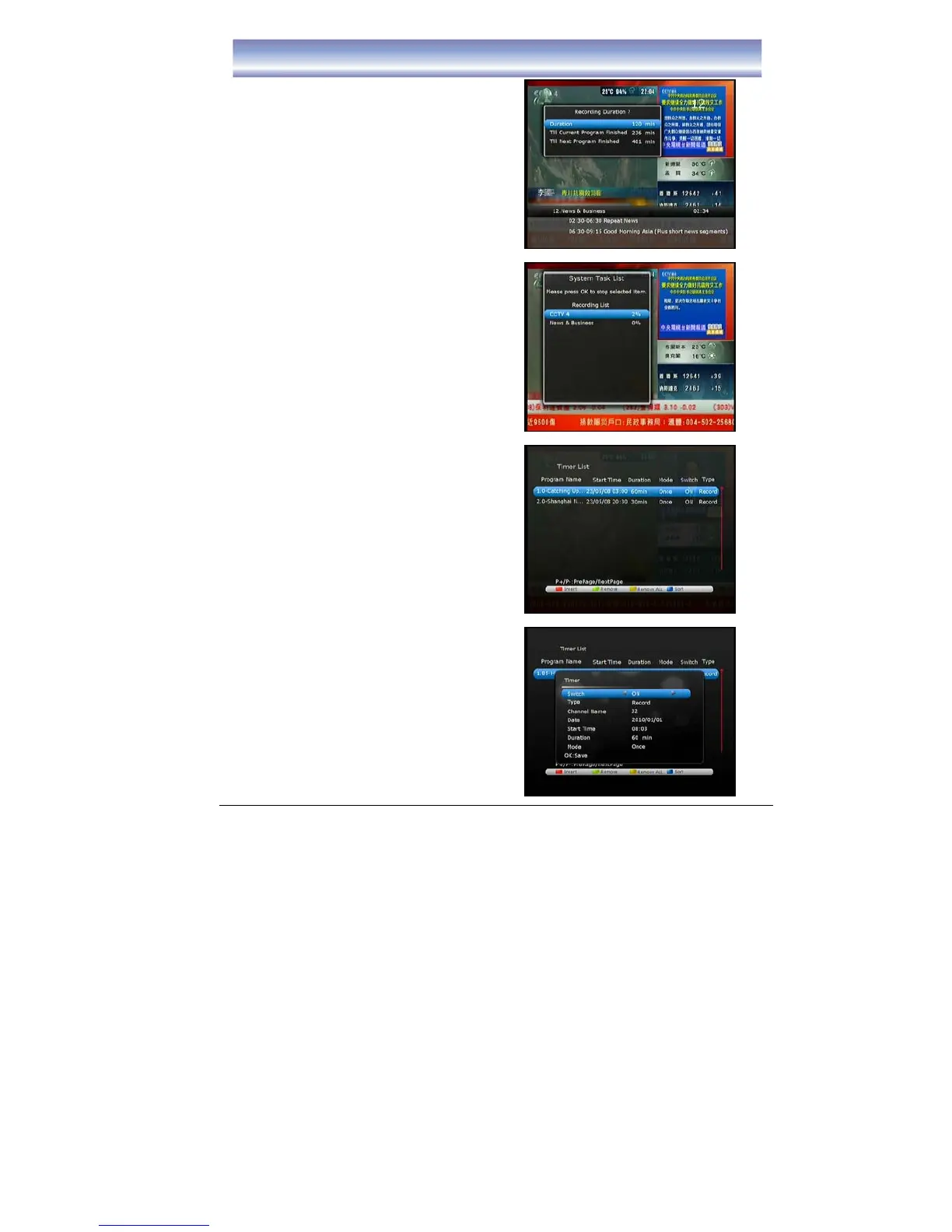
Instant Recording
1. Activate Instant Recording by pressing
[REC] in Live TV Mode.
2. Current watching channel will be recorded
immediately, default recording time is 2
hours. Repeat to press [REC] for
choosing record timing (from 3 minute up
to 24 hours).
3. During recording, you can change to
watch other channels (same frequency
with recorded channel), recording will
continue.
4. Press [STOP] to stop recording instantly,
recorded clips can be viewed in the PVR
menu. At the same time, a dialog will show
on the screen, to let the user to confirm
which program which want to stop.
Note: Please make sure the external
harddisk/USB device have connected the unit
before process Instant recordiing.
Set a New Recording Schedule
1. Press [Timer] key in Live TV mode.
2. Press Red button to add new Timer
information.
z Select ON/OFF the Timer (default is
ON)
z Select Record or Remind function
z Select the channel for recording by
pressing [◀]/[▶].
z Select the date for recording
z Select the start time for recording
z Select the length of recording time
z Select the mode of recording
(Once/Daily/Weekly/Weekday/Week
end)
z Press [OK] to save the information
of the Timer.
3. Press Green button to delete the desire
item.
4. Press Yellow button to delete all the item
which show in existing screen.



 To Next Page