- 43 -
Chapter 6 Reference
Chapter 6 Reference
6-1. Attaching the Optional Arm
An optional arm (or an optional stand) can be attached by removing the stand section. Please refer to our web site for the corresponding optional arm (or optional
stand). http://www.eizoglobal.com
Attention
• When attaching an arm or stand, follow the instructions of the respective User’s Manual.
• When using another manufacturer’s arm or stand, conrm the following in advance and select one conforming to the VESA standard. Use the screws securing the unit and the
stand.
- Clearance between screw holes: 100 mm × 100 mm
- Plate thickness: 2.6 mm
- Strong enough to support weight of the monitor unit (excluding the stand) and attachments such as cables.
• When using an arm or stand, attach it to meet the following tilt angles of the monitor.
- Up 45˚, down 45˚ (landscape display, and portrait display rotated 90˚ clockwise)
• Connect the cables after attaching an arm or stand.
• Do not move the removed stand up and down. Doing so may result in injury or device damage.
• The monitor, arm, and stand are heavy. Dropping them may result in injury or equipment damage.
• When setting the monitor to portrait display, turn the monitor screen 90˚ in the clockwise direction.
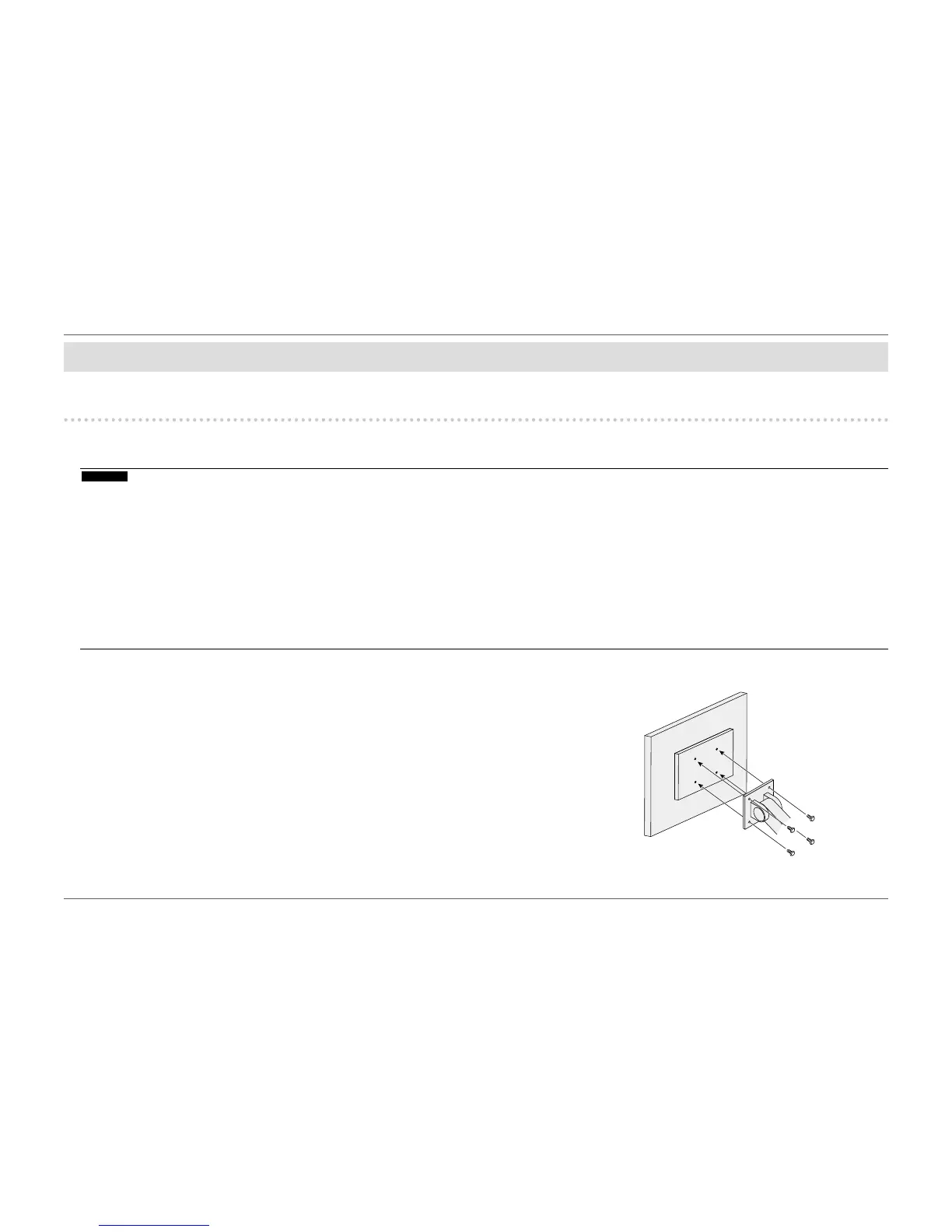
Attachment procedure
1.
LaytheLCDmonitoronasoftclothspreadoverastableandatsurface
with the panel surface facing down.
2.
Remove the stand.
Prepare a screwdriver.
Use the screwdriver to loosen the screws (four) that secure the unit to the stand.
3.
Attach the arm or stand to the monitor.
Secure the monitor to the arm or stand using the screws specied in the User’s Manual of the
arm or stand.














 To Next Page