- 50 -
Chapter 6 Reference
●
Connection Procedure (Setup of USB Function)
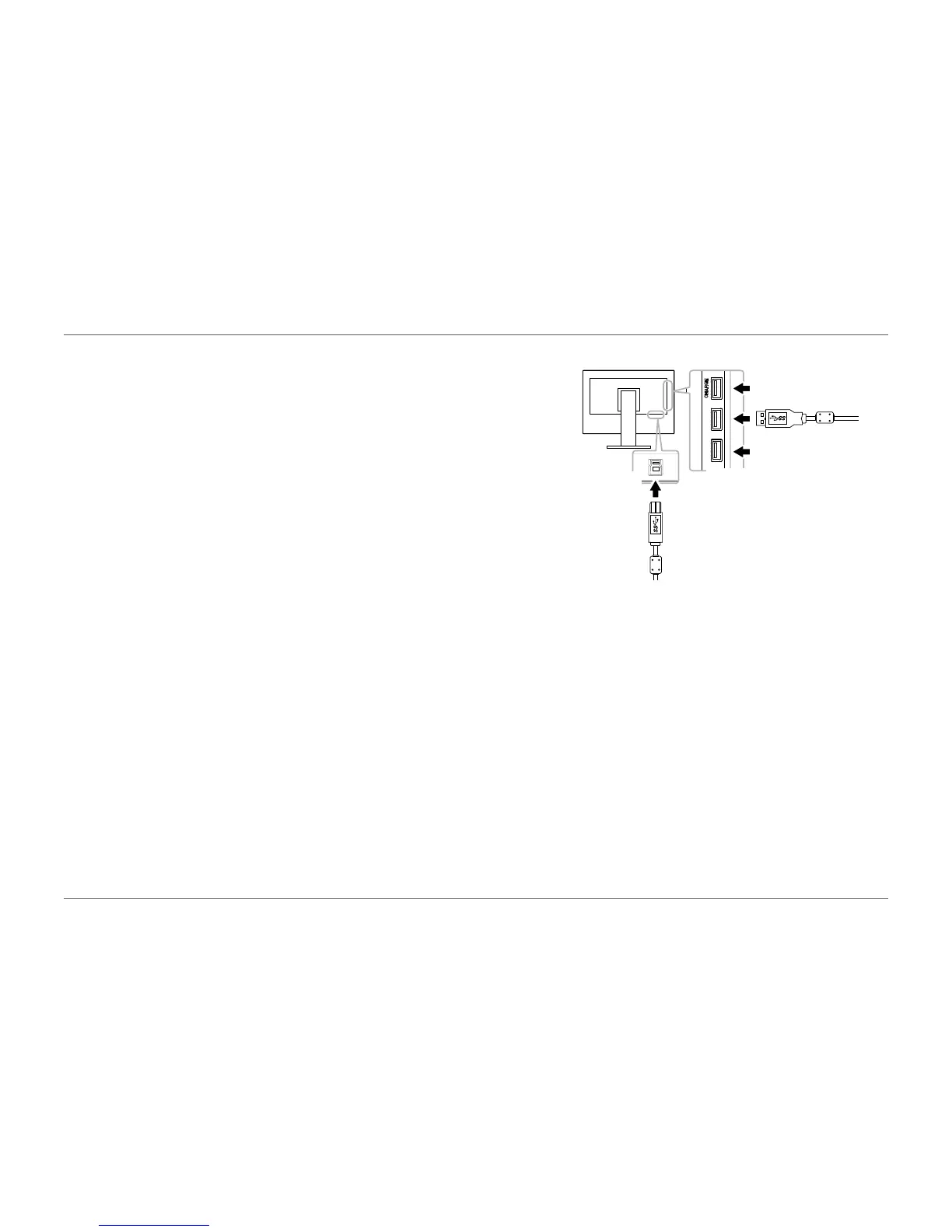
1. Connect the monitor rst to a PC using the signal cable, and start the PC.
USB
upstream
port
USB
downstream
port
2. Connect the USB cable between the USB downstream port of the PC and the USB
upstream port of the monitor.
The USB hub function is set up automatically upon connection of the USB cable.
3. Connect a peripheral USB device to the USB downstream port of the monitor.














 To Next Page