- 7 -
Chapter 1 Introduction
Chapter 1 Introduction
Thank you very much for choosing an EIZO color LCD monitor.
1-1. Features
• 31.5″ wide format LCD
• Supports a resolution of 3840 × 2160
• IPS panel with 89˚ horizontal and vertical viewing angles
• Supports four digital signal input interfaces (DisplayPort × 2, DVI-D (Dual Link/Single Link) × 1, HDMI × 1)
- DisplayPort (8-bit support)
*1
The DisplayPort input receives both image signals and audio signals via a single DisplayPort cable.
*1 When transmitting an audio signal using the DisplayPort cable, the graphics board must support audio output.
See “6-5. Specications” (page 51).
- HDMI
Supports PC signals via HDMI input.
The HDMI input receives both image signals and audio signals via a single HDMI cable.
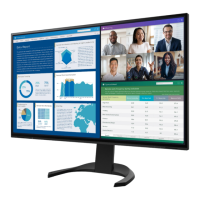
• Equipped with “Picture by Picture (PbyP)” and “Picture in Picture (PinP)” functions that allow simultaneous display of multiple signals
Eliminates the need for changing between signals and leads to increased work efciency.
See “2-4. Conguring PbyP/PinP” (page 16).
• The Color Mode function allows the user to select the display mode optimum to the displayed image.
The Paper mode reproduces a printed paper effect on the monitor. In Paper mode, the amount of blue light emitted from the screen is reduced by changing the color tone
and controlling the brightness.
See “2-3. Switching Display Modes (Color Modes)” (page 15).
• Power saving functions
Suppressing power consumption
*2
reduces carbon dioxide emissions. This product is equipped with power saving functions.
- 0 W power consumption when the main power is off
Equipped with a main power switch.
When not using the monitor, the power supply can be shut off with the main power switch.
- Auto EcoView
The ambient light sensor on the front of the monitor detects the ambient brightness to automatically adjust the screen brightness to a comfortable level. Excessively
high brightness may increase power consumption and cause unwanted environmental effects. It may also lead to eye fatigue. The range of automatic adjustment can be
congured to personal preference.
See “Auto EcoView” (page 21).














 To Next Page