- 47 -
Chapter 6 Reference
6-3. Attaching/Detaching the Cable Holder
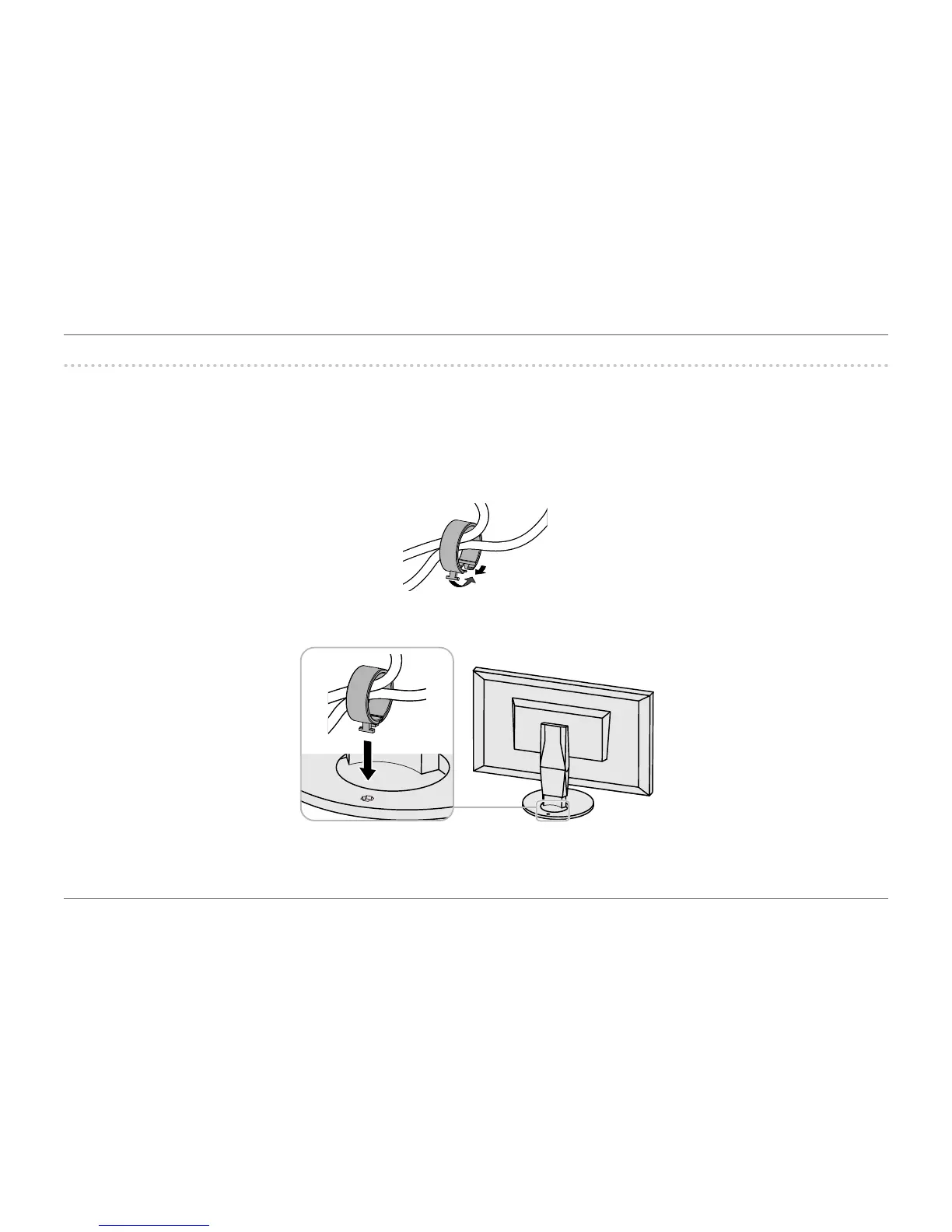
A cable holder is supplied with this product. Use the cable holder to organize the cables connected to the monitor.
Attachment procedure
1.
Pass the cables through the cable holder.
2.
Close the opening in the cable holder.
3.
While holding the cable holder closed, attach it onto the stand.














 To Next Page