22
Chapter 3 Connecting Cables
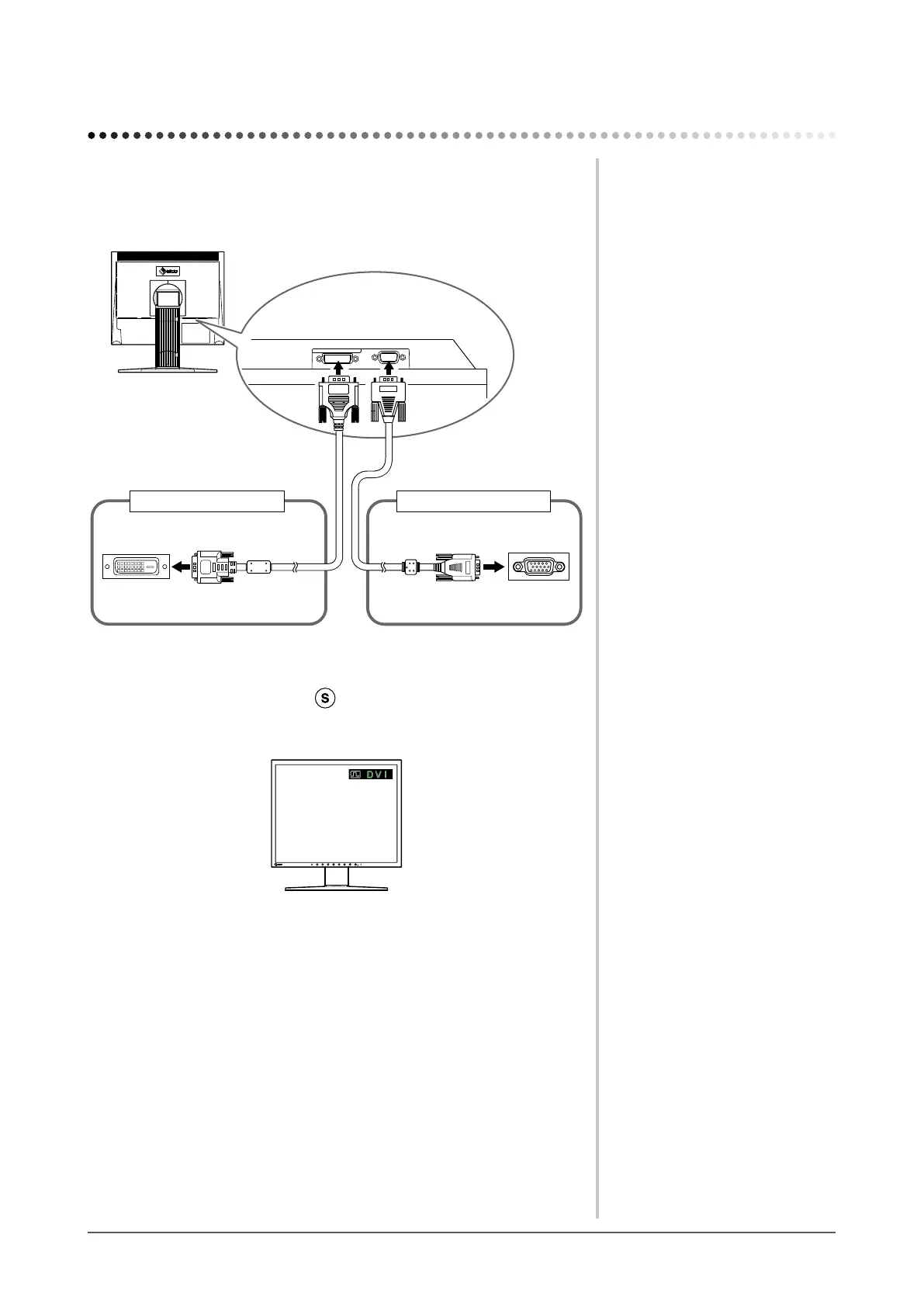
3-1 Connecting Two PCs to the Monitor
Two PCs can be connected to the monitor through the DVI-D and the D-Sub
mini 15 pin connector on the back of the monitor.
Connection examples
DVI-D connector
D-Sub mini
15-pin Connector
D-Sub mini 15-pin
Connector
DVI-D connector
Signal cable
(Digital) FD-C39
Signal cable
MD-C87
To PC 2To PC 1
●
To switch the input signal
The input signal switches each time is pressed.
Whenthesignalisswitched,theactiveinputportnameappearsatthetopright
corner of the screen.
Chapter 3 Connecting Cables








 To Next Page