26
Chapter 4 Troubleshooting
Chapter 5 Reference
5-1 Attaching an Arm
The stand can be removed and replaced with an arm (or another stand) to be
attached to the monitor. Use an arm or stand of EIZO option.
[Attaching]
1
Lay the LCD monitor on a soft cloth spread over on a stable
surface with the panel surface facing down.
2
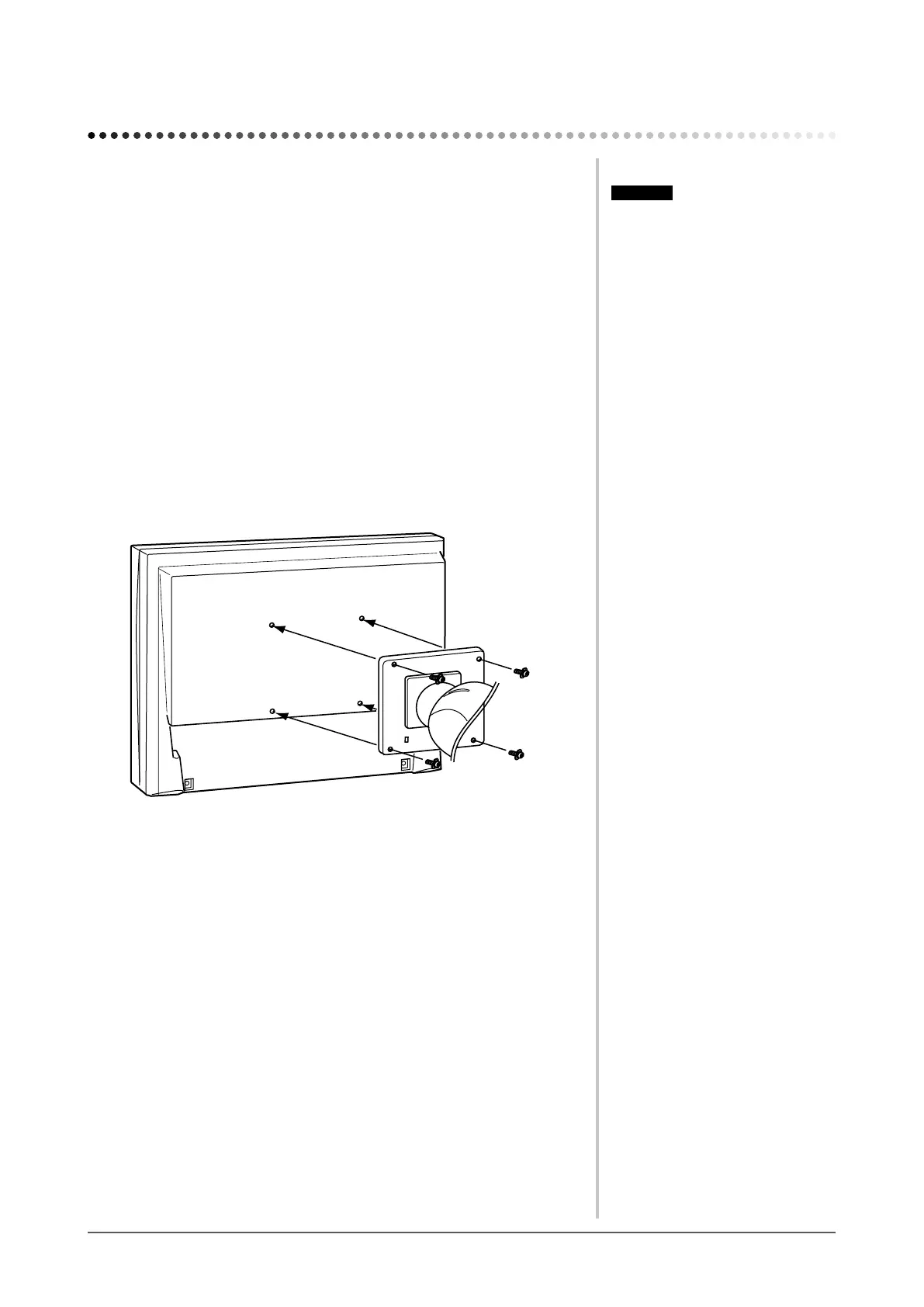
Remove the stand. (Prepare a screwdriver.)
Unscrew the four screws securing the unit and the stand with the
screwdriver.
3
Attach the monitor to the arm or stand.
Securethemonitortothearmorstandusingthescrewsspeciedinthe
user’s manual of the arm or stand.
Attention
• Whenattachinganarmorstand,
follow the instructions of their user’s
manual.
• Whenusinganothermanufacturer’s
armorstand,conrmthefollowingin
advance and select one conforming to
the VESA standard. Use the M4 × 12
mm screws supplied with this monitor.
– Clearance between the screw holes:
100 mm × 100 mm
– Thickness of plate: 2.6 mm
– Strong enough to support weight of
the monitor unit (except the stand)
and attachments such as cables.
• Whenusinganarmorstand,attachit
to meet the following tilt angles of the
monitor.
– Up 45 degrees, down 45 degrees
(horizontal display, and vertical
display rotated 90 degrees
clockwise)
• Connect the cables after attaching an
arm.
• If you need to remove the EZ-UP
stand, turn the panel on the monitor
to the left and right a little to appear
the four screws positioned under the
stand. Then unscrew the four screws.








 To Next Page