9
1.6 Code setting for the sensors
A two-digit code must be entered when
setting up the measuring device or when
using sensors from a new sensor container;
this code is printed on the label of the sensor
container.
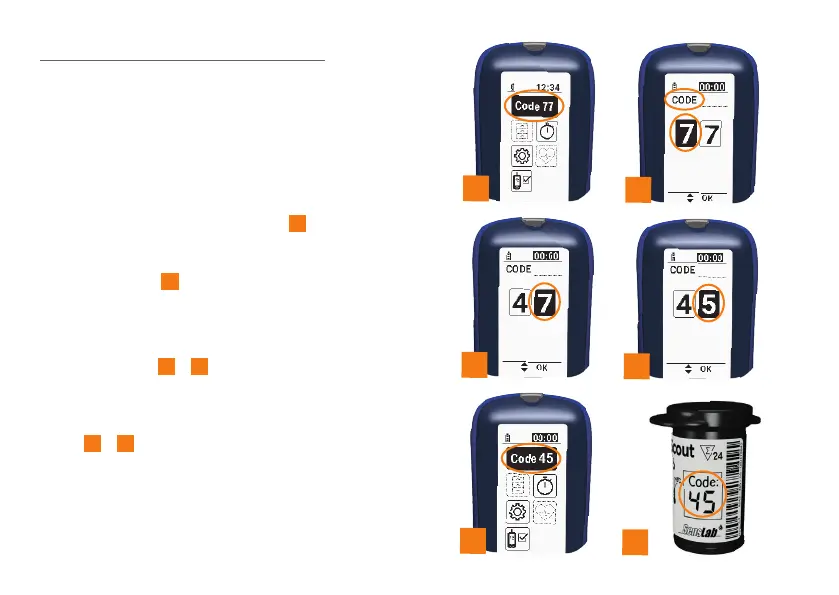
Firstly, switch the configuration and display
mode on. You can do this by holding down
the OK button for two seconds
6
. Then press
the OK button again. The code setting menu
will open. The symbol line will display the
“Code” symbol
7
.
Enter the two digits of the code, starting from
the left. Enter the digits of the code using
the two arrow keys and confirm by pressing
the OK button
7
-
9
. You will then hear a
signal tone to confirm that the code has been
set. The measuring device is now ready to
take measurements using sensors with this
code
10
-
11
.
You can now either insert a sensor or switch
o the device.
6
8
10
11
9
7


 To Next Page