27
3.5 Displaying stored values
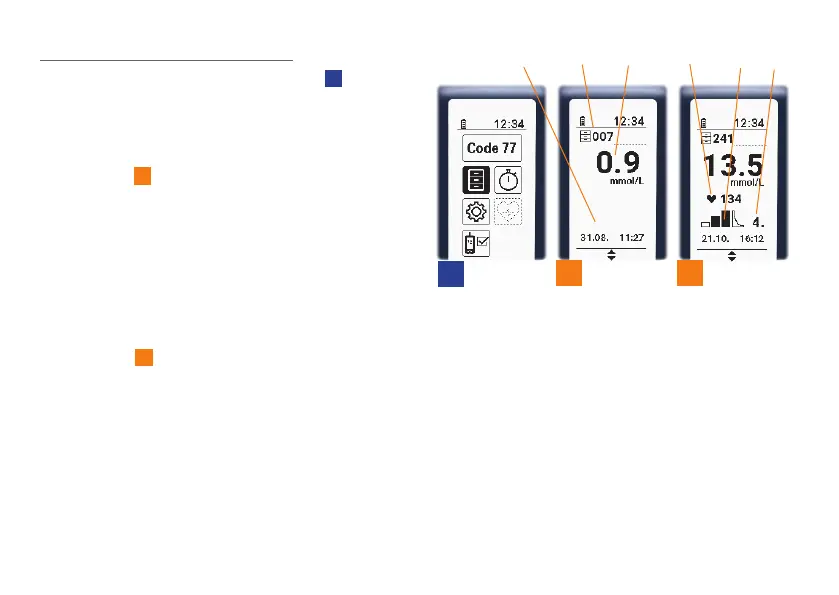
If you choose the “Memory” symbol
1A
in the
main menu by using one of the two arrow keys
and confirm your selection by pressing the OK
button, you will be taken to the stored values.
The display will show the most recent lactate
value (31A)
31
. The memory symbol and the
memory space number will appear in the
symbol line. (31B). The date and time (31C) of
this measurement will be shown in the bottom
section of the display.
If the measurement was taken as part of a
step or endurance test and the heart rate
was also recorded, where applicable, the
display will also show the following additional
information
32
: heart rate (32A), step test
phase (32B), number assigned to the test in
that step test phase (32C).
If you want to see all of the test results, you
can do so by pressing one of the two arrow
keys. You can move through the items quickly
by holding an arrow key down.
1A
31
32
31C
31B
31A
32A 32B
32C


 To Next Page