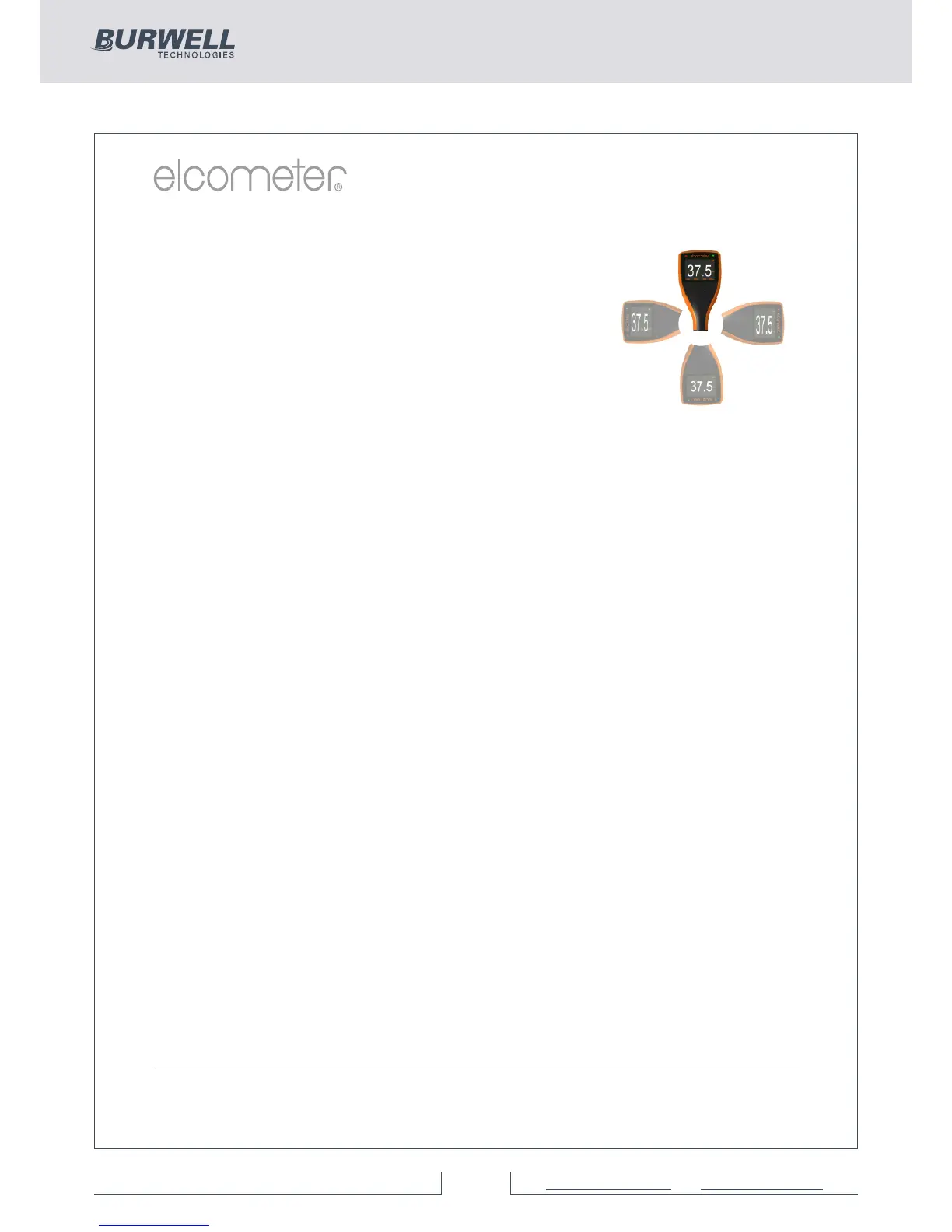
Automatic rotating display (BST)
Using the internal accelerometer, the gauge
will automatically rotate the display to allow
you to easily read the thickness value in any
orientation - 0°, 90°, 180° & 270°.
This function can be switched off by un-checking
Menu/Setup/Screen Settings/Auto Display
Rotation
Gauge firmware updates (BST)
Using Elcometer’s free data management software, ElcoMaster™,
users can receive prompts when there is a gauge firmware update
available for their model version.
When the Elcometer 456 is connected (via USB), to any computer
with an internet connection and with ElcoMaster™ installed,
ElcoMaster™ highlights the availability of a firmware update,
identifies to the user the new features and guides the user through the
gauge firmware update process.
Caution, before upgrading your gauge firmware, ensure that you have
downloaded all inspection readings from the gauge. For more
information regarding ElcoMaster™ see page 35 Downloading Data.
Bluetooth™ (ST) and USB Data output (BST)
Elcometer 456 gauges have the ability to transfer data via USB (BST)
to a computer or wirelessly via Bluetooth™ (ST) technology to PC’s,
PDA’s or mobile phones which are Bluetooth™ enabled using
ElcoMaster™ or ElcoMaster™ Mobile Apps respectively.
B l u e t o o t h ™ d a t a o u t p u t c a n b e s w i t c h e d o n v i a
Menu/Blue
tooth/Enable Bluetooth. For more information
regarding ElcoMaster™ see page 35 Downloading Data.
ElcoMaster™ Data output (BST)
Users can download data from any Elcometer gauge directly into
ElcoMaster™ by connecting the gauge to the PC and following the on
screen prompts.
www.elcometer.com
13



 To Next Page