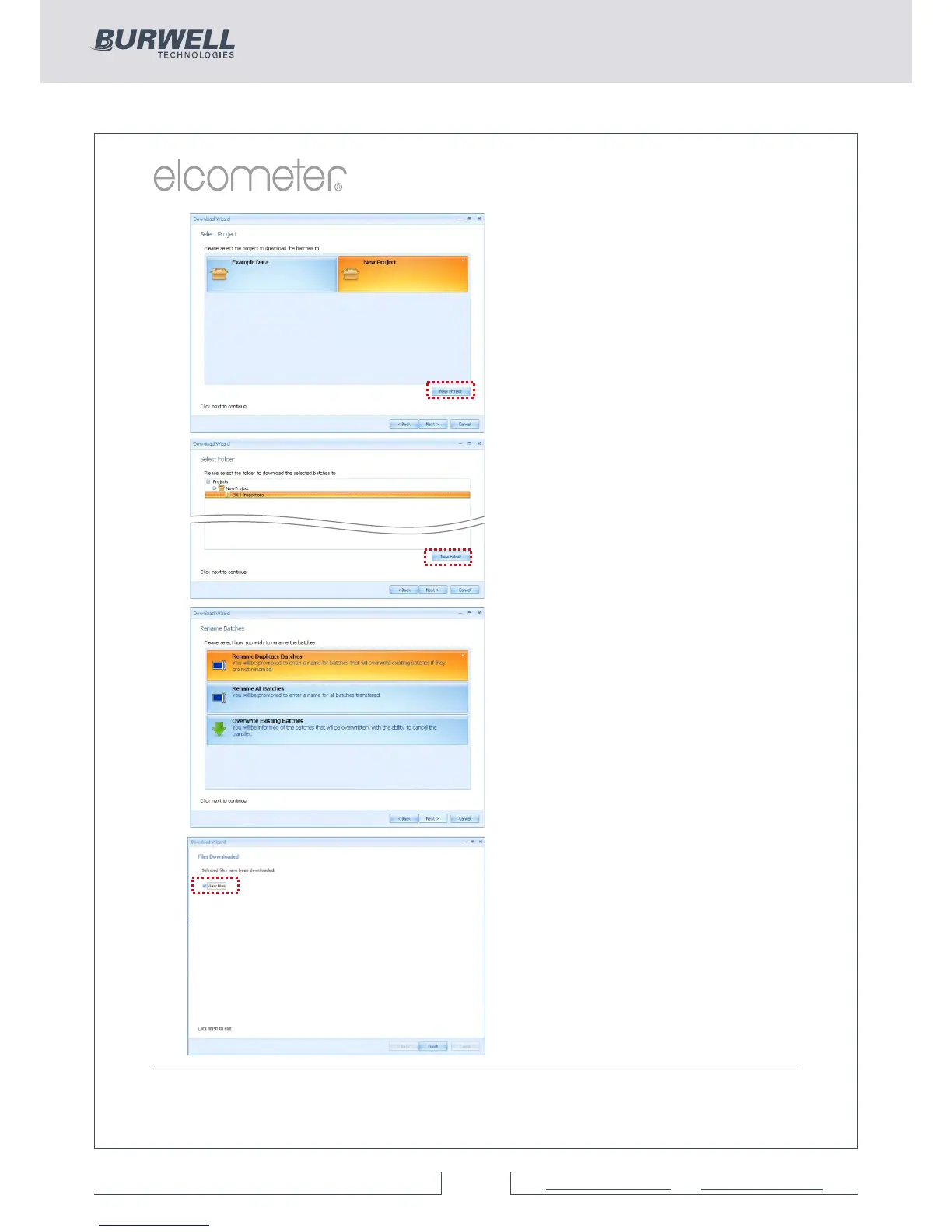
The User will be asked to select a
project name from the list.
Alternatively the user can create
a New Project name.
Ÿ Select or create a new project
and press ‘Next >’
To download readings from the
gauge:
Ÿ Select a single or multiple
batches from the list or click on
‘All Files’ as required, then
press ‘Next >’
Ÿ Select or create a new folder
to save the gauge’s data to
In some cases users may have
re-used an existing batch name
in the gauge. The user should
now chose either to select:
Ÿ Rename Duplicate Files
Ÿ Rename All Files, or
Ÿ Overwrite Existing Files
Ÿ Select as required and press
‘Next >’
The selected batches will now
download. Once the data
download has been completed,
the user can check the ‘View
Files’ box and click ‘Finish’.
Alternatively, click ‘Finish’ and
select the ‘View Action Tab’



 To Next Page