Page 12 (40)
Rev 1 2018-03-21 www.elcon.se
Go to INDEX.
3.5 CONNECTION OF TRANSDUCERS.
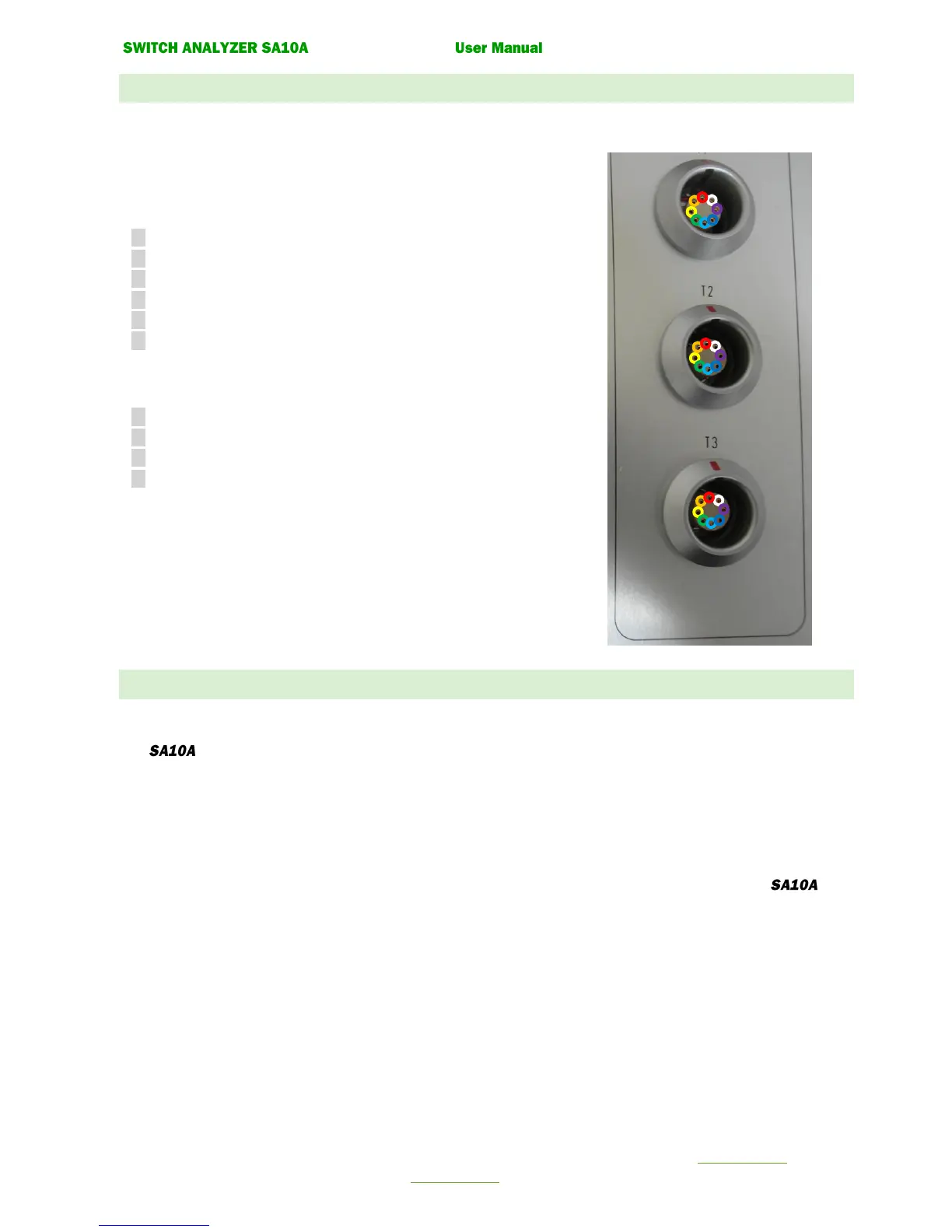
Up to three pulse- or analog transducers can be connected to the inputs T1, T2, T3.
The connection must be done with a special cable connector:
Connector: LEMO FGG.2K.308.CLCK90
Pin Description for a digital pulse transducer.
1 Pulse 1.
2 Pulse 1 inverted.
3 Pulse 2.
4 Pulse 2 inverted
5 +5 VDC
6 Ground.
Pin Description for an analog transducer
5 +5 VDC
6 Ground
7 Analogue measurement (Wipe)
8 Is not used.
Tip!
Use prefabricated cables for connection.
3.6 CONNECTION TO WINDOWS PC
Any standard Windows PC with one free RS232, USB 2.0, USB 3.0 port can be connected.
The can be connected with 3 different methods.
• USB Mini to USB cable. (Max 1 meters)
• RS232 9 Pol Male to 9 Pol Female cable. (Max 2 Meters)
If computer is not equipped with RS232 port an USB to RS232 adapter can be used.
• Bluetooth communication kit
Use a standard straight serial RS232 PC-cable with a 9 pole DSUB Male Female connectors, for connection to .


 To Next Page