Page 38 (40)
Rev 1 2018-03-21 www.elcon.se
Go to INDEX.
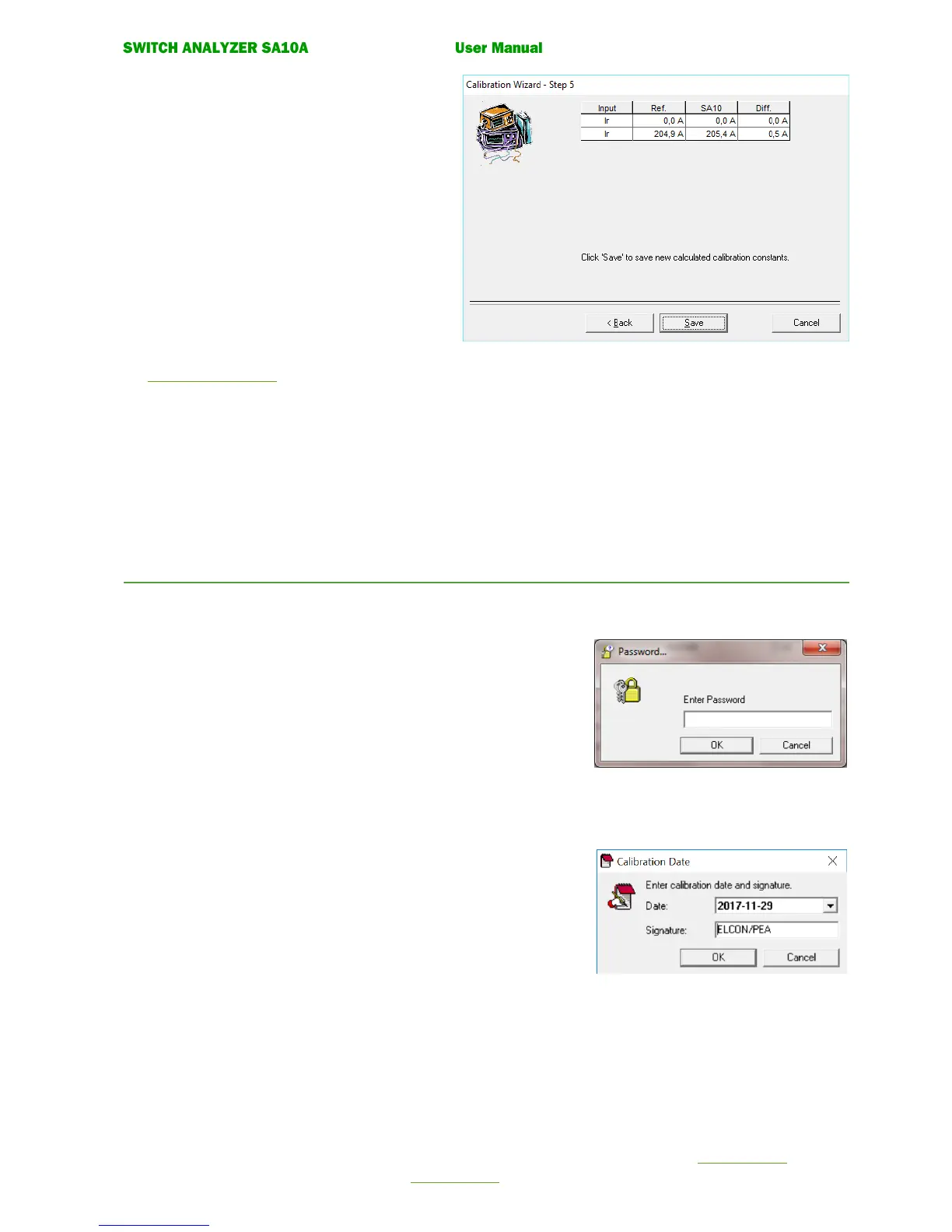
• Calibration wizard. Step 5.
New calibration constant is now calculated
Click button Save to save the new calculated
calibration constants.
Click button Cancel to cancel the guide without
updating the calibration constant.
• Calibration wizard. Step 6.
Enter password and calibration signature.
See 7.3.6 Enter Password.
• Calibration wizard. Step 7.
Check that the measured value compared to
the reference instrument is within the accuracy
for the input. If not Click Re-calibrate button.
If correct click Cancel button to exit Calibration Wizard.
7.3.6 ENTER PASSWORD.
When saving for the first time a dialog will appear to enter password.
Default password from factory is elcon
Note!
This dialog will only appear once.
BTS11 will keep the password in memory.
After successful have entered the password.
This dialog appears.
Date: Todays date is displayed.
Signature: Enter the Company/Your signature.
Click OK to save calibration or Cancel to abort.


 To Next Page