Page 20 (40)
Rev 1 2018-03-21 www.elcon.se
Go to INDEX.
6.7 UPGRADING SA10A INTERNAL SOFTWARE.
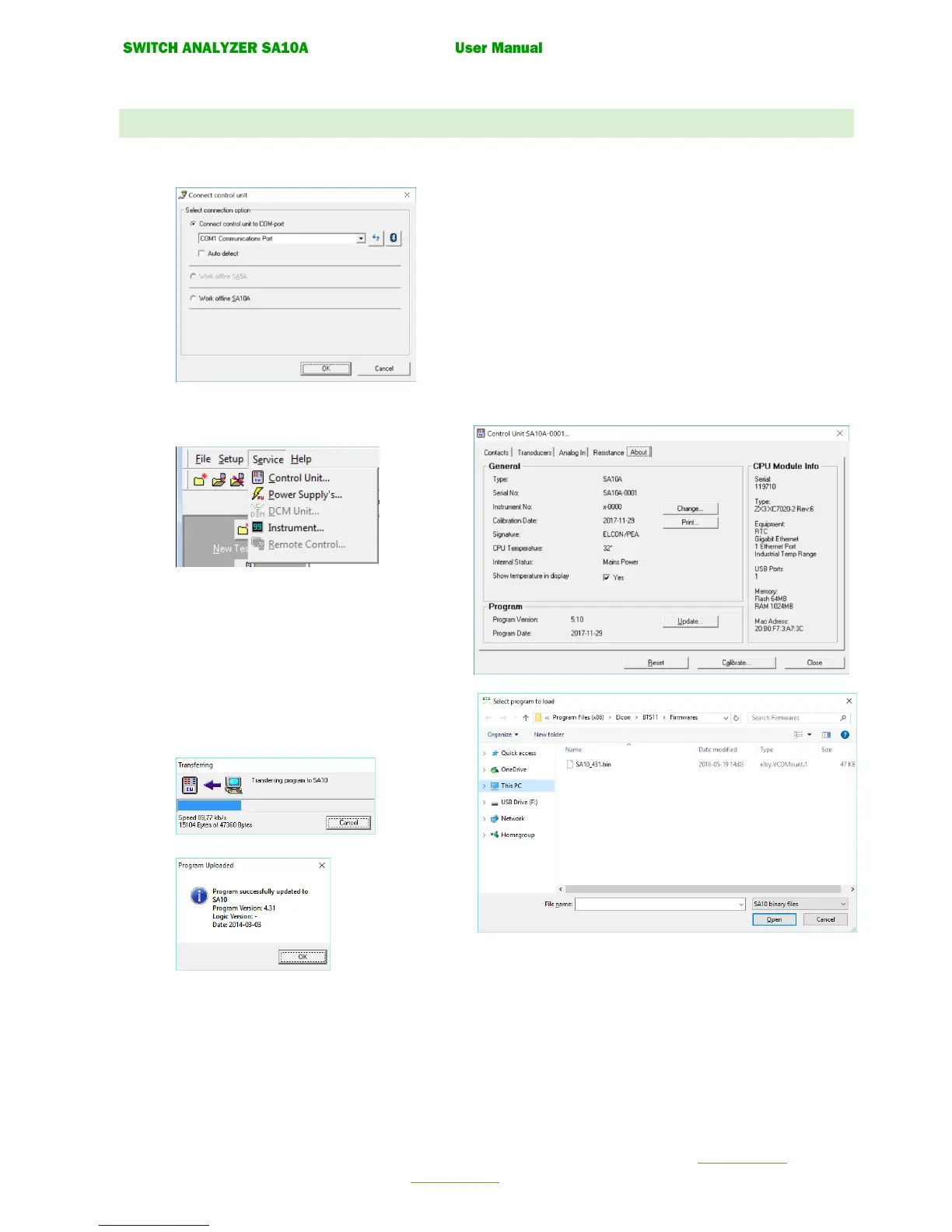
• Run BTS11 setup and install BTS11 software.
• Start BTS11
• Select what comport unit is connected to.
• In menu Service click Control Unit…
• Select tab About and click button Update…
• A dialog will appear to download the software.
Select SA10A V5.XX binary files.
Select the program. “SA10A_xxx.bin”
Open the file with the command button “Open”
• The new software will now be transferred to the
Control unit. This may take a while.
• When finished the following dialog will appear.


 To Next Page