Page 28 (40)
Rev 1 2018-03-21 www.elcon.se
Go to INDEX.
7.3 RECALIBRATION PROCEDURE.
• Click function "Control unit" from the menu "Service"
• Click command button ”Calibrate”
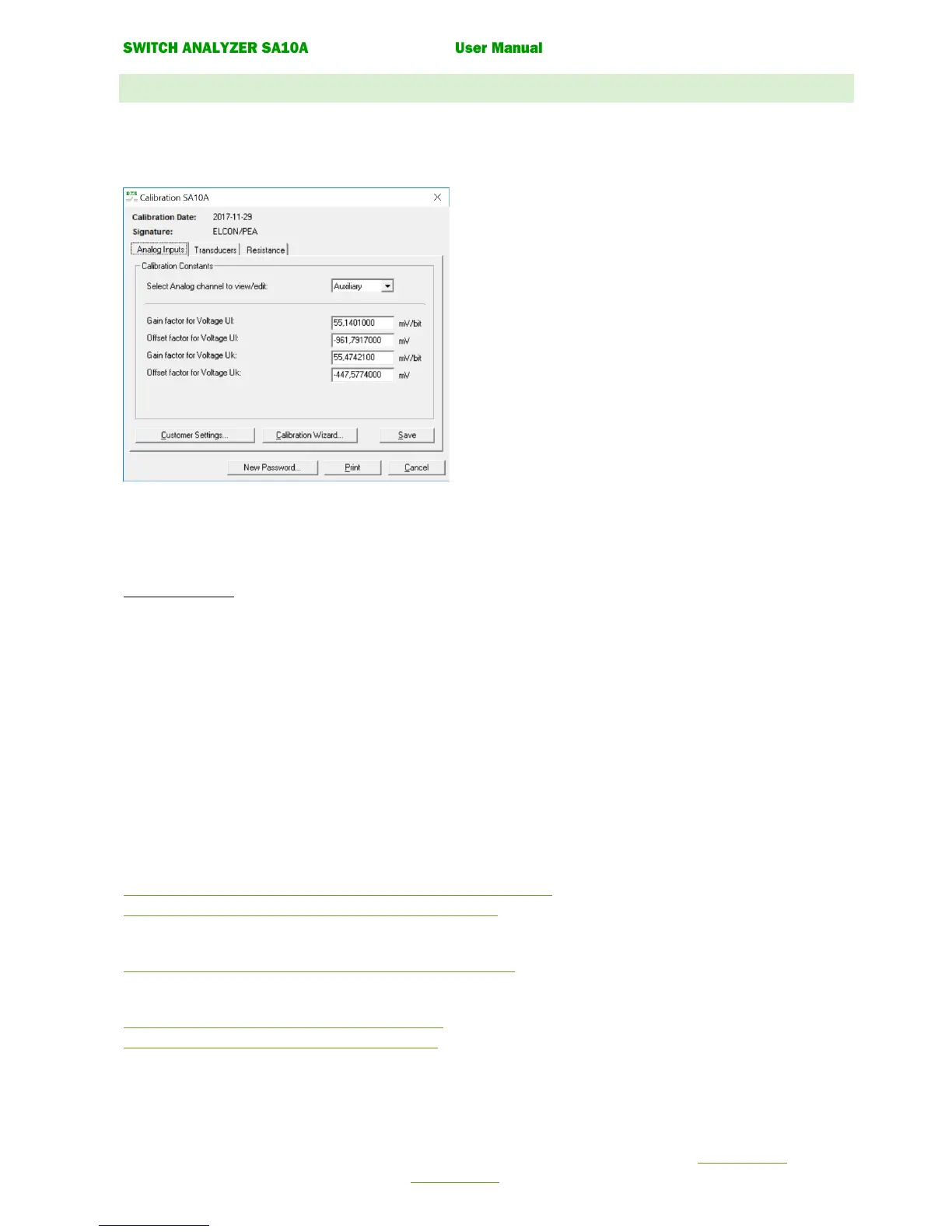
The following window is displayed:
Note!
Typing new values in the text boxes to change the calibration
constants is not recommended!
Use the command button Calibration wizard instead.
The dialogue box has three tabs for different types of inputs.
The calibration constants for selected inputs are displayed.
For tab Analogue Inputs the inputs is selected from a dropdown list box.
Command buttons
New Password. Change of current password (The password is saved in SA10A).
Customer settings. With this button you can change the instrument number assigned to the unit.
The instrument number is printed with the calibration.
Calibration wizard. Start a calibration guide for selected inputs.
Print. Printout all calibration constants for SA10A on a connected printer.
Save. Saves all calibration constants to SA10A.
Cancel. Close the dialog box.
The calibration procedure is almost the same for all inputs.
• Select tab for inputs to calibrate
• Click the command button Calibration wizard... to starting the calibration guide.
• Follow the instructions for each dialogue box in the wizard.
Tab Analog Inputs
7.3.1 Calibration wizard for voltage measurement inputs Uc, Uk, Ul, Um.
7.3.2 Calibration wizard for current measurement inputs Ic, Im.
Tab Transducers
7.3.3 Calibration wizard for analogue transducer inputs T1, T2, T3.
Tab Resistance
7.3.4 Calibration of resistance measurement input Ur.
7.3.5 Calibration of resistance measurement input Ir.


 To Next Page