Page 31 (40)
Rev 1 2018-03-21 www.elcon.se
Go to INDEX.
7.3.2 CALIBRATION WIZARD FOR CURREN T MEASUREMENT INPUTS IC, IM.
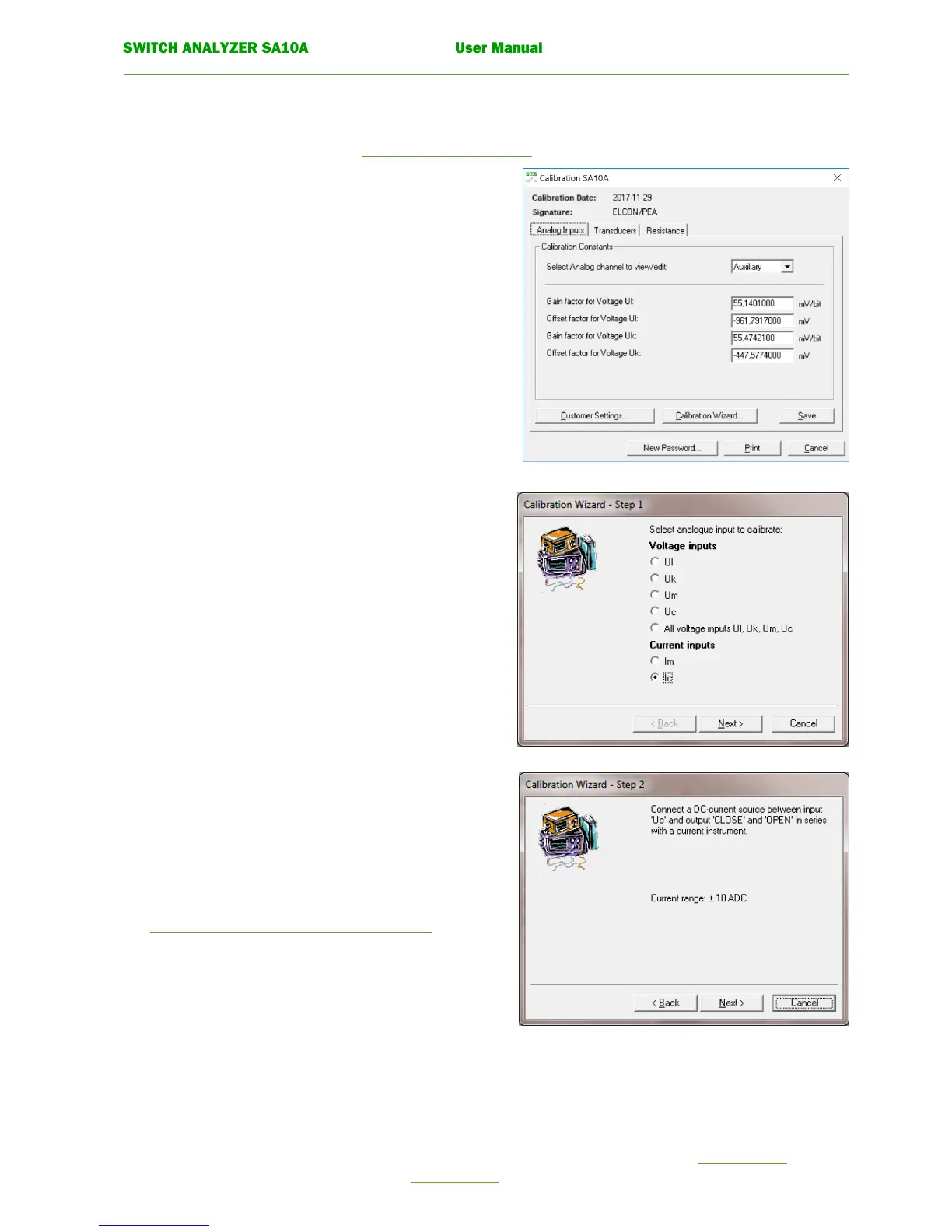
To open window Calibration SA10A see 7.3 Recalibration procedure.
Click tab Analogue Inputs in window Calibration SA10A.
Click on button Calibration wizard.
The following window is displayed.
• Calibration wizard. Step 1.
Select current input to calibrate with the option button.
Click the command button. Next.
• Calibration wizard. Step 2.
Connect a DC-current source to input
Uc and to outputs CLOSE and OPEN in series with a
current instrument.
For more information about connections see.
7.2.2 Check current measurement inputs Ic, Im.
Click the command button. Next.


 To Next Page