Page 13 (40)
Rev 1 2018-03-21 www.elcon.se
Go to INDEX.
4 USING SA10A STAND ALONE
The instruction below only handles the operating instruction for using the as a stand-alone instrument.
See separate BTS11 User manual for use of the PC-software
4.1 BEFORE OPERATION IMPORTANT!
Read chapter 2 Safety regulations before any connections.
4.2 STANDALONE OPERATION OF SA10A
The SA10A LCD-display and two operation buttons "OPEN" and "CLOSE" for simpler operations and measurements.
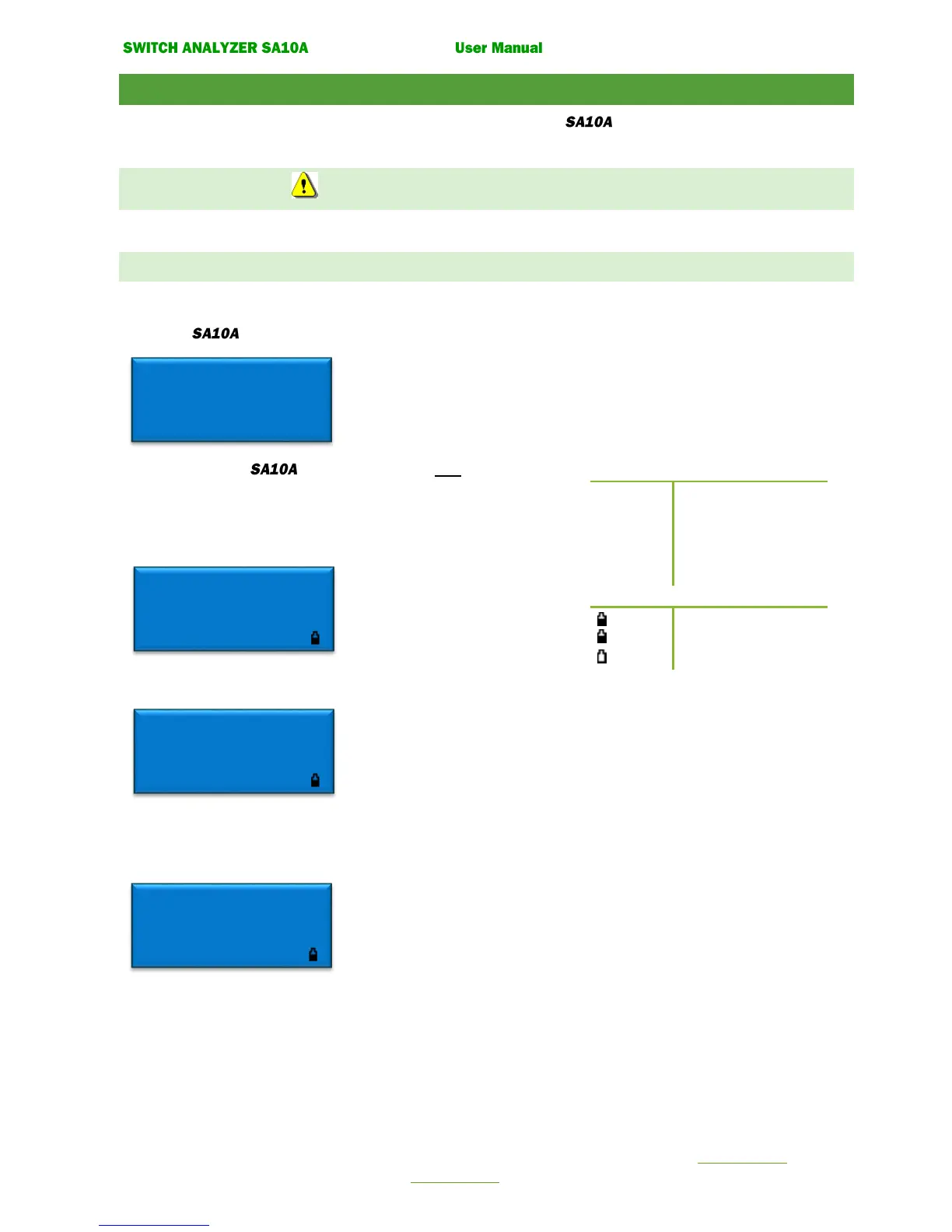
Starting up the display will present the version of the internal software.
After unit is started the display shows, the next operation that can
be done: Ready for Open or Ready for Close"
Voltage value for inputs: Uc, Uk, Ul, Um.
Current value: Im for motor.
When the display shows
Pressing Button
CLOSE: A close operation is done
OPEN: Nothing happens
CLOSE and OPEN: A close-open operation is done
Note! If enabled in service menu in BTS11 software. Internal temperature is
displayed in the top right corner in Celsius.
When the display shows
Pressing Button
OPEN: An open operation is done
CLOSE: A static resistance measurement is done.
Note! Resistance measurement can only be done when the SA10A is powered from a separate AC or DC source.
The results of the operation are automatically displayed after a made operation.
After a CLOSE, OPEN or CLOSE-OPEN operation.
Result will display operating times for contacts 1A, 2A, 3A, in milliseconds. (Ring marked contact inputs on the panel).
Maximum coil current during operation is displayed as X.XA^.
Ready for Open 32°
Uc 110 V= Uk 0 V=
Ul 0 V= Um 230 V~
Im 0.0 A=
Ready for Close 31°
Uc 110 V= Uk 0 V=
Ul 0 V= Um 230 V~
Im 0.0 A=
Ready for Close 21°
Uc 0 V= Uk 0 V=
Ul 0 V= Um 0 V=
Im 0.0 A=


 To Next Page