13
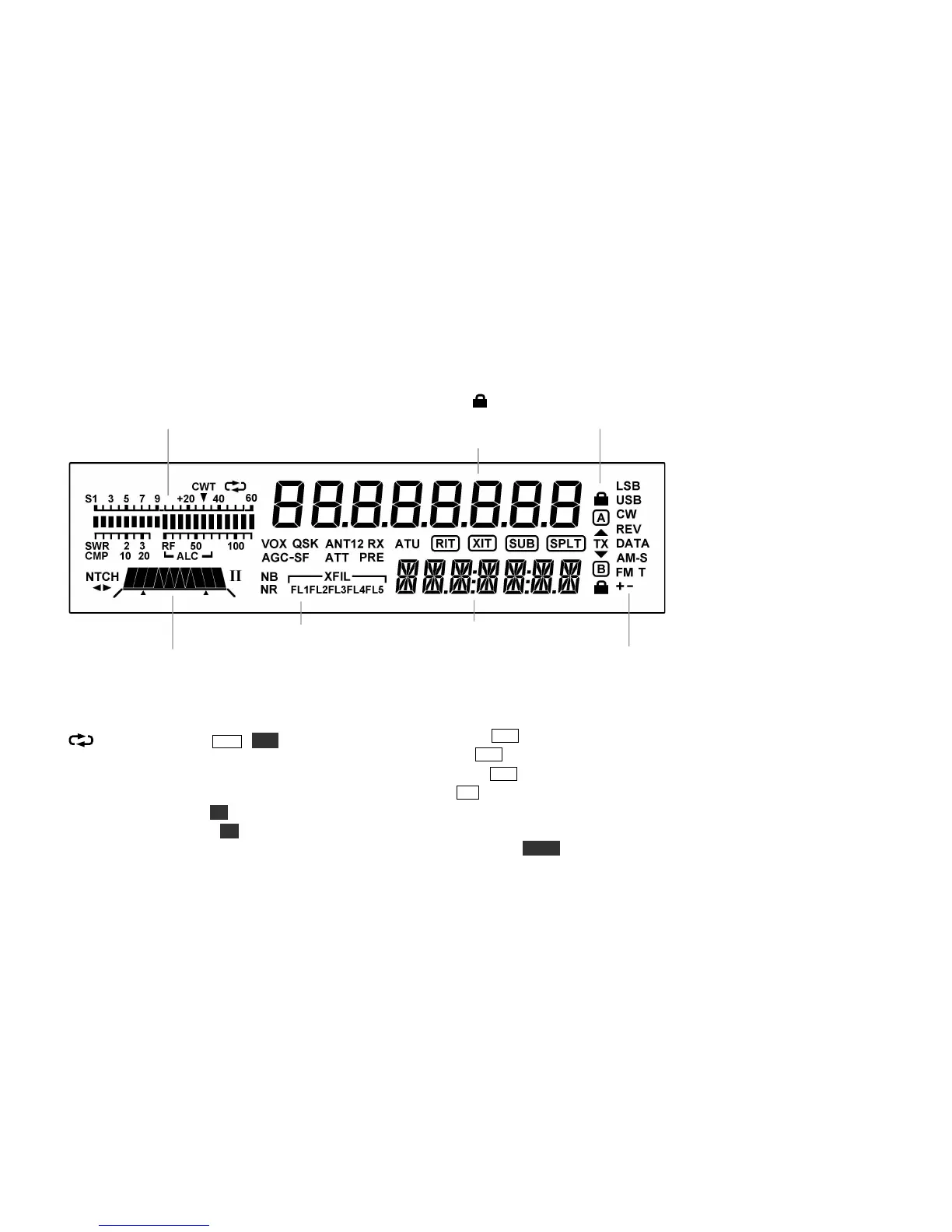
Display (LCD) (For Details, refer to page numbers shown in parentheses)
RX: S-meter and CW tuning aid (18);
TX: SWR/RF output or compression/ALC (19)
VFO Icons: Shows that a VFO is locked.
TX icon points to the transmit VFO, A or B (30).
Filter Passband Graphic (17):
NTCH Auto-notch (18); I/II (not used)
Other icons:
CWT CW/data tuning aid on (MENU:CWT, 18)
Message play/rec (MSG / REC, 19, 30), or
logging enabled (MENU:LOGGING)
VOX VOX enabled (MENU:VOX MD, 20, 21)
QSK Full break-in CW (MENU:VOX DLY,21)
NB Noise blanker on (NB, 18)
NR Noise reduction on (NR, 18)
ANT KXPA100 antenna (19)
RX Automatic RX attenuation in effect (17)
ATT Attenuator on (PRE, 17)
PRE Preamp on (PRE, 17)
ATU ATU enabled (ATU, 19)
RIT RIT on (RIT, 16)
XIT XIT on (MENU:XIT, 16)
SUB Dual-watch enabled (MENU:DUAL RX, 25)
SPLT Split mode in effect (SPLIT, 30)



 To Next Page