8
CW Key/Keyer Paddle
The KX2 has two CW keying inputs:
Attached Keyer Paddle: An Elecraft KXPD2 (or
KXPD3) keyer paddle can be attached at the front of
the KX2 via two thumb screws. Use the CW KEY2
menu entry to reverse the dot/dash sides.
KEY Jack: This jack can be used with any hand key,
keyer paddle, or other keying device, as configured by
the CW KEY1 menu entry.
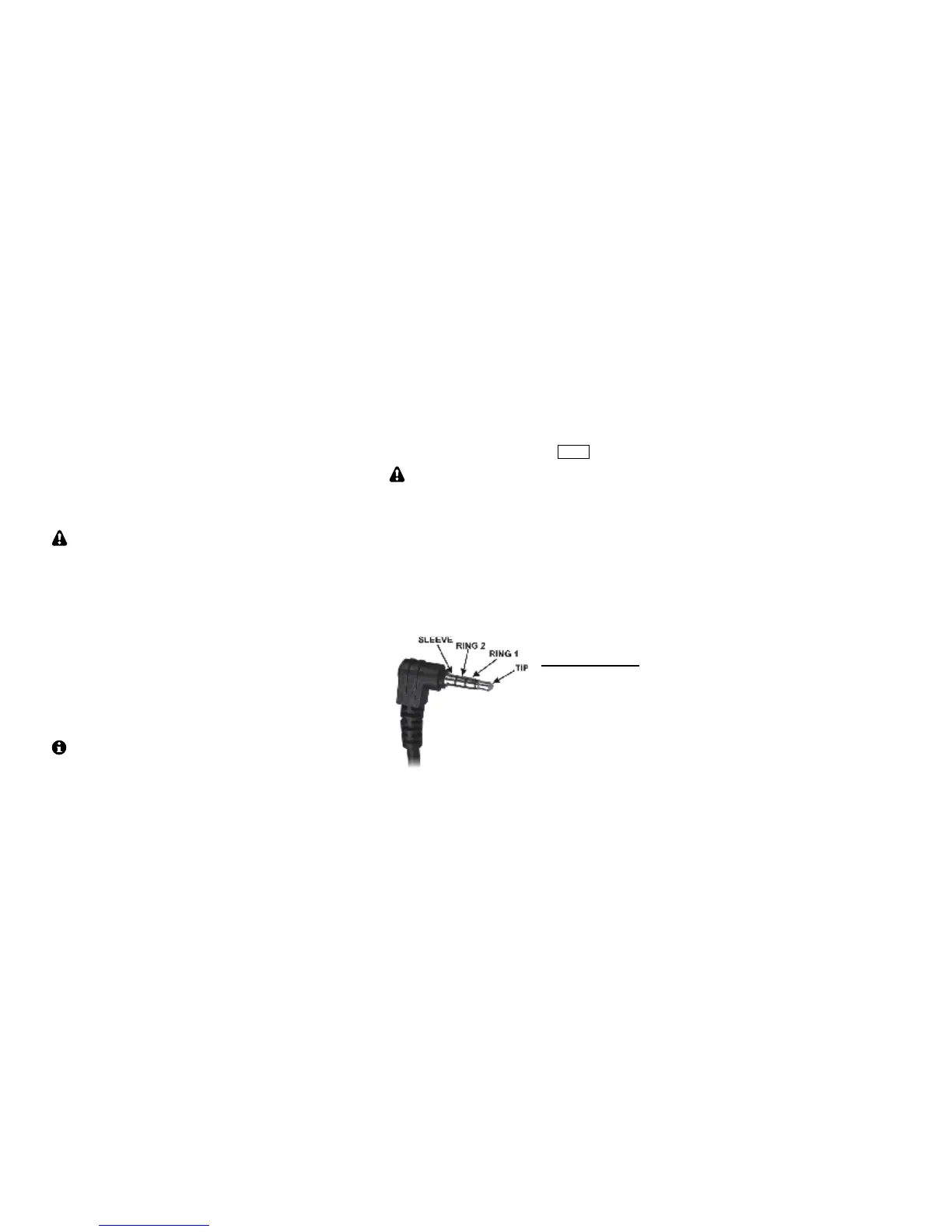
A stereo plug is required at the KEY jack, even
if only the tip contact is being used.
Headphones and Speakers
The 3.5 mm PHONES jack accommodates
headphones or one or two externally amplified
speakers. Mono or stereo plugs can be used. Stereo
audio allows the use of dual watch and audio effects
(pg. 25).
Built-In Speaker: The speaker, located on the bottom
cover, sounds best when the tilt foot is used.
Headphones or external speakers will provide
greater bass response than the internal speaker.
Mobile installations: For mobile use, amplified
mobile speakers or an aux input on your car’s stereo
can be connected to the PHONES jack. Another
alternative is to use a device that retransmits the KX2’s
audio output in the FM broadcast band.
Internal Microphone
For emergency or hand-held use, the KX2 includes a
built-in mic, located to the left of the AF/MON control.
(There’s a small hole in the panel at this location.) The
built-in mic is automatically turned on when no
external mic is plugged in. Tap XMIT to transmit.
To prevent acoustic feedback, the transmit voice
monitor function (MON) is disabled when using the
internal mic with the internal speaker.
External Microphone
The 3.5 mm MIC jack is compatible with the Elecraft
MH3 hand mic, which provides PTT as well as VFO
UP/DN buttons. For the MH3, set the MIC BIAS menu
entry to ON, and MIC BTN to PTT UP.DN.



 To Next Page