17
Receive Settings
The Receive controls group, which includes the
AF/MON knob and the two switches below it, is
used to set up the KX2’s receiver. On the display,
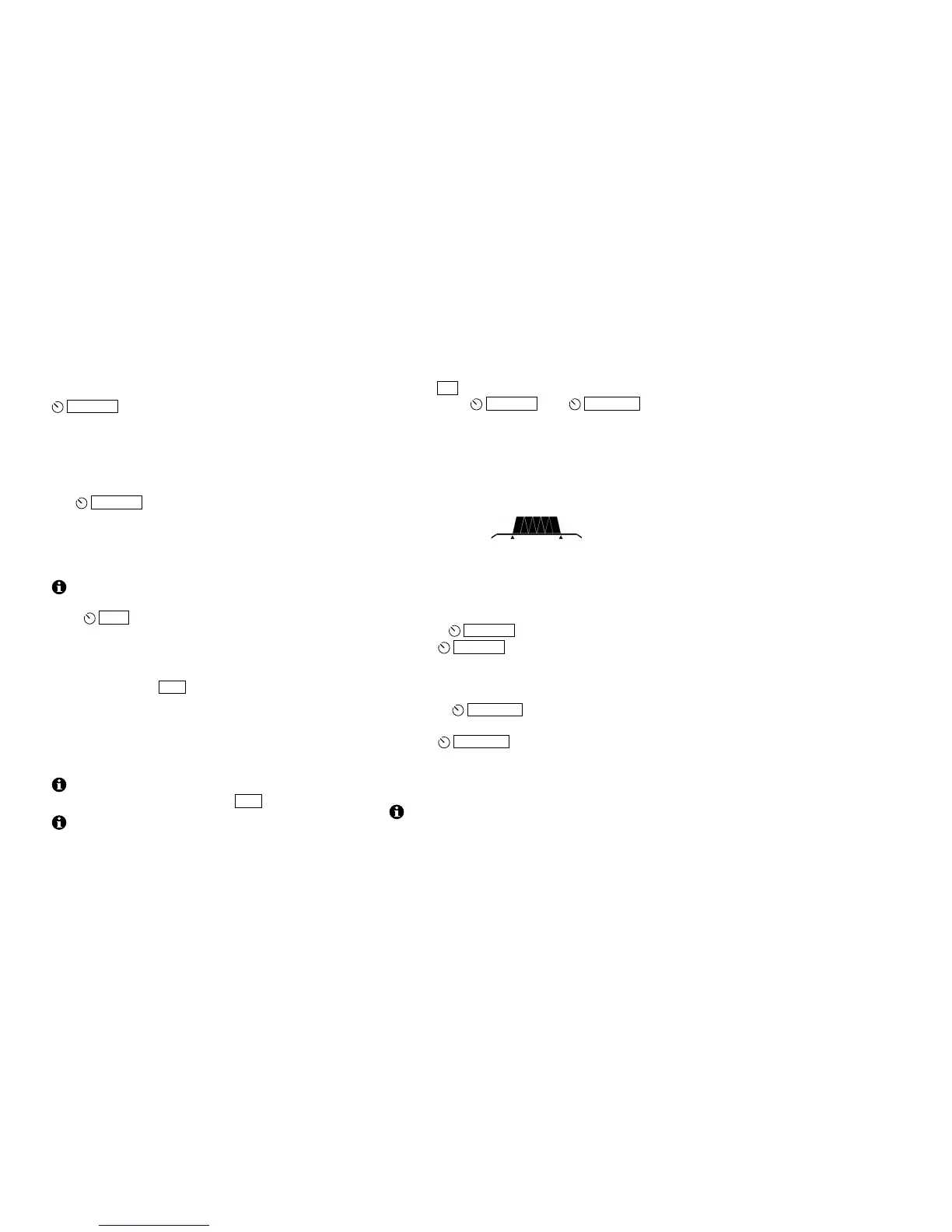
directly above these controls, is the filter passband
graphic. This shows the receiver’s audio passband.
AF Gain / Monitor Level Control
The
AF/MON knob normally controls receiver AF
gain. Tapping the knob switches its function to MON
(monitor volume level). In CW mode, this turns on the
sidetone (also see Spot, pg. 21). In SSB mode, you’ll
hear your microphone audio (pg. 17).
Switch activation tones, if used, have the same
volume level as the CW sidetone (as set in CW mode
using
MON ). Switch tones can be set to off, on, or
Morse code characters (MENU:SW TONE).
Preamp and Attenuator
On successive taps, PRE cycles through preamp on
(attenuator off), both off, and attenuator on (preamp
off). PRE and ATTN icons are updated accordingly.
Typically the preamp is used on the higher bands or
with low-gain antennas. If interference is heavy, turn
the preamp off, and if necessary, turn the attenuator on.
You can improve sensivitity by using the internal
ATU to resonate the antenna. Tap ATU.
The KX2 will automatically reduce receive gain in
the presence of very strong signals. The overload icon
(RX) will turn on. Also see MENU:COR LVL.
Filter Passband Control
Tapping FIL places the KX2 in FIL ADJ mode. In
this mode, the
AF/MON and
KYR/MIC knobs
can be used to adjust the filter passband as described
below. Settings are stored per-mode.
The passband graphic shows an approximation of the
width and centering of the current filter. The example
below shows a medium-width filter that is centered
(not shifted):
In general, a narrow passband reduces interference
(QRM) and noise (QRN), while a wider passband can
reduce listening fatigue and improve fidelity.
Using FIL ADJ mode:
• Rotate
AF/MON knob to adjust the filter width.
• Tap
AF/MON to normalize the filter to the
standard per-mode setting. This turns on the two
“wings” shown at the left and right ends of the
graphic as shown above.
• Rotate
KYR/MIC to shift the passband left or
right.
• Tap
KYR/MIC to center the filter without
changing the bandwidth.
• To exit FIL ADJ mode, tap any other switch, key
the transmitter, or rotate VFO A.
Filters in the KX2 are implemented entirely within
the digital signal processor (DSP).



 To Next Page