13-2
CONTROL SYSTEM
Revision Y05-01
Service Manual - DNG Series
13.1.3 Remote Control DIP Switch Settings
DEFINITION SETTING SWITCH STATUS
RC4 RC3
SW.
NO. 4
SW.
NO. 3
SW.
NO. 2
SW.
NO. 1
RC-ALL MODES OF OPERATION ----OFFOFF
STD-COOL, FAN, DRY, ACTIVE ----OFFON
HEAT-COOL, FAN, DRY, ACTIVE ----ONOFF
AUTO FAN (AF) ----ONON
VERTICAL SWING ONLY
TEMP. DISPLAY IN qC DEGREES
--OFF----
HORIZONTAL & VERTICAL
SWING FUNCTIONS
TOGETHER
TEMP. DISPLAY IN qF DEGREES
--ON----
DISABLE LCD & KEY
ILLUMINATION
TIMER & CLOCK 12H AM, PM OFF------
ENABLE LCD & KEY
ILLUMINATION
TIMER & CLOCK 24H ON------
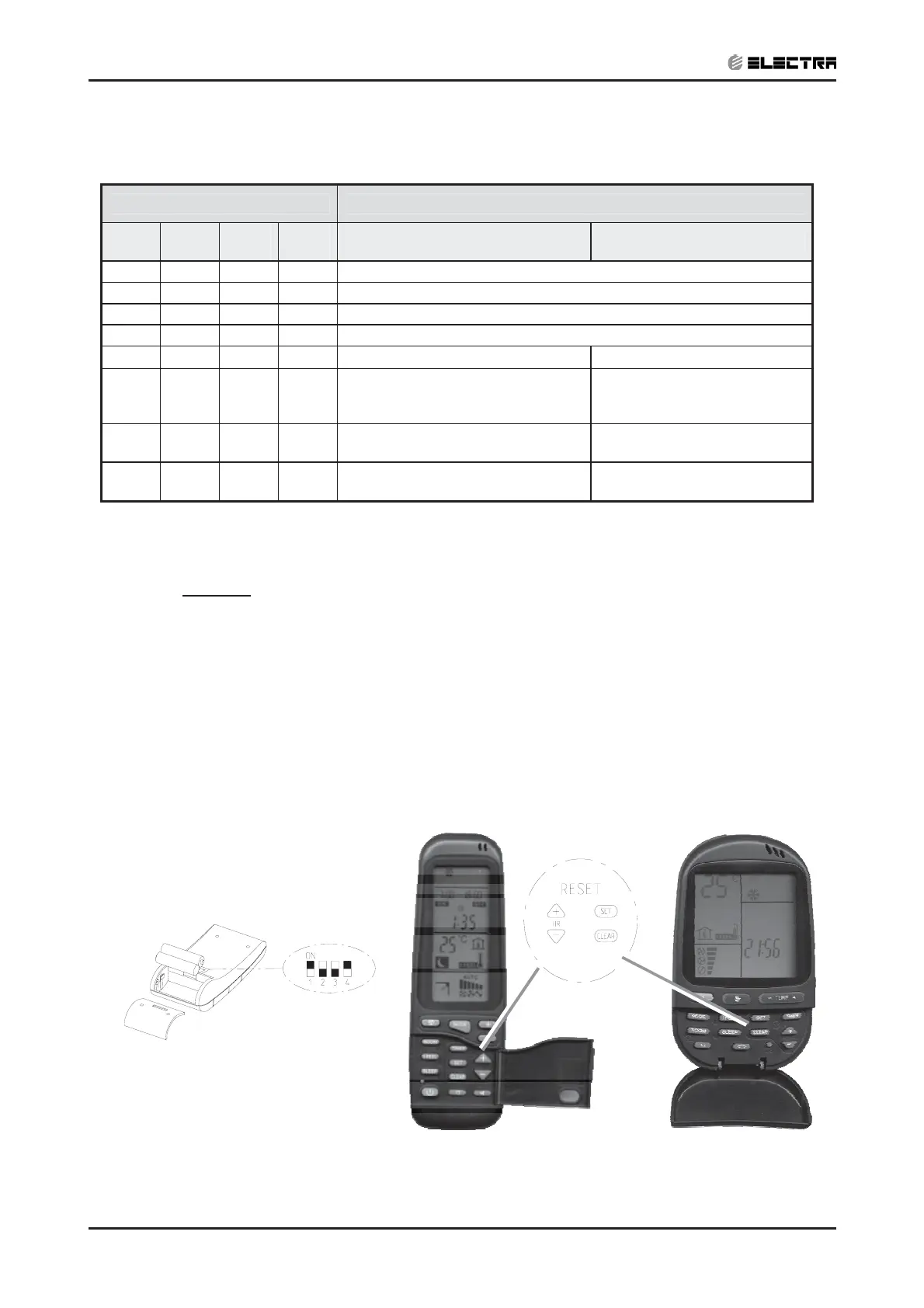
Reset operation - Press the 4 buttons simultaneously: “CLEAR “, “SET”, "HR +”, ”HR -”
for 5 seconds
LEGEND
SW1, SW2 - Selection of RC/ST
SW3 – Selection of Display qC or qF in RC3 or swing function in RC4
SW4 – Selection of Time Display 12H AM/PM or 24H in RC3 or illumination in RC4
OFF = 0
ON = 1
NOTE
After setting the DIP switches perform reset operation.


 To Next Page