SOI/DT 2003 - 01 eb 9 599 35 63-72
4.3.3 “1/2 load”
The 1/2 load option optimizes the washing cycle when only a small load is placed in the appliance.
• 1/2 load button
When this button is pressed, certain parameters of the selected washing cycle are modified:
Exclusion of Pre-wash (if featured)
Reduction of the washing temperature
Reduction of the duration of the programme (up to 36 minutes)
• Automatic 1/2 load
When this button is not featured on the control panel, certain programmes may feature automatic detection
of the half load. This system measures variations in the temperature during the initial heating phase. The
temperature and the duration of the wash are both reduced.
This option is not available in the following cycles: “Intensive”, “Short 30 minutes”, “Soak”, “Heating plates”
and “Glassware”.
4.3.4 “Sanitize”
This is a special option used to sanitize the dishes/cutlery. However, it is NOT compatible with the
“Glassware” programme.
During the final rinse, the temperature is maintained at 68°C for 10 minutes.
If used together with the SOAK option, the system performs a special sanitizing programme which lasts
approximately 46 minutes (1 hot rinse followed by 10 minutes at a constant temperature of 68°C)
4.3.5 Delayed start
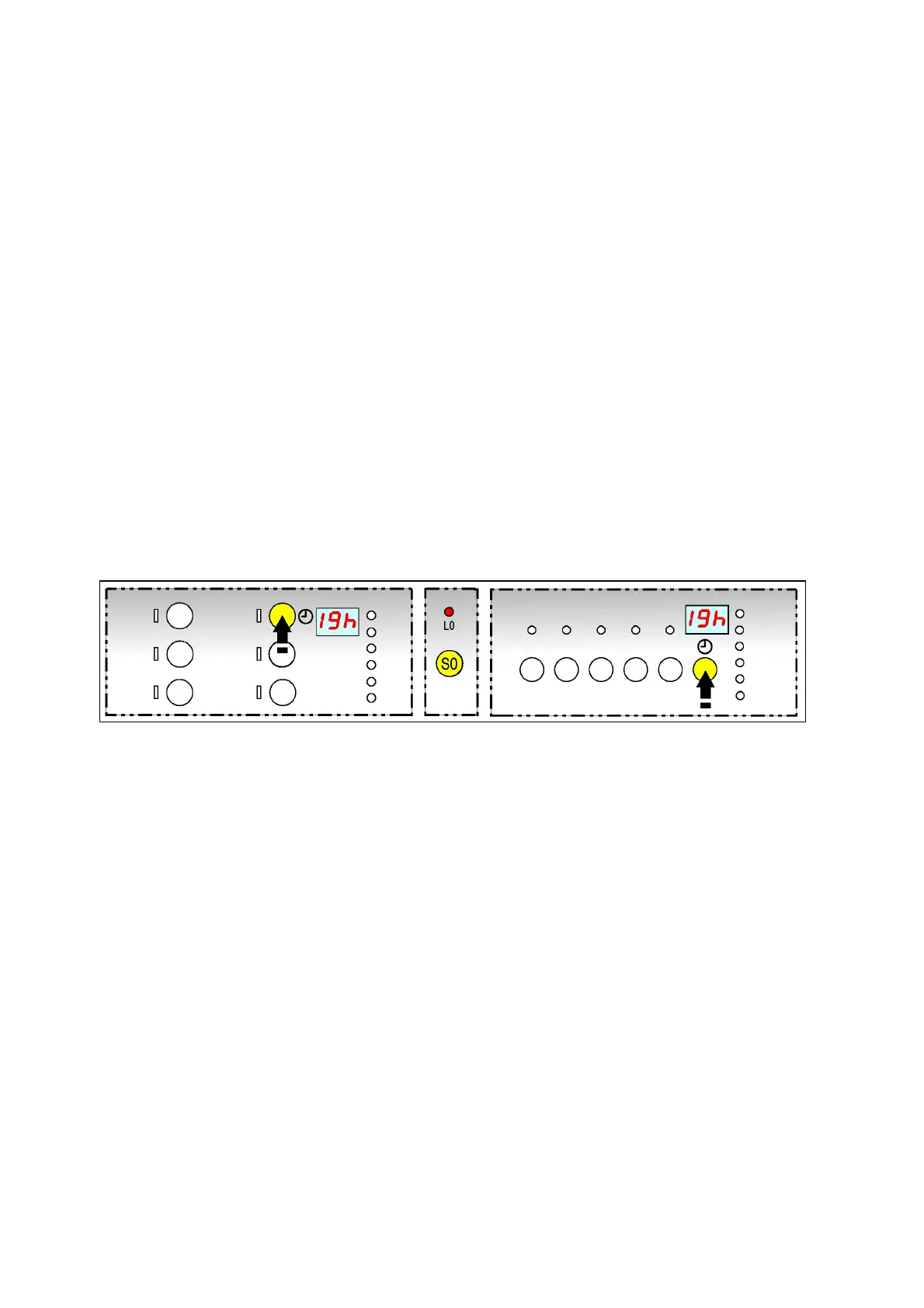
Proceed as follows to select the delayed-start time:
1. Close the door and switch the appliance on by means of the S0 button.
2. Press the button repeatedly to select the delayed-start time which appears flashing on the display.
The time increases every hour up to 19h [ 1 2 3 .....19
0.. ].
3. Select the programme and the possible options.
For some seconds the display shows the time-to-end of the cycle, then the delay time.
4. 3 seconds after the last selection, the delay time is activated.
The display lights steady and the countdown starts: the time decreases every hour [ 19 18 17... 1
0].
5. During the countdown, till the programme starts, it is possible to modify the delay time or cancel it.
6. the programme starts automatically.
The display shows the time-to-end of the cycle.
The delayed-start countdown can also be selected as follows:
1. Press button S0 to switch on the appliance.
2. Select the programme and the possible options.
3. Within 3 seconds, press sequentially the button to select the delay time.
4. 3 seconds after the selection the delay time and the countdown start with the same modalities previously
described.



 To Next Page