The key controls the interior lower oven lights.
This model includes 2 halogen lights in the lower
oven.
TheovenlightswillautomaticallyturnON
whenever the lower oven door is opened. The
lights will remain on until the door has been shut.
To replace any of the interior light bulbs see
“Changingtheovenlights”intheCareand
Cleaning section.
Interior Luxury-Lighting™
YourapplianceincludesinteriorovenLuxury-
Lighting™thatgraduallybrightensanddimsthe
lights for both the lower oven.
The preheat temperature display is available with
the following cooking modes:
• Bake
• ConvBake
18
Control lock
The control lock will lock the oven controls and the
lowerovendoor.Oncelocked,thelowerovenlight
will not switch from on to off or off to on.
Control lock is available only in the awake mode.
See example below to lock the lower oven.
Getting Started
willashinthedisplayuntilthedoor
hasnishedlocking. Oncethedoorhasbeen
lockedthedoorlockindicatorwillturnon.LOCwill
then display in the upper oven cavity only.
Donotattempttoopentheovendoorwhilethe
doorlockindicatorisashing.
Changing settings
Software controls the micro and lower ovens
so that both may be set to operate at the same
time with unique settings. It is very important to
understand that before setting or modifying either
oven,youmustrstselect which oven you desire
to set or modify.
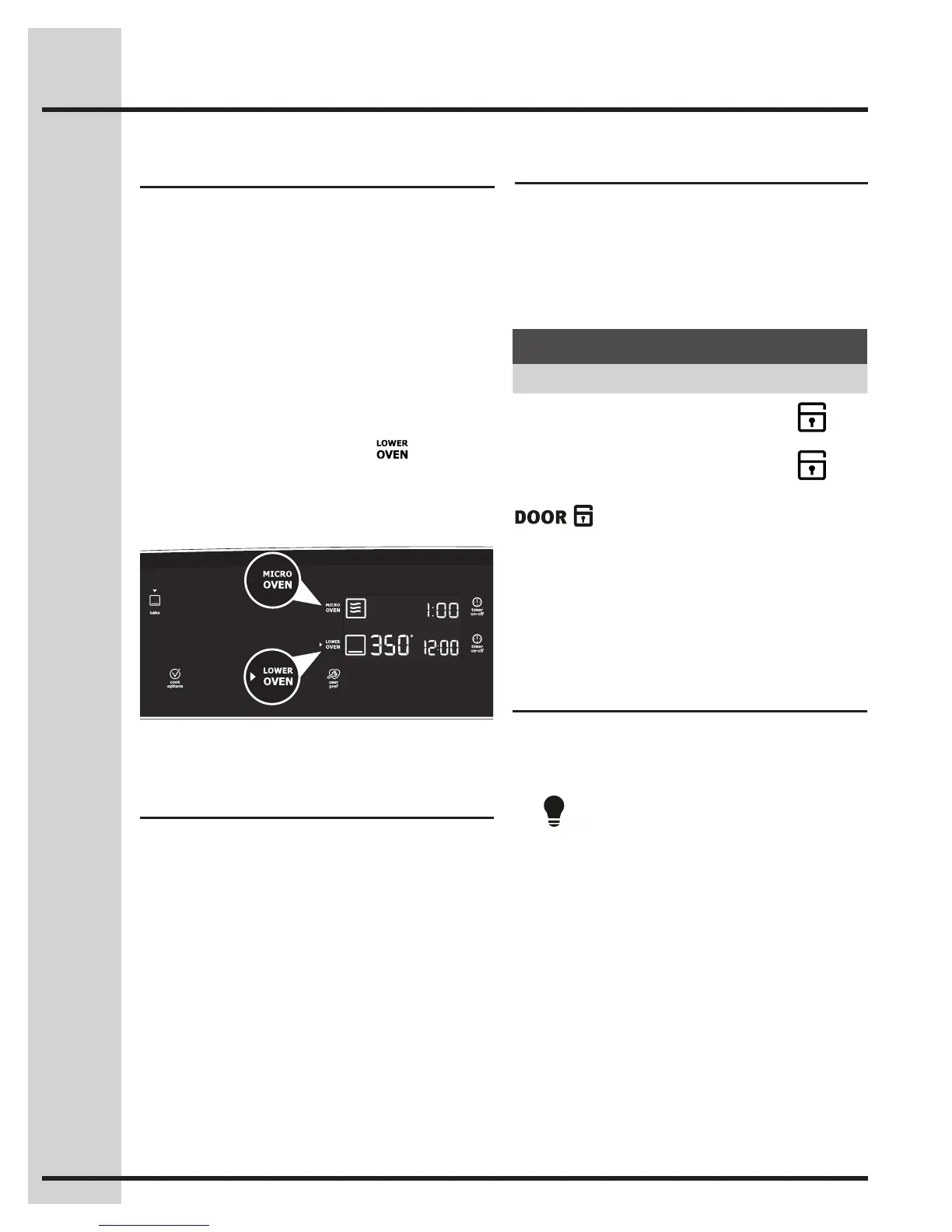
The display will provide which oven is currently
selected for setting/changes by displaying a small
red triangle indicator next to the micro or lower
oven text.
If the micro oven text symbol displays the red
triangle indicator but you wish to set or change the
settings for the lower oven, press once to
change the oven selection -Fig.1-. Then make the
setting/changes. You may toggle between either
oven and make setting changes at any time except
when you are currently setting a cooking mode.
Fig.1
Preheat Temperature Display
Onceacookingfeaturehasbeenstartedinthe
lower oven, the control will display the actual oven
temperaturewhilepreheating.Oncetheoven
reaches the oven set temperature only the oven set
temperature will display.
Example
Step Press
To lock, press and hold CONTROL
LOCK for 3 seconds.
3sec
To unlock, press and hold CONTROL
LOCK for 3 seconds.
3sec






 To Next Page