39
Setting Lower Oven Controls
Using cook duration with end
time in lower oven
Addingacookdurationalongwithaspecicend
timegivesthesamebenetsasthecookduration
option in addition to controlling exactly when the
cooking process will begin and end.
Cook duration and end time may be set with the
following features:
• Bake
• Convectionbake
• Convectionroast
• Slowcook
• Clean(delayedCleanusesendtimeonly)
• Defrost
• Dehydrate
• Breadproof
• Keepwarm
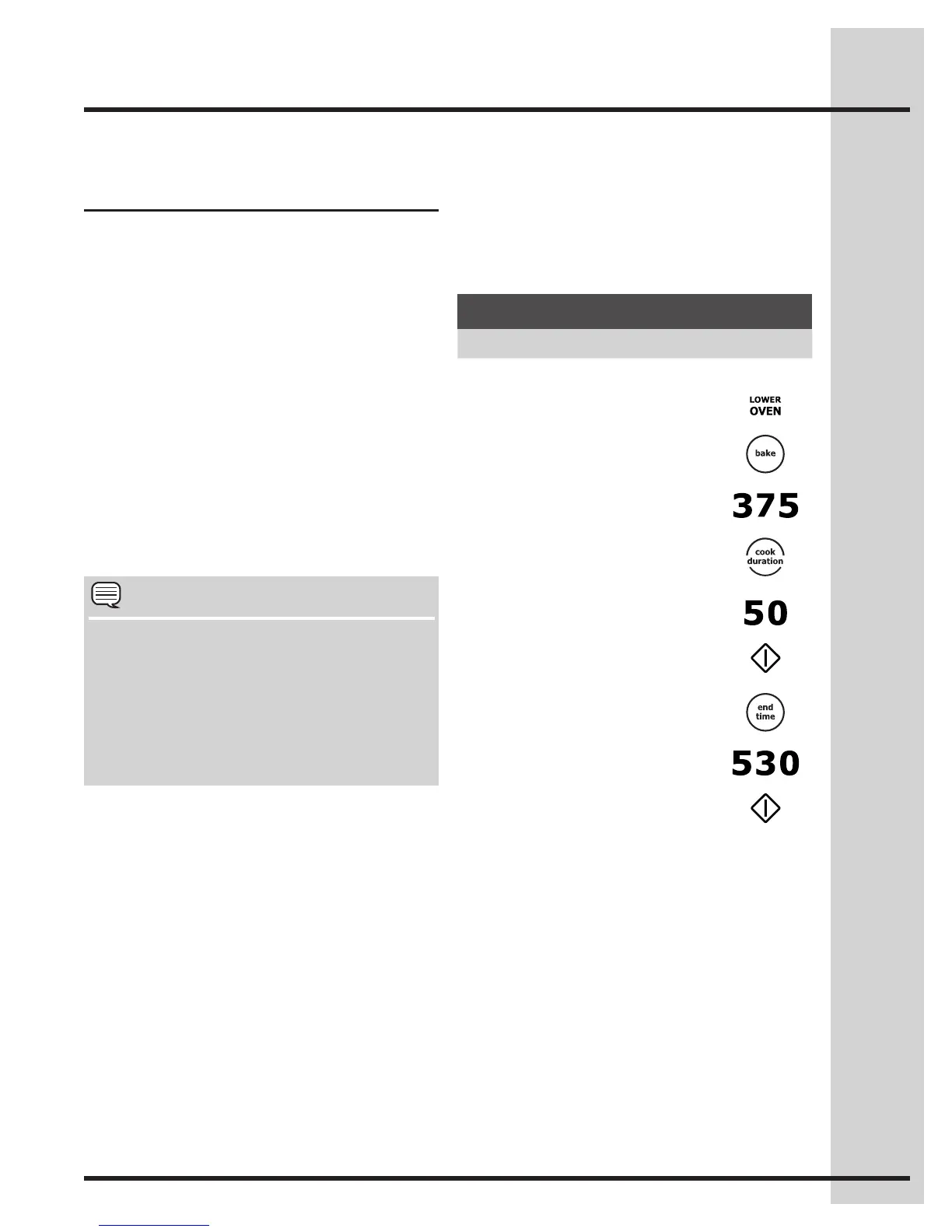
See example below to set the lower oven with pre-
heating for bake at 375°F (176°C) for 50 minutes
and to automatically shut-off at 5:30:
NOTE
• WhensettingtheENDTIMEoptionbesure
the correct time of day is set.
• YoumaypressCANCELanytimewhen
setting the control or during the cooking
process.
• YoumayalsochoosetouseCOOK DURATION
with no END TIME.
OnceSTARTispressed,theovenwillcalculatethe
start time at which the oven will begin heating.
The oven will continue to maintain this temperature
for the selected time or until the cooking feature is
canceled.
Example
Step Press
Preheat the oven if necessary
1. Press LOWER OVEN
2. Press BAKE
3. Enter 375°F
4. Press COOK DURATION
5. Enter 50 minutes
6. Press START
7. Press END TIME
8. Enter 5:30
9. Press START






 To Next Page