71
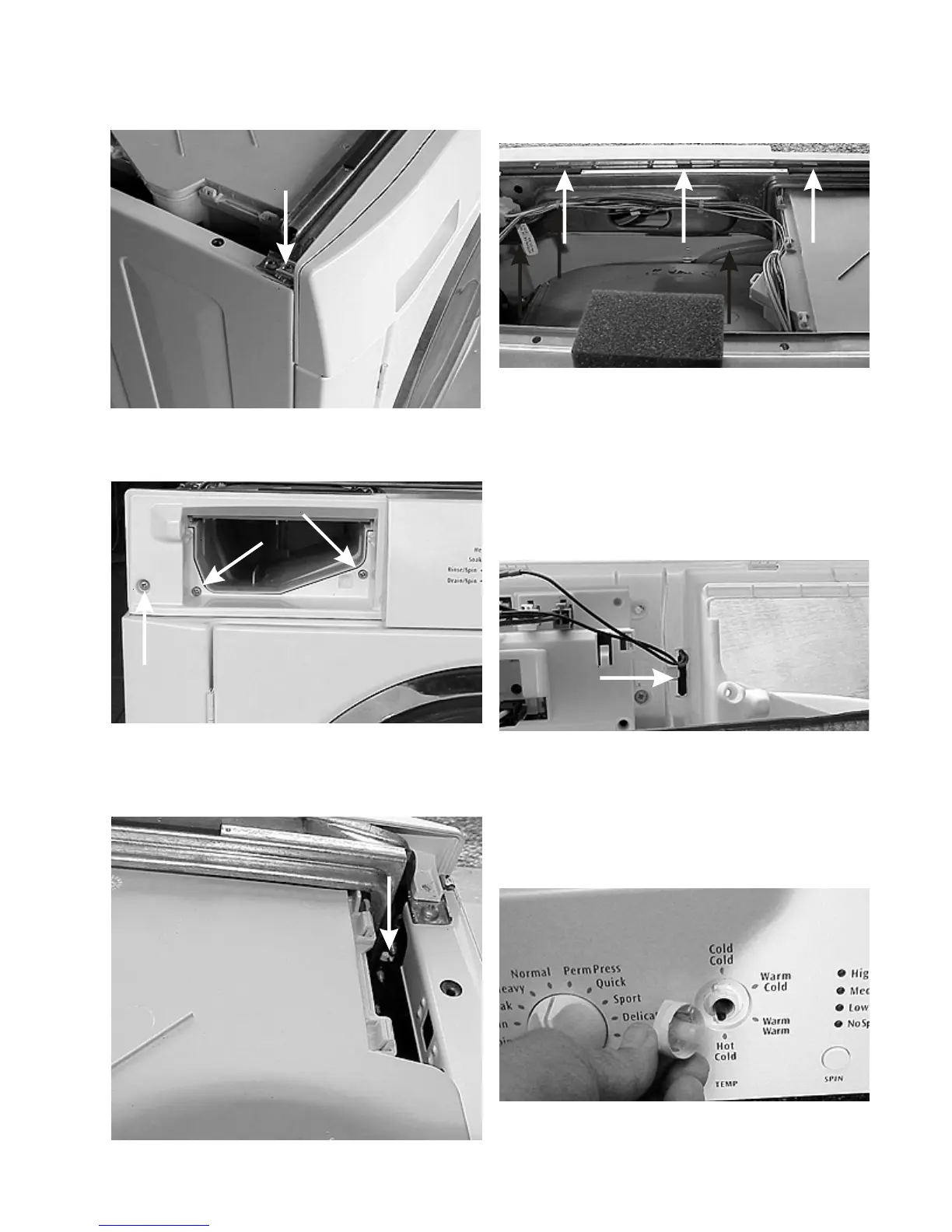
5. Release the (3) locking tabs at top rear edge of the
console and roll the console forward.
Removing the reed switch:
1. Disconnect the washer from the electrical supply
and release the console.
2. Unplug the reed switch harness from the control and
snap the reed switch out of the console.
Removing the water temperature selector
knob: (Good Models)
1. To remove the water temperature selector knob, pull
the knob straight off.
2. Remove the (2) screws, one on each end, holding the
console to the top of the side panels.
3. Remove the (3) screws behind the detergent drawer
panel.
4. Release the tab that is spread open by the left hand
screw as view from the front.





 To Next Page