4.2.3 Connections.
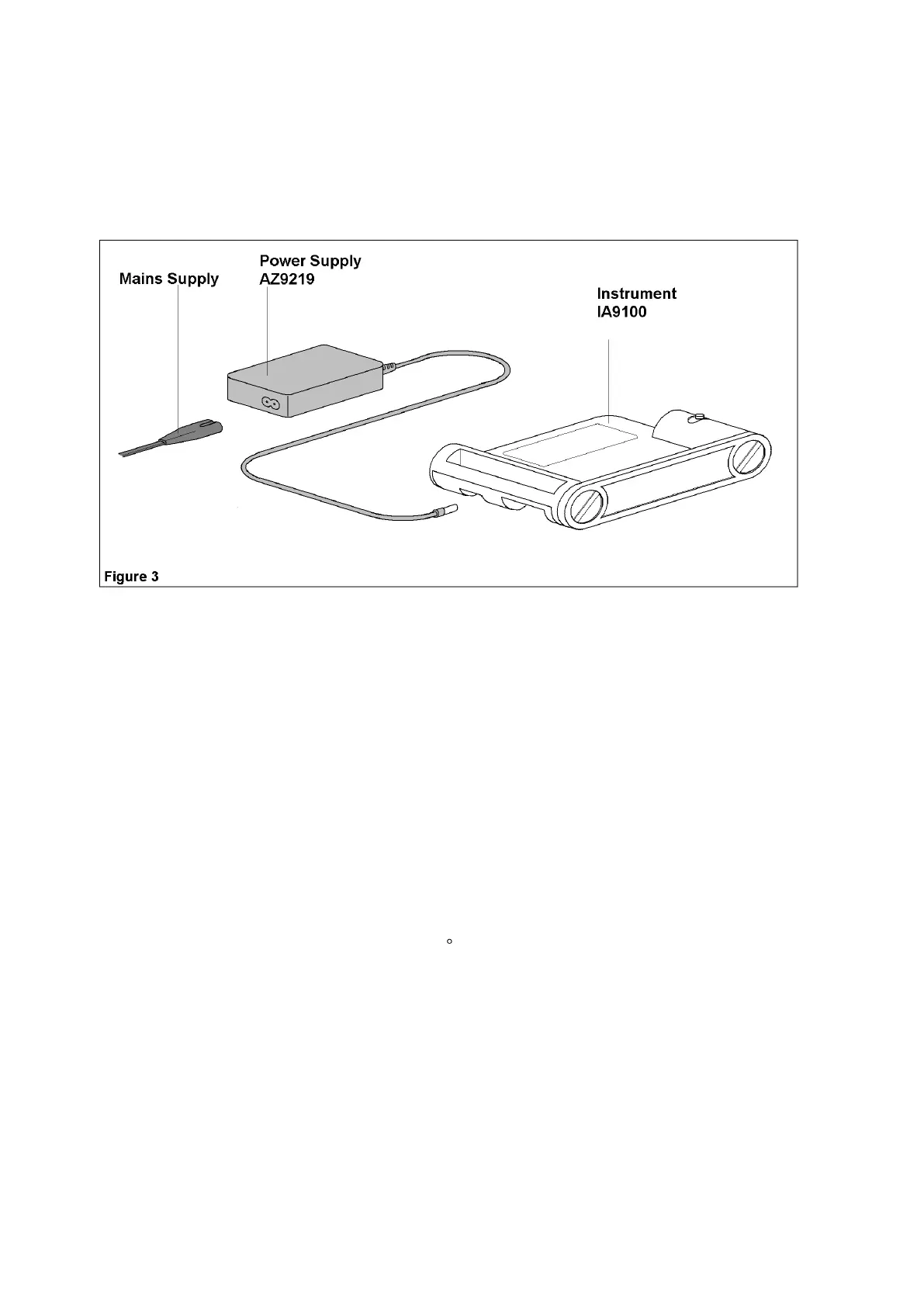
a) Insert the jack connection Plug from the Power Supply Unit
into the instrument supply socket.
b) Connect the Power Supply mains cable to the Power Supply
Unit.
c) Plug the Mains power supply cable into the supply outlet.
4.2.4 Start up.
Switch the power on.
Observe all indicator lights flash momentarily and then the display rolls
from 9999 to 0000 and settles at the oven ambient temperature.
NOTE: In order to attain maximum accuracy from the unit it is
important to allow all components to stabilise at their working
temperature. It is recommended therefore that the unit is switched on
for 30 minutes before use.
Alternatively the unit may be switched on overnight at ambient
temperature. The bulb will supply sufficient heat to maintain stability.
The insulation material of the oven may absorb small amounts of
moisture if left un-powered for any length of time (dependant upon
ambient conditions). It is suggested the oven is heated up to a
temperature of 400 C before use as described in sections 4.2.6 and
4.2.7, with the removed, and then allowed to cool, switching the oven
off as in section 4.12.13 before replacing the lens.



 To Next Page