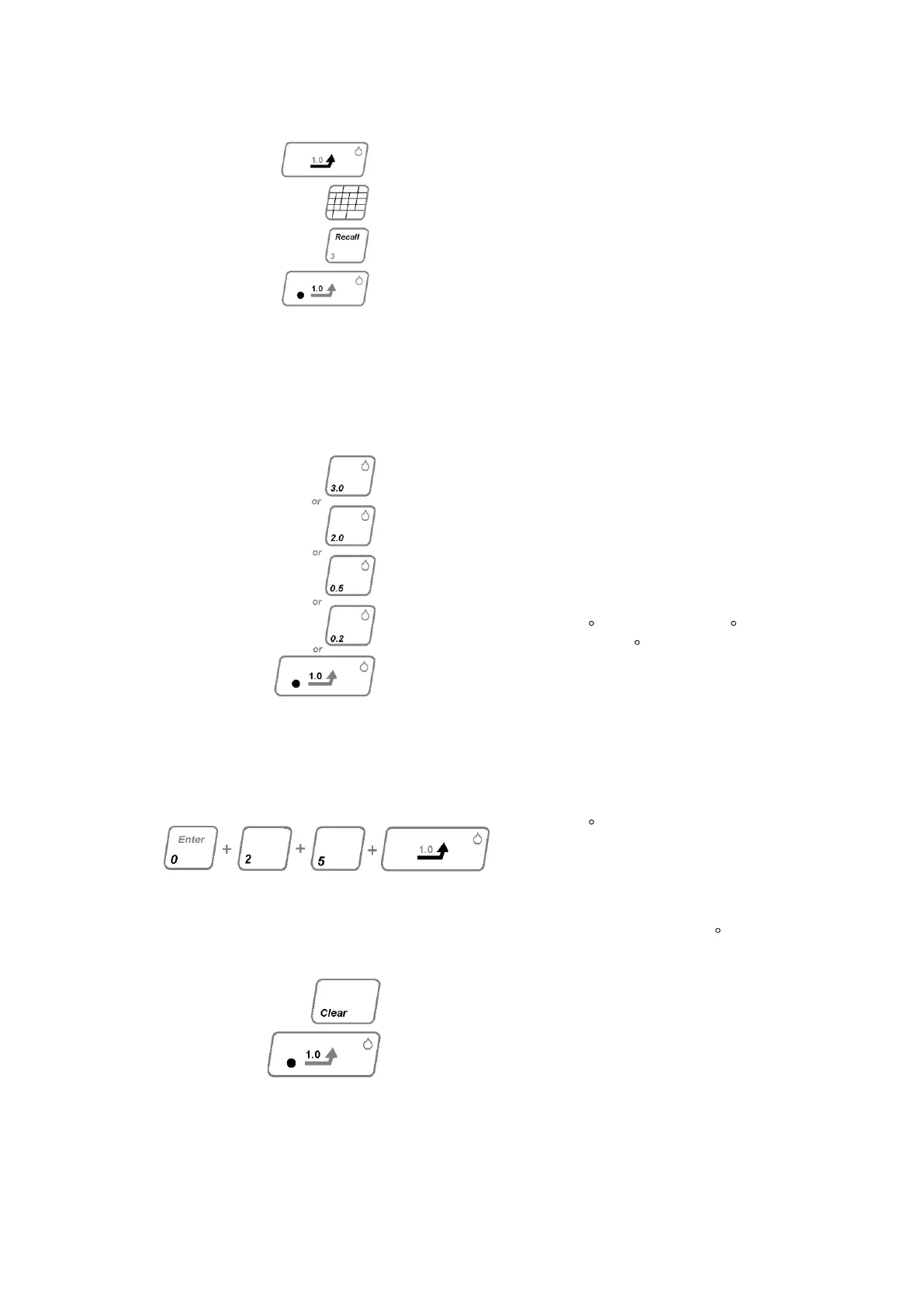
Press GOTO key, (if long audible
bleep is heard and the display
does not change then the „Set
Point‟ is outside allowable
parameters. Key in correct „Set
Point‟). The four bar L.E.D‟s will
illuminate consecutively as the
temperature rises. To review „Set
Point‟ press RECALL and the
display will show „Set Point for
approximately one second. When
the „Set Point‟ temperature is
reached the left hand L.E.D. on
the GOTO key will illuminate and
three audible bleeps will sound to
indicate the temperature has
stabilised.
This may be done by one of two
methods:-
Method 1 – selected if a preset
ramp rat is suitable.
Method 2 – selected if an internal
ramp value is required. Any ramp
rate may be selected between
0.2 C/ per min and 10.0 C / per
min in 0.1 steps.
Proceed as follows:
Method 1 - Select on of the five
preset ramp rate values 1.0; 0.2;
0.5; 2.0; or 3.0. Press the select
key.
Method - Ramp rate value of
2.5 C/per min is given as an
example;
Press in turn ENTER; GOTO.
NOTE. The entered value method
2 must not exceed 10 C/per min.
If too high value s entered, an
audible warning is given and the
instrument will wait in a stalled
condition. Press CLEAR and enter
an acceptable value.
With the ramp rate entered, the
four bar L.E.D‟s and the left hand
L.E.D. on GOTO will go OFF and
the right hand L.E.D. will
illuminate.



 To Next Page