62
English
Belt 2: Blade axle - Axelero
TM
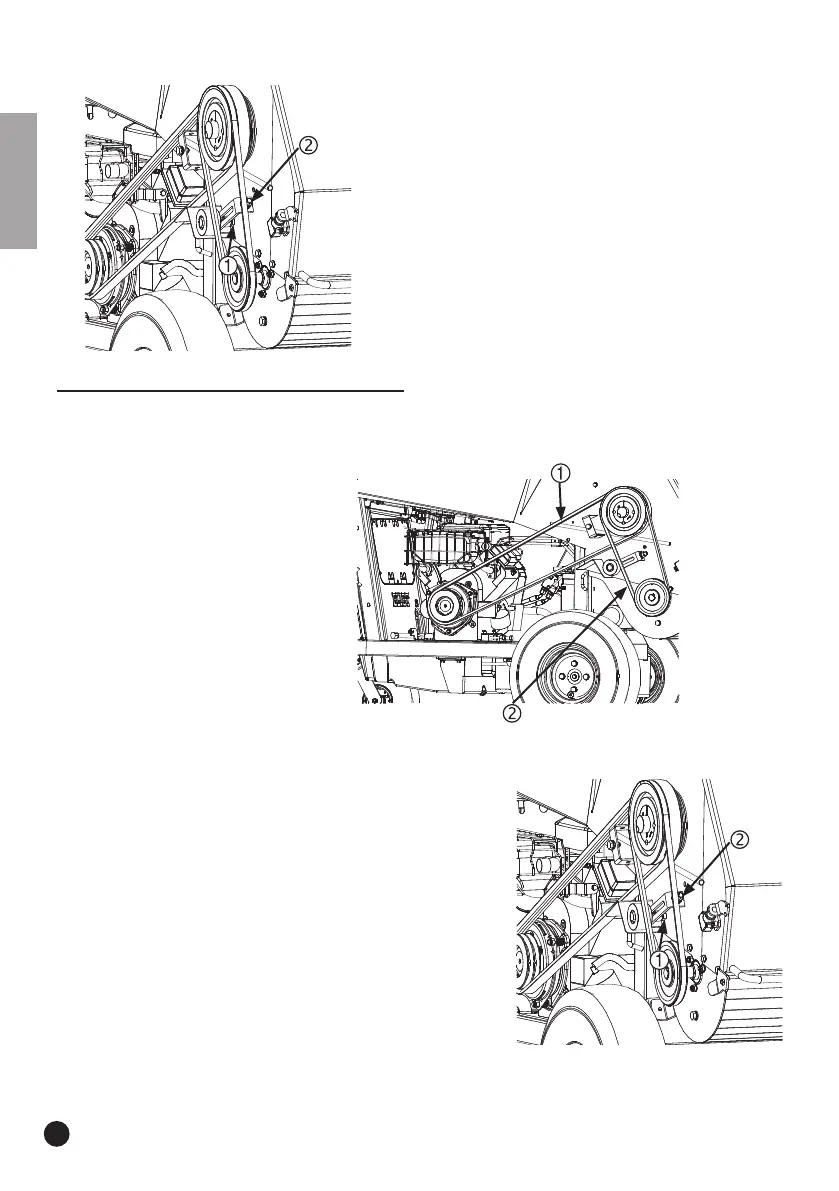
• Loosen the nut on the back of the tension roller (1) but
do not undo completely.
• Turn the tensioning bolt (2) in order to position the belt
tension roller so that the tension on the belt is correct.
• If the tension was set correctly, the nut on the rear of
the tension roller (1) must be re-tensioned.
11.4.6 Changing the belts (Replace Belts)
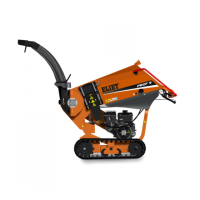
To replace the belt that drives the blade axle (1), the small belt (2) that drives the Axelero
TM
must
first be undone.
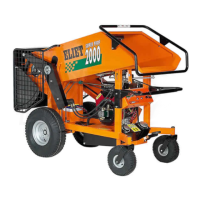
Belt 2: Blade axle - Axelero
TM
•
Remove the belt guard
(read “11.2.1 Removing the belt guard” on page 41).
• Loosen the nut on the back of the tension roller (1) but do
not undo completely.
• Undo the tensioning bolt (2) so that the tension roller for
the belt can be moved aside.
• Remove the belt.
• Order number for a new belt: BA 521 212 070
• If you are only replacing this belt, read “11.4.5 Tightening
the V-belt (Tighten belt)” on page 61 to re-tighten the
belt.


 To Next Page