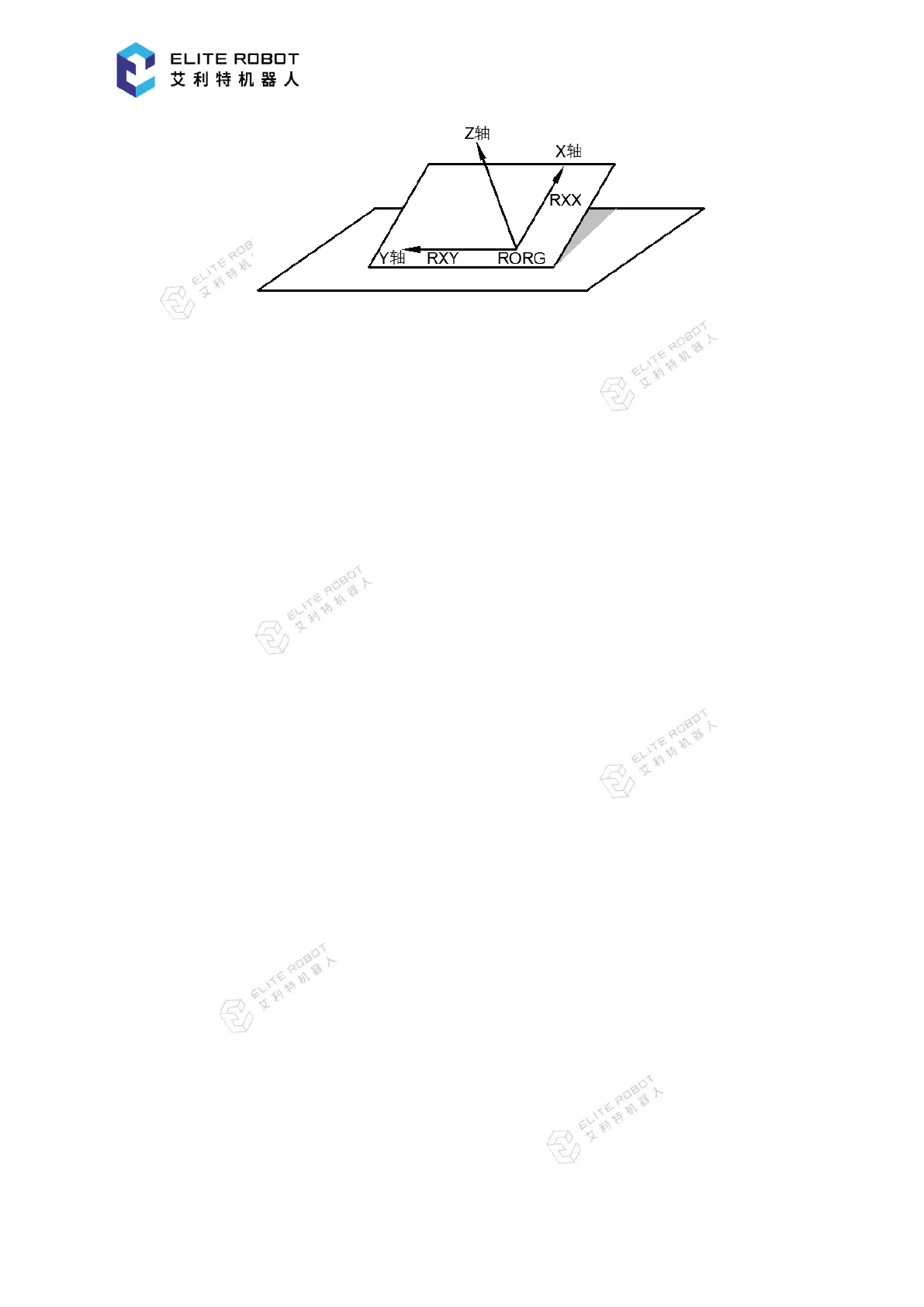
User coordinate definition: RORG is the home position, and RXX is a point on the X-axis.
RXY is a point on the Y-axis side of the user coordinates that has been taught, and the directions
of Y- and Z-axes are determined by point RXY. Note that it is important that the two points
RORG and RXX be taught accurately.
Go to "Readiness for Operation - User coordinates" to open the user coordinate setting page.
First select the user coordinate number to be set. Then select one of the three defining points and
press [RECORD] button in the submenu area after moving the manipulator to the desired position.
The color corresponding to the taught point will change from red to green. After recording all
three points, press [CALCULATE] button to generate the desired user coordinate. When holding
the Enable switch, [RUN RORG], [RUN RXX] and [RUN RXY] in the submenu area can be
used to move the manipulator to the corresponding point.


 To Next Page