9.8.8 System Configuration
The "System - System Configuration" menu includes three options: robot configuration,
network configuration and language configuration.
9.8.8.1 Robot Configuration
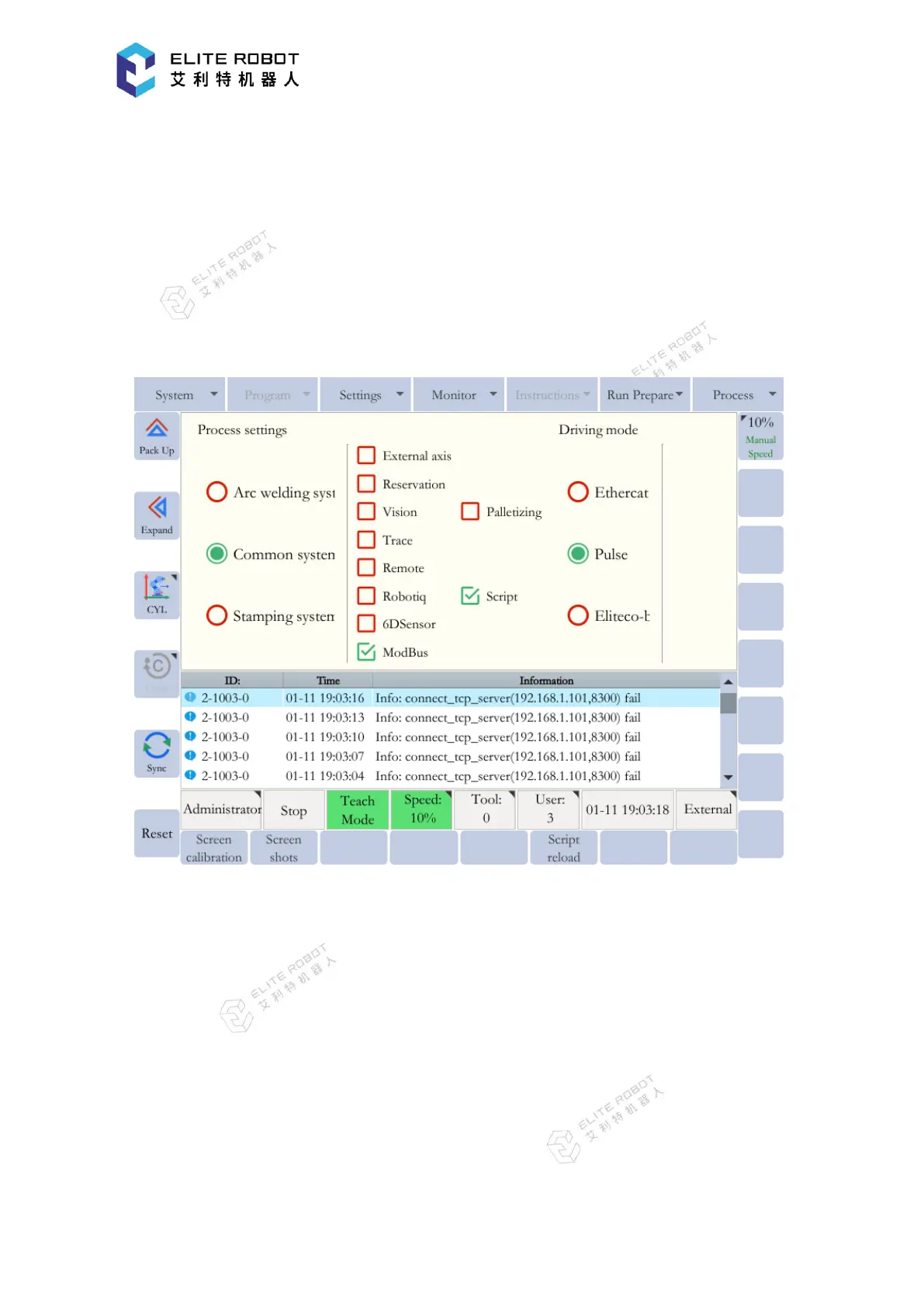
The robot process settings, additional function selections and drive mode settings can be
configured in the robot configuration page, as shown in the figure below.
After finishing the robot configurations, press [SET] button, and the users will be prompted
to decide whether to restart the system. Then press [OK] button, all the settings will take effect
after the restart. Generally, all above settings are configured successfully when shipping from the
factory, and the users do not need to set them.
9.8.8.2 Network Configuration
The network configuration is mainly used to change the IP address, subnet mask and
gateway of the system controller. All above parameters can be modified in the network
configuration page, as shown in the figure below. After the modifications, press [SET] button,
and the changes will take effect immediately.


 To Next Page