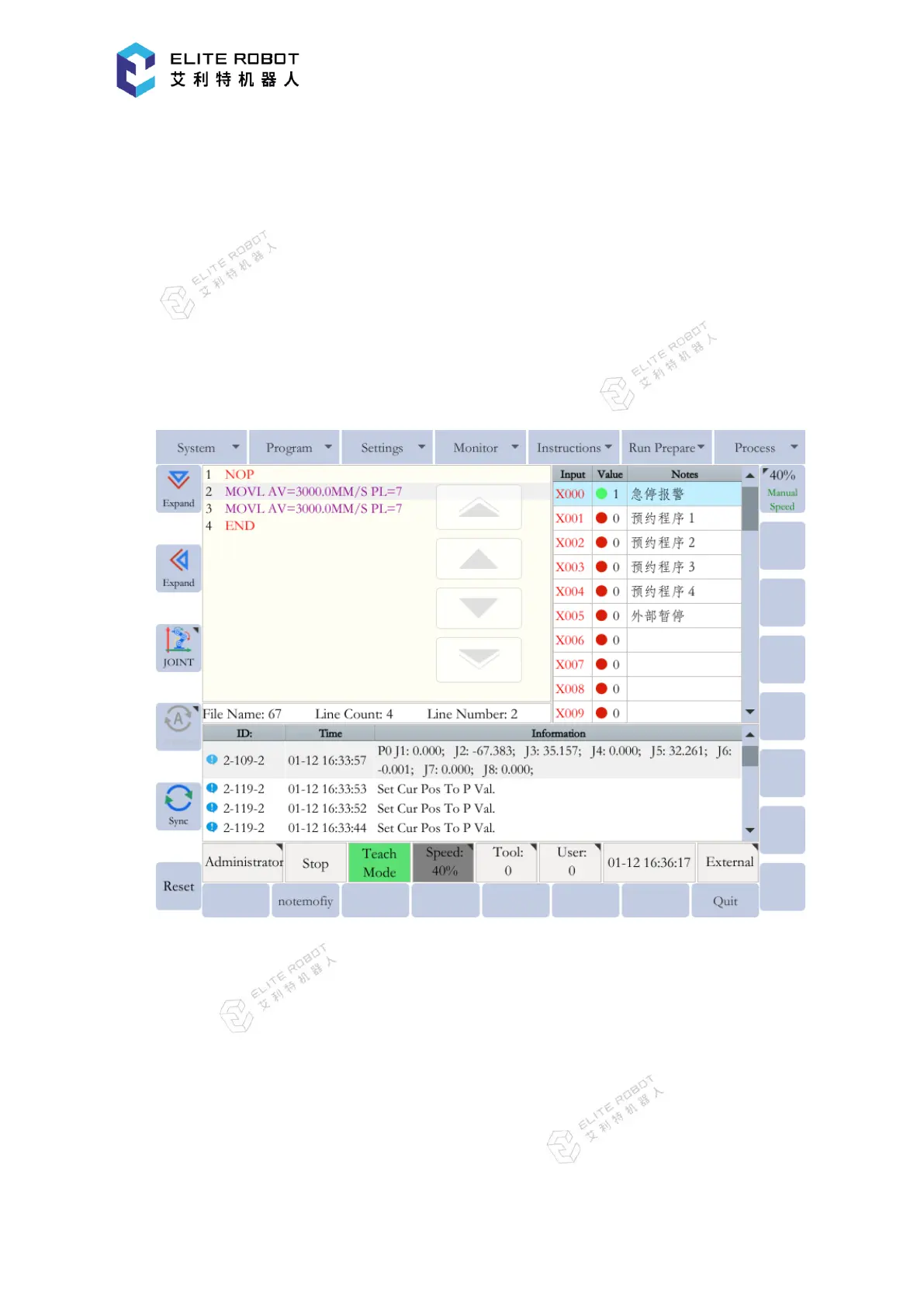
screenshot, normal mode, advanced mode, etc. There are different key combination functions for
different user processes, which can be used according to the actual requirements.
9.7.2 Multi-Window Function
Some windows in the system can be displayed in both full size mode and half-size mode.
The selected window can be expanded towards the desired direction by pressing [Expand Up /
Down] and [Expand Left / Right] buttons. Therefore, the multiple windows can be displayed
during the program execution, which is convenient for debugging the program.
9.8 System Setup
9.8.1 Tool Coordinates Setting
To ensure that the manipulator can perform motion type operations such as linear and
circular motion type correctly, accurate dimensional information on tools such as torches, tools,
and guns must be registered and the position of the TCP must be defined. The tool coordinates


 To Next Page