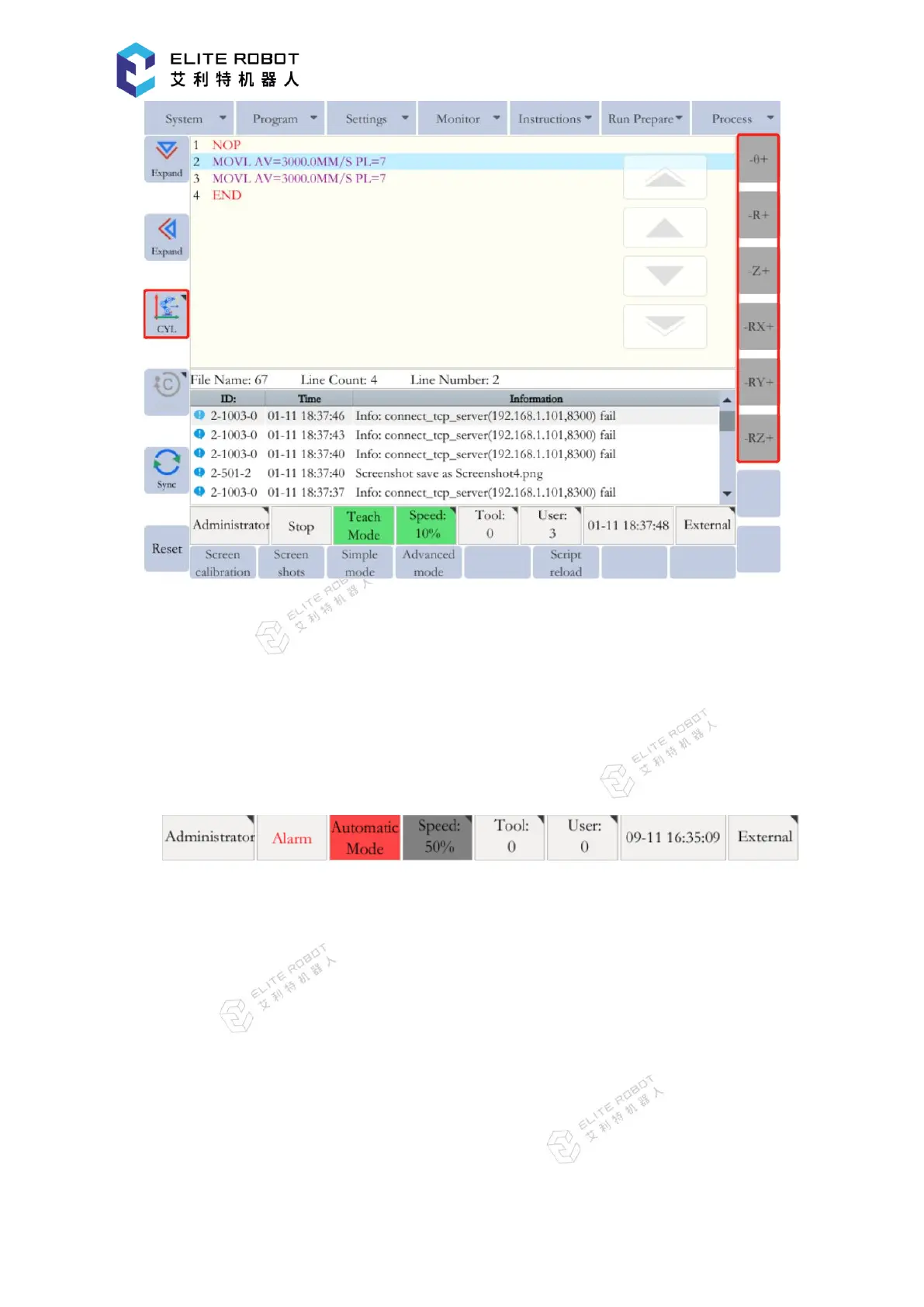
Cylindrical coordinates
9.1.7 Status Display Area
The status display area is mainly used to display the current status of the robot, including
permissions, running status/mode/speed, current tool coordinate number, current user coordinate
number, system time, external axis, etc., as shown below.
Permissions: Display the current permissions, can open the permission settings window
by touching screen;
Running status: Display the current running status of the robot, including stop, pause,
run, alarm, etc.;
Running mode: Display the current running mode of the robot, including TEACH, PLAY,
REMOTE mode;
Speed: Display the current speed. The same speed in PLAY and REMOTE mode while a
separate speed in TEACH mode, you can click to pop up the speed control window;
Current tool coordinate: Display the current tool coordinate number, which can be open by


 To Next Page