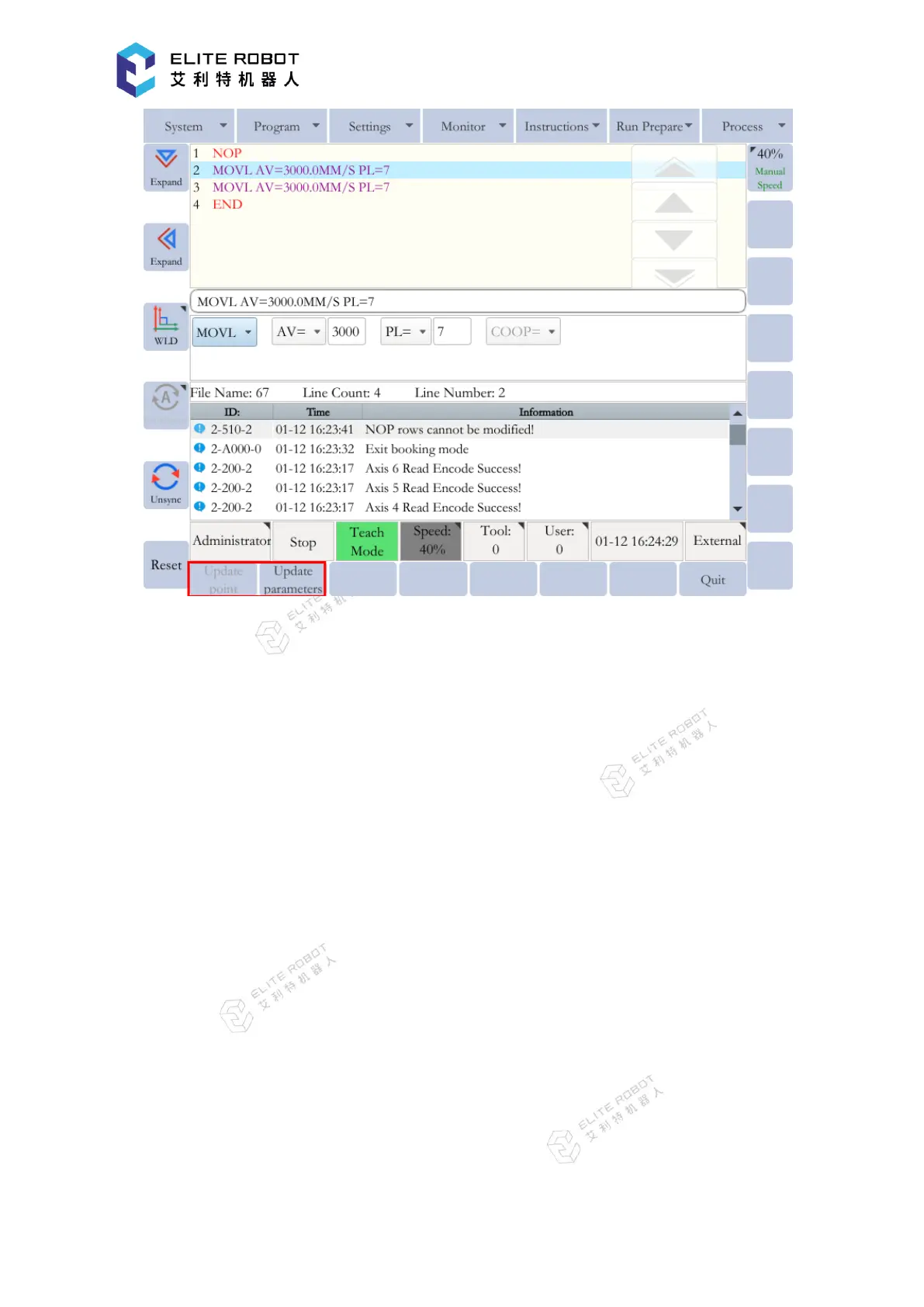
For the move instructions, two options can be used in the submenu area: [UPDATE POINT]
and [UPDATE PARAMETERS]. [UPDATE PARAMETERS] can only update the additional
items of the move instruction, and cannot modify the point data. [UPDATE POINT] can record
the current position of the manipulator into the instruction while modifying the addition items.
[UPDATE POINT] can be used only when holding the Enable switch.
9.3.2.4 Checking Steps
After completing the program editing, the manipulator can be moved ahead in step number
sequence manually, in order to check in advance whether the motion paths of the manipulator are
correct.
Forward Operation
The forward operation can be used to move the manipulator to the position of the taught
steps in order to check whether the position is appropriate.
1) Switch to TEACH mode using the mode switch.
2) Set manual speed at an appropriate level for safety.
3) Scroll the handwheel to select the instruction to be executed in the program.


 To Next Page