(2) Insert the USB flash disk into the USB port of the collaborative robot cabinet, and a USB
device icon will be displayed in the coordinate area of the programming pendant screen;
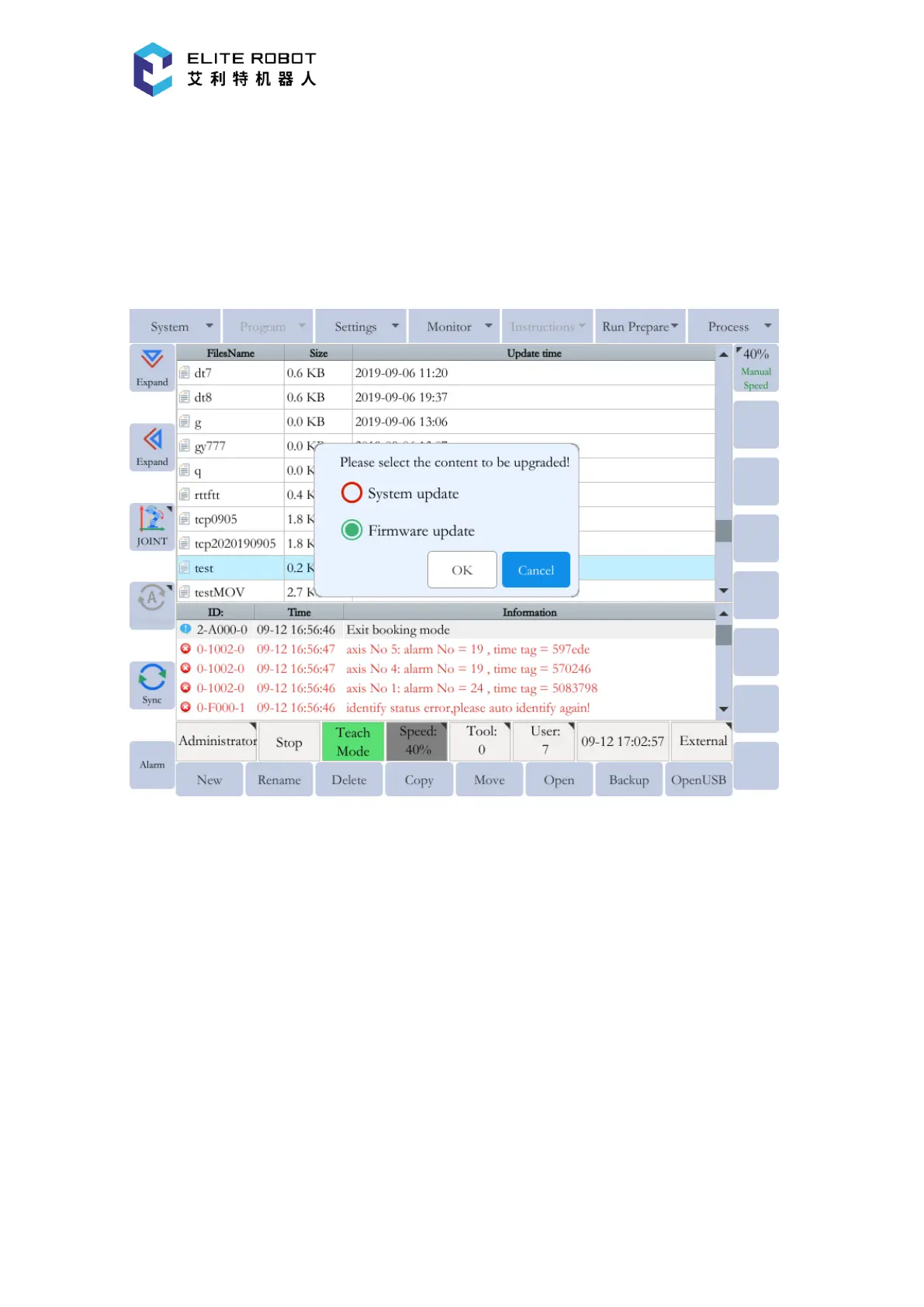
(3) Go to "System - System Upgrade", and a dialog box with the message "Confirm System
Upgrade" will pop up. After pressing [OK] button, the system will give the message "Please select
the content that needs to be upgraded". Then select "Upgrade Firmware";
(4) Press [OK] button, and the following page displays.


 To Next Page