52
SECTION 3: SWEAT INDUCTION AND COLLECTION
3.2 Inducing Sweat
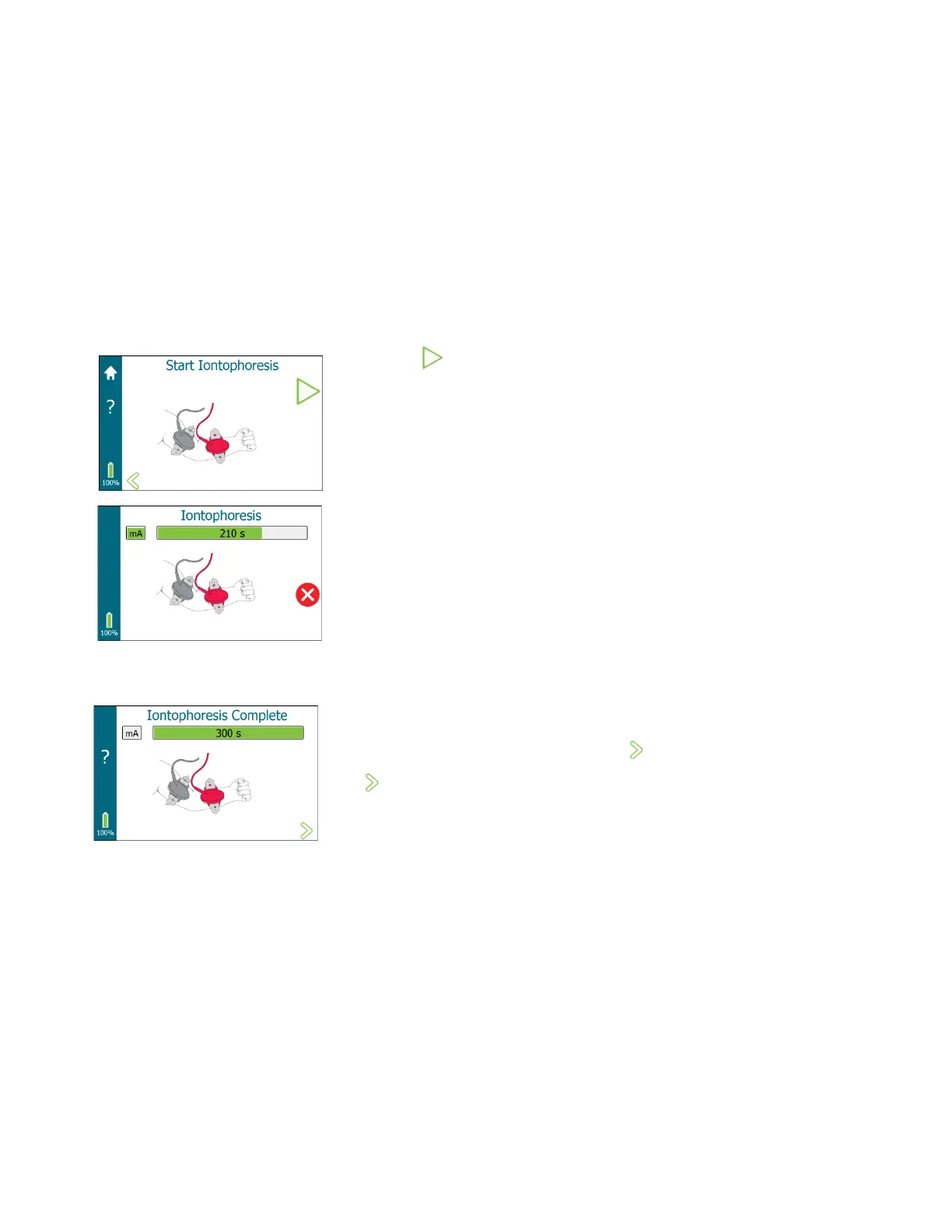
1. Start Iontophoresis
NOTE: Individuals vary in their sensitivity to iontophoretic current. Most
subjects feel nothing more than a slight prickling or tingling sensation
during iontophoresis. If the patient complains or shows signs of distress,
ensure that the Pilogel disc is pressed tightly against the skin. This may
reduce the patient’s discomfort.
NOTE: Do not start iontophoresis if the battery indicator is red.
a. Tap to start iontophoresis. If all safety conditions are met,
iontophoresis starts.
• The iontophoresis current slowly ramps to full current. A vertical
bar on the left of the screen shows the progress of the increasing
current (labeled mA).
• After full current is reached, the horizontal progress bar displays
the progress of full current in seconds from 1 to 300 (5 minutes).
• After iontophoresis full current has finished, current ramps down
to zero (displayed in the mA bar) and the iontophoresis process is
complete.
NOTE: Iontophoresis takes approximately 5½ minutes. The operator
should remain with the patient during iontophoresis.
2. Iontophoresis Complete
After iontophoresis completes, an audible tone sounds briefly and
Iontophoresis Complete is displayed. At 15 second intervals, an audible
tone sounds and repeats 10 times or until is tapped.
Tap to advance to the next screen.
NOTE: If an error condition, such as a broken connection, occurs during
iontophoresis, current flow ceases and the operator is notified.


 To Next Page