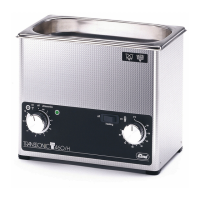
How to open the unit
© Elma GmbH & Co KG SM/Transsonic_LC/1104/D
23
T310 T420 T460 T470
TS540 T570 T660
TP690 TP695
Since 1997
T310 T420 T460 T570
LC20 LC30
T700 T780 T820 T890
TP1000 T1040 T1060
LC60/LC130
Unit feet glued Unit feet clipped in
Uni feet screwed
Remove the four – six
screws at the bottom
of the unit.
Loosen the bottom
plate by levering it out,
e.g. with a screw
driver inserted
between bottom plate
and housing.
Remove the four –
eight screws at the
bottom of the unit.
Some of the screws
hold the unit feet.
The bottom plate
complete with
electronics can now
easily be removed by
slightly lifting the
mains cable.
The bottom plate
complete with
electronics can now
easily be removed by
slightly lifting the
mains cable.
The bottom plate
complete with
electronics can now
easily be removed by
slightly lifting the
mains cable.
4. Carefully take out the bottom plate and place it onto the unit
upside down, or separate it completely from the unit by
cutting off the electric cables.
You can now check and replace most of the components
without removing all connecting cables.
Follow the above steps in reverse order. When closing the
bottom plate ensure that all electric contacts are correctly
plugged and no cables are pinched.
Carefully screw in the recessed head screw. Overturning will
easily destroy the thread in the support angle.
If this has happened, it is difficult to plug the turning knob onto
the shaft of the timer. Use a screw driver to press the support
angle against the housing in order to prevent the angle from
receding. For this insert the screw driver between bottom plate
and housing.
How to mount the
bottom plate
How to fix the
support angle for the
time



 To Next Page