Faulty operating and switch elements
38
SM/Transsonic_LC/1104/D © Elma GmbH & Co KG
8.7 How to replace the front plate
The front plate is a self-adhesive foil. There is no additional glue
required.
If damaged or to allow replacement of certain components it is
necessary to remove the front plate foil partly or completely.
To remove and exchange the front plate please proceed as
follows:
How to proceed
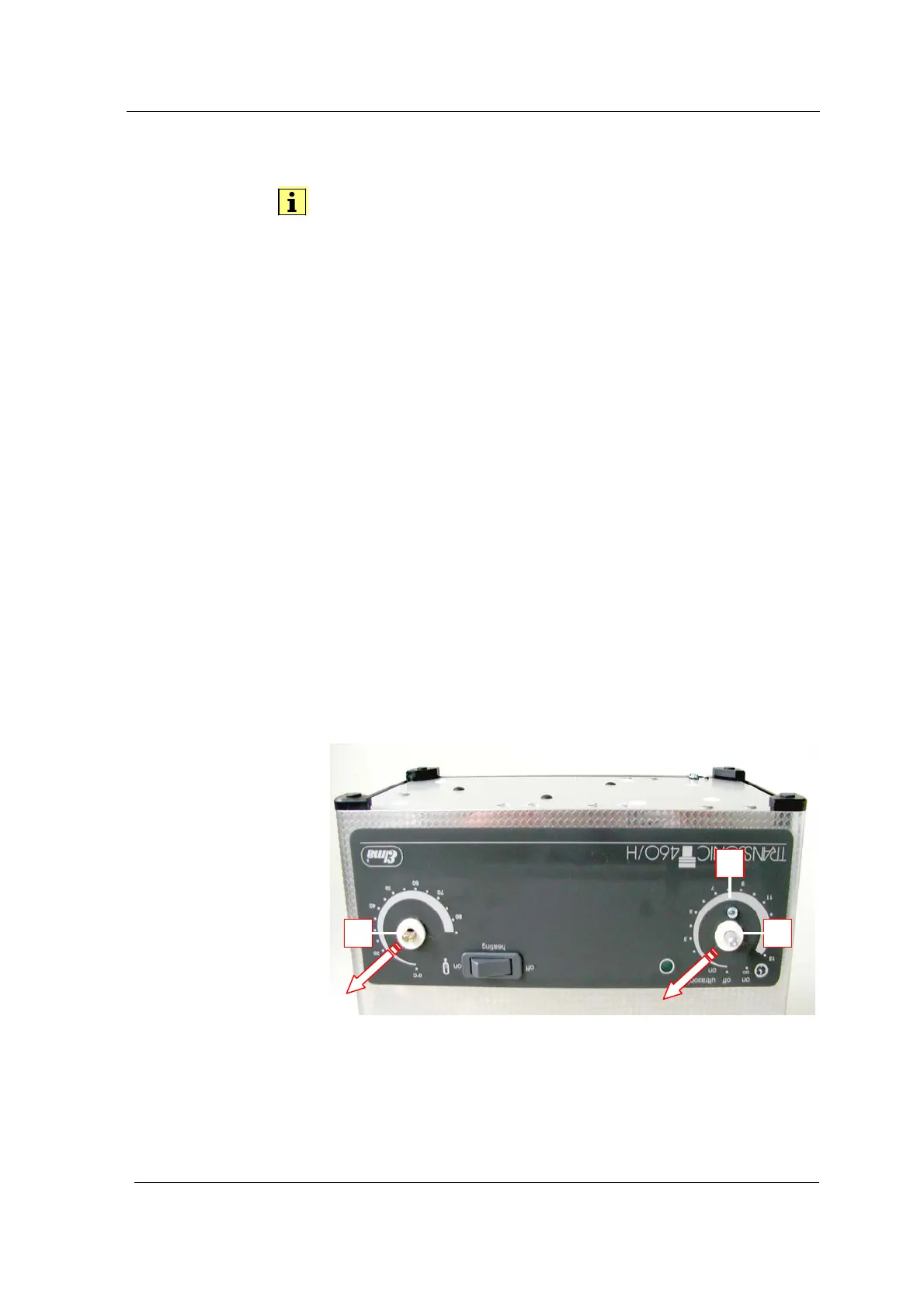
1. Pull off the turning knobs (A) and loosen the recessed head
screw (B) which holds the timer angle. Remove the felt rings
(see Illustration 8.7.1.).
2. Units with heating: lever off the heating switch with a
suitable tool (see Illustration 8.7.2.).
3. Units with heating: loosen the electric cables at the heating
switch. Secure the cables against sliding back into the
housing (see Illustration 8.7.3.).
4. Carefully pull off the foil (see Illustration 8.7.2.).
5. Put on the new self-adhesive foil.
6. Mount the heating switch, polarization of cables at heating
switch with 2 contacts irrelevant. Observe the correct
position of the green marking on the rocker switch (see also
section 8.3.).
7. Mount all remaining switch elements (see also section 8.1.).
Carefully screw in the screw, do not damage the thread in
the timer angle.
Pull off the turning
knobs and loosen the
screw
Illustration 8.7.1. Unit with turning knobs pulled off
A A
A



 To Next Page