Faulty operating and switch elements
© Elma GmbH & Co KG SM/Transsonic_LC/1104/D
29
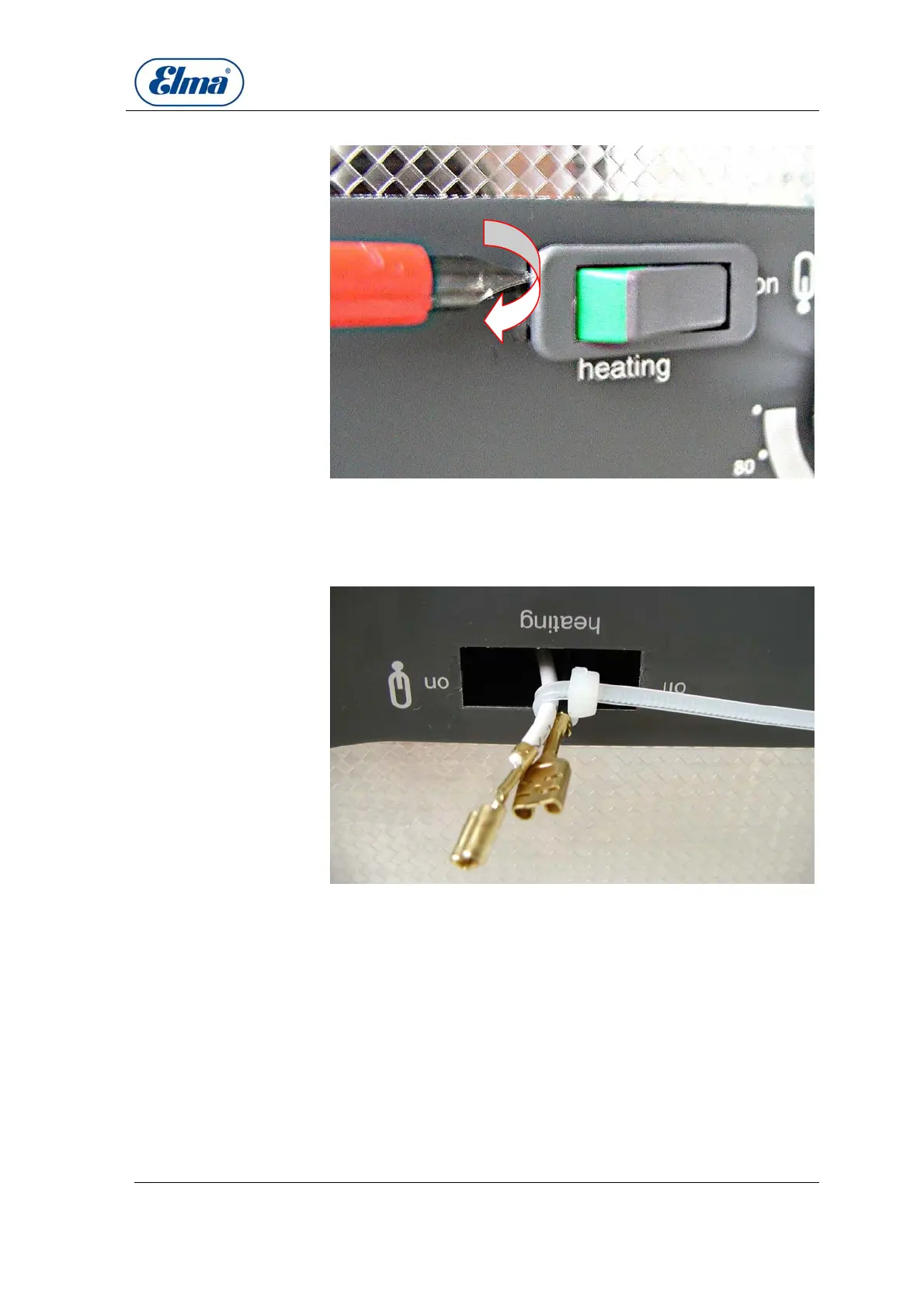
Lever out the heating
switch
Illustration 8.3.3. Levering the heating switch out of the front plate
Use a suitable narrow tool to lever the switch out from the side
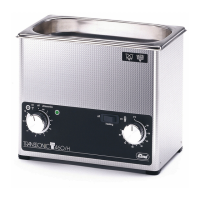
Carefully pull the switch out of the housing. Ensure that the
cables do not come lose and remain inside the unit.
Illustration 8.3.4. Secure the cables
B
Secure the cables
against sliding back



 To Next Page