46
◆
Creating Tasks using Timer
Perform the steps 1 to 3 described in "Basic Operation (Timer)".
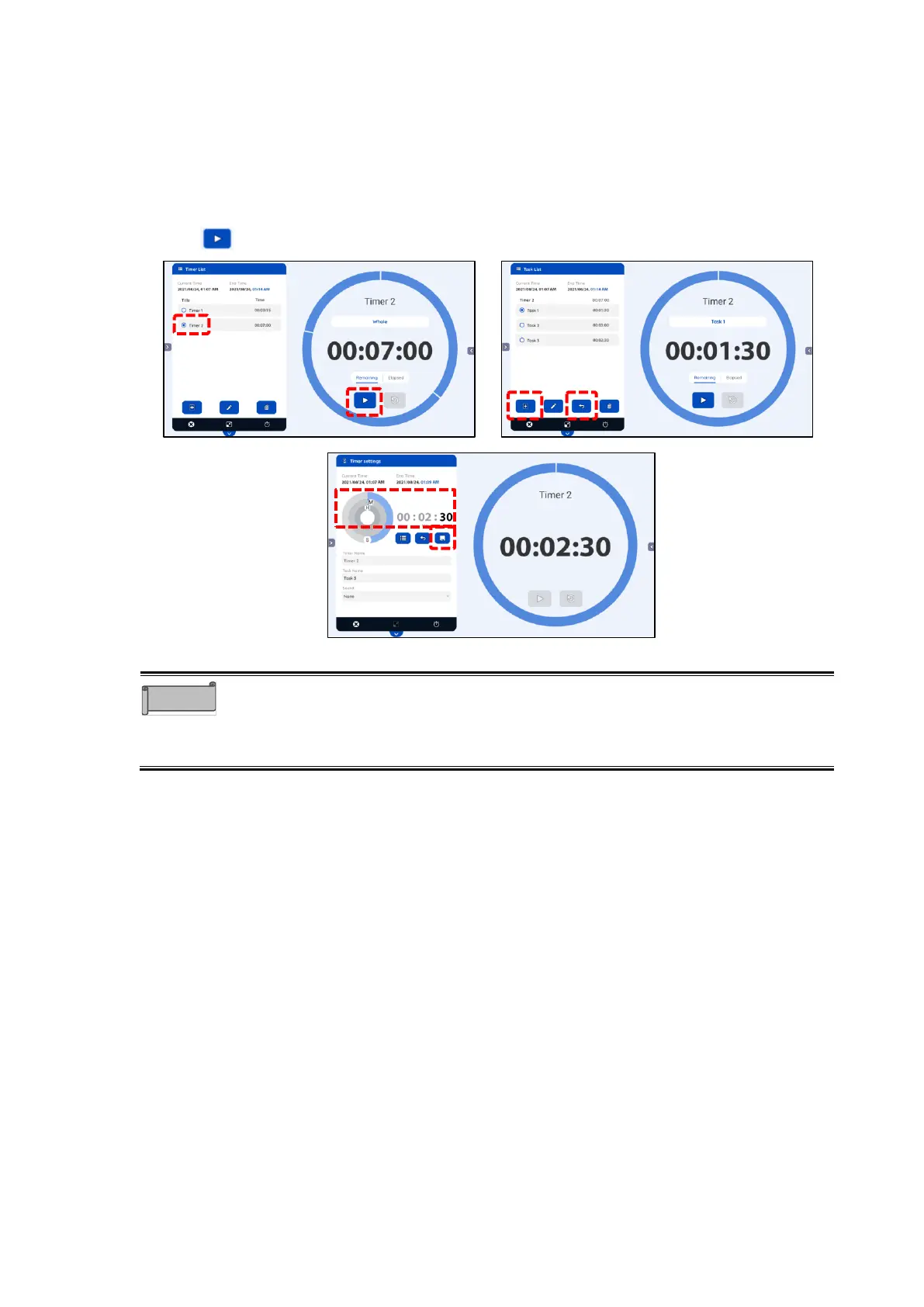
1 Tap the title of the created timer in the Timer List screen.
2 Tap the icon “ + “ in the Task List screen to create a new task.
3 In the Timer settings screen, set the time for the task and save the timer setting.
4 Tap the Return icon in the Task List screen to go back to the Timer List screen.
5 Tap to start the timer.
⚫ To select the timer in step , tap the text part of the title. (For example, tap
“Timer 2” in the above figure).
⚫ You can also start the timer from the Task List screen. In this case, the total
time cannot be displayed.



 To Next Page