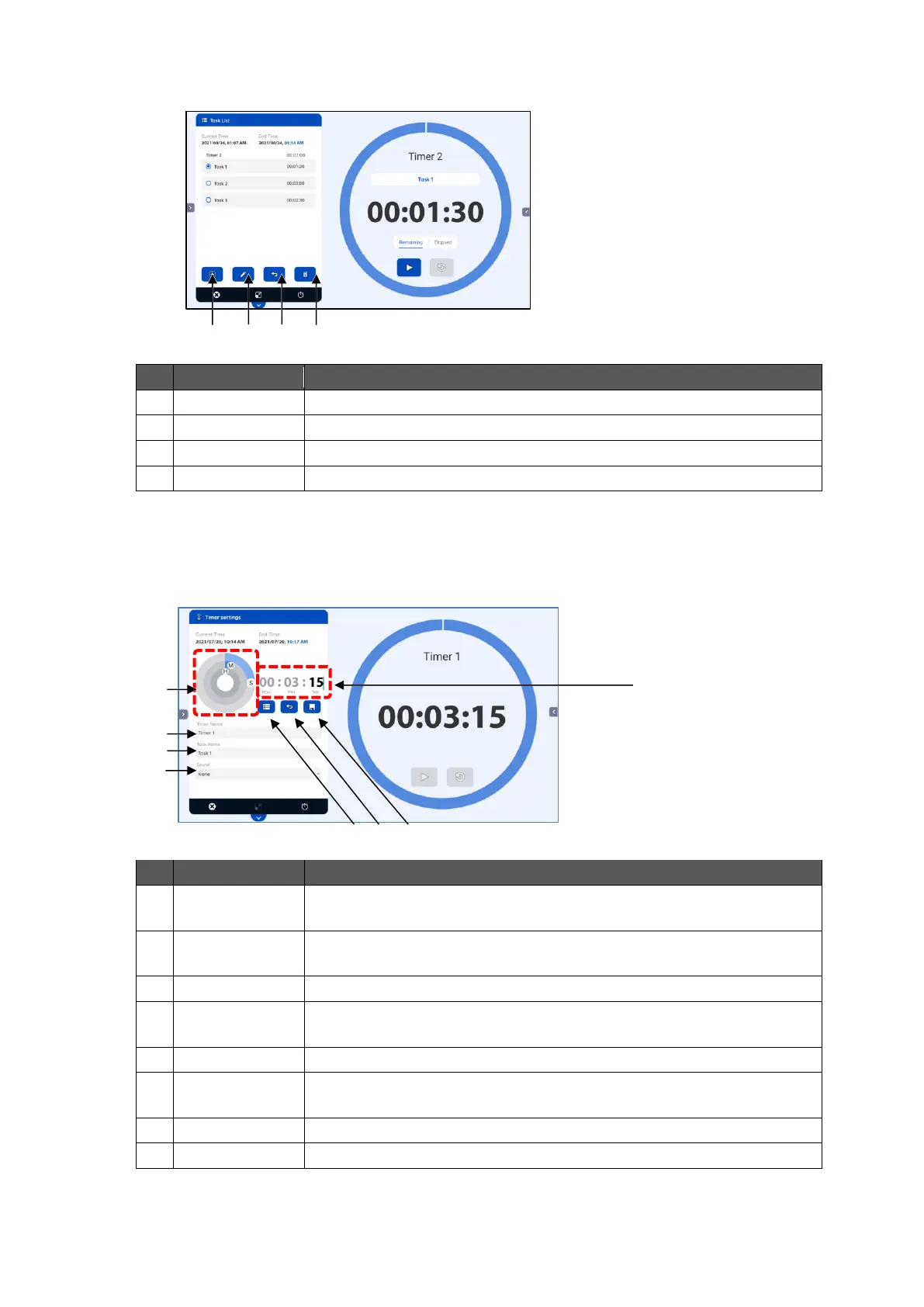
To create a new task. The Timer settings screen will appear.
To edit the selected task. The Timer settings screen will appear.
To go back to the Timer List screen.
To delete the selected task.
◆
Timer Settings Screen
You can set the time by entering the number directly by tapping the screen. You can also set
the time by moving icons (H (hours), M (minutes), and S (seconds)) on the circle slider.
To set the time by moving icons (H (hours), M (minutes), and S
(seconds)) on the circle slider.
To set the time by entering the number directly by tapping the screen.
To go back to the Timer List screen.
To go back to the Task List screen.
The configured settings will not be saved.
To go back to the Task List screen after saving the settings.
To display the timer name. The timer name cannot be configured
here.
To set the sound to be heard when the task is ended.



 To Next Page